www.magicard.com
RIO 2e, TANGO 2e & TANGO +L Printers USER MANUAL
Page 21 of 33
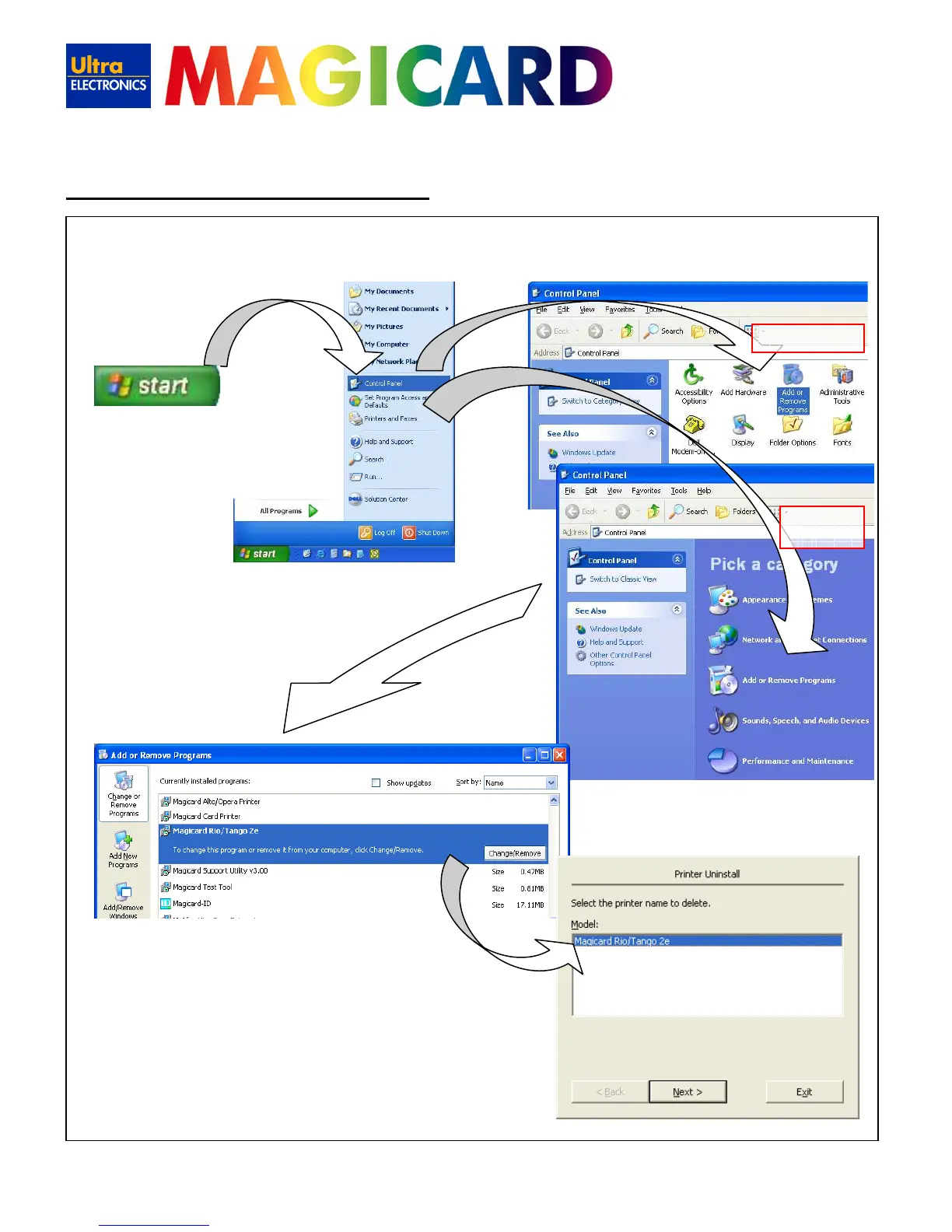
To delete the UltraDriver:-
12. Uninstalling the UltraDriver
• On the PC, go to “Start” >>
“Control Panel”
• Then select “Add or Remove
Programs”
Classic view
Category
• Select the “Magicard Rio/Tango 2e”
entry, and click on “Change/Remove”
• Choose the “Magicard Rio/Tango 2e” you
wish to remove (there may be more than
one), and click “Next”
• Lastly - just follow the on-screen prompts!
or















 To Next Page