Operation Manual easyTone
Permanent Deletion of Test Data
NOTE: We recommend permanently deleting the test data before selling the easyTone
system to protect personal data to protect personal data from misuse.
To permanently delete test data, proceed as follows:
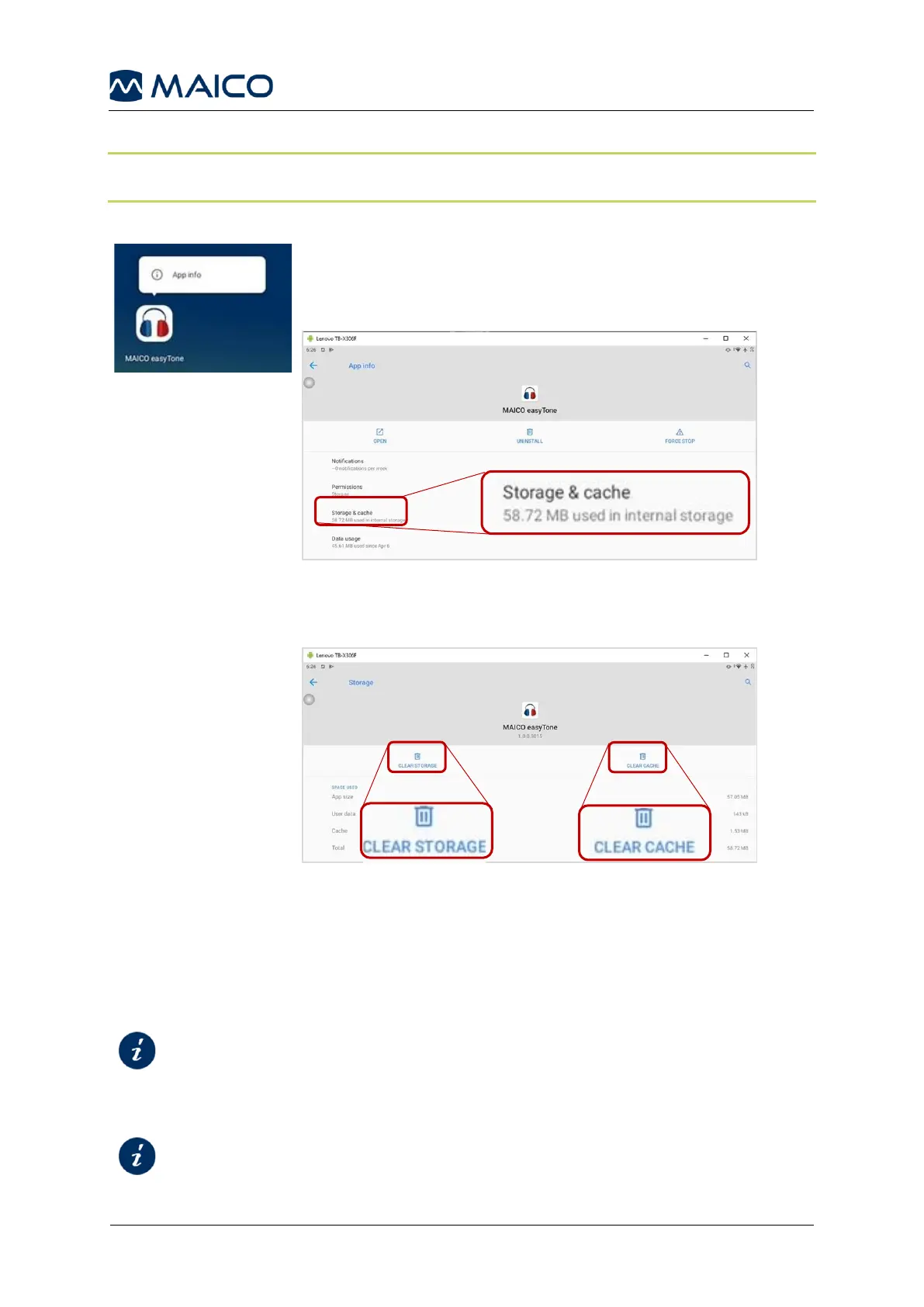
Press the easyTone app icon until the info selection dialog box
opens (Figure 1). Open the App info and press Storage &
cache (Figure 2).
Figure 2
Press CLEAR STORAGE and CLEAR CACHE to
permanently delete all test data (Figure 3).
Figure 3
2.9 Device Control
The user of the device should perform a subjective device check once a week
according to ISO 8253-1.
Checklist for Subjective Audiometer Testing
For annual calibration please see sections:


 To Next Page