Operation Manual easyTone
4.3 Establishing a PC Connection
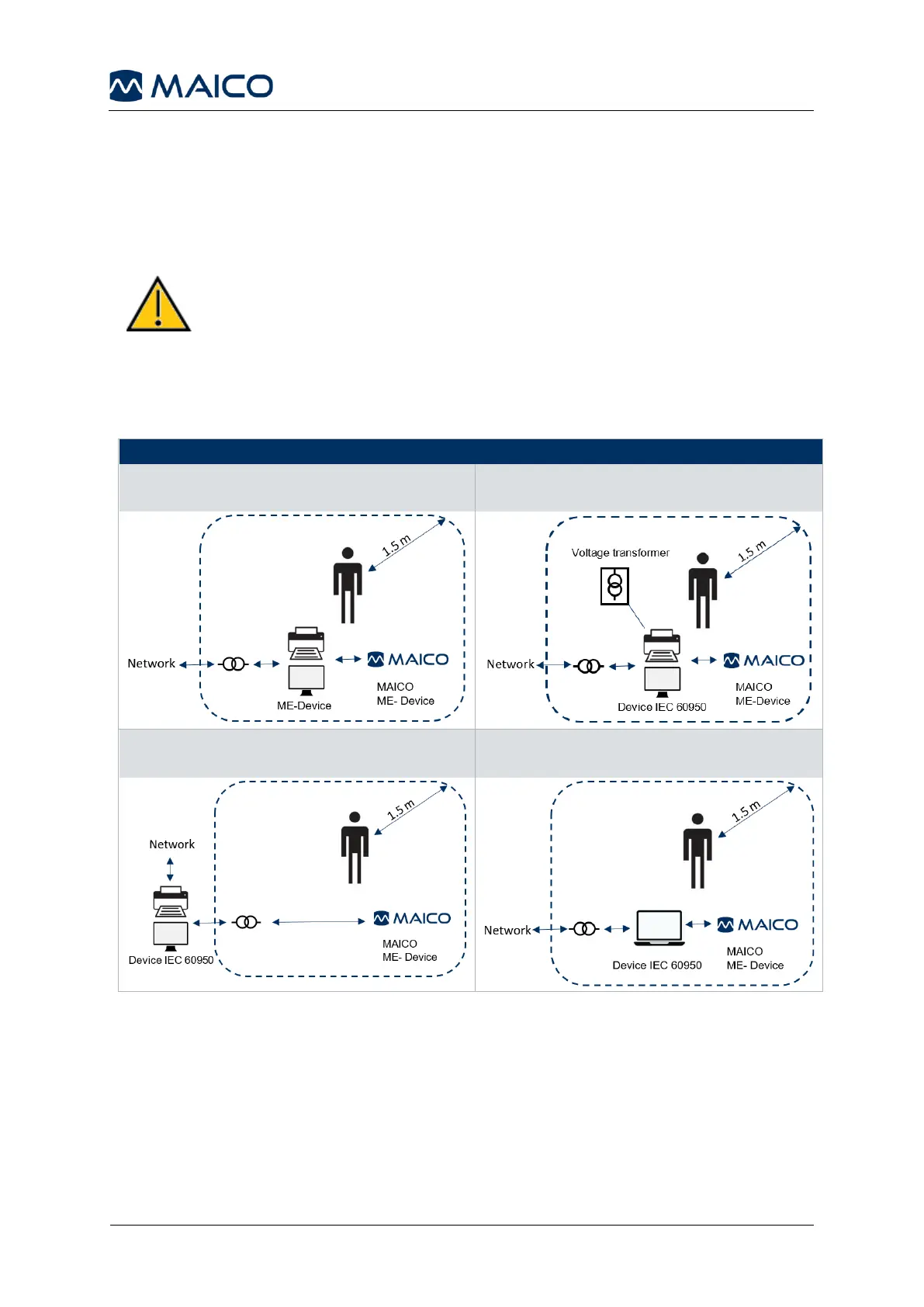
Data transfer to a PC can be done via USB connection. If the easyTone is used with
office equipment that is not a medical device itself (see Table 2, PC Connection 1),
make sure to establish the PC connection in one of the following ways (see Table 2,
PC Connection 2, 3 or 4).
Make sure you use only office equipment with the device that
is a medical device itself or meets the requirements of
IEC 60950. If a non-medical device is used within the patient
environment (1.5 m from patient as defined in IEC 60601) a
voltage transformer must be used (exception: a battery driven
laptop is used).
PC Connection 1:
Medical device – Medical Device
PC Connection 2:
Medical device – Non-Medical Device
PC Connection 3:
Medical device – Non-Medical Device
PC Connection 4:
Medical device – Laptop (battery-driven)


 To Next Page