Operation Manual easyTone
5.14 Updating the easyTone App
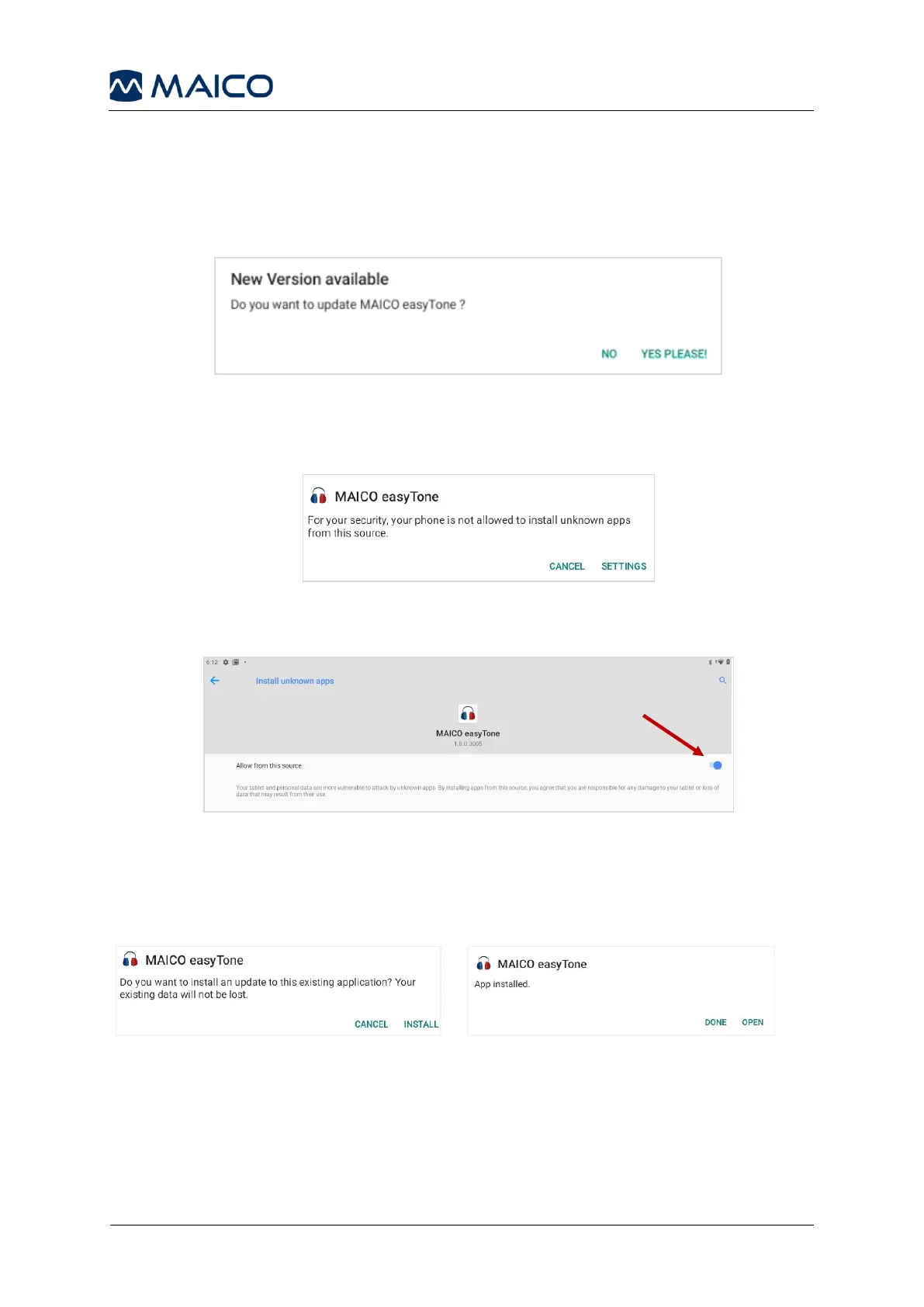
If an update is available, it will be offered to you when you start the easyTone app,
provided the tablet is connected to the Internet (Figure 69).
Press YES PLEASE! to start the update.
If you update the easyTone App the first time, you will need to allow the app to install
updates. Press Settings to enter the settings menu (Figure 70).
Move the slider to the right to allow updates (Figure 71).
Press Install to start the installation (Figure 72).
Press Done to finish the installation process or Open to open the easyTone App
(Figure 73).


 To Next Page