Operation Manual easyTone
5.7 Test Result – Screen Layout
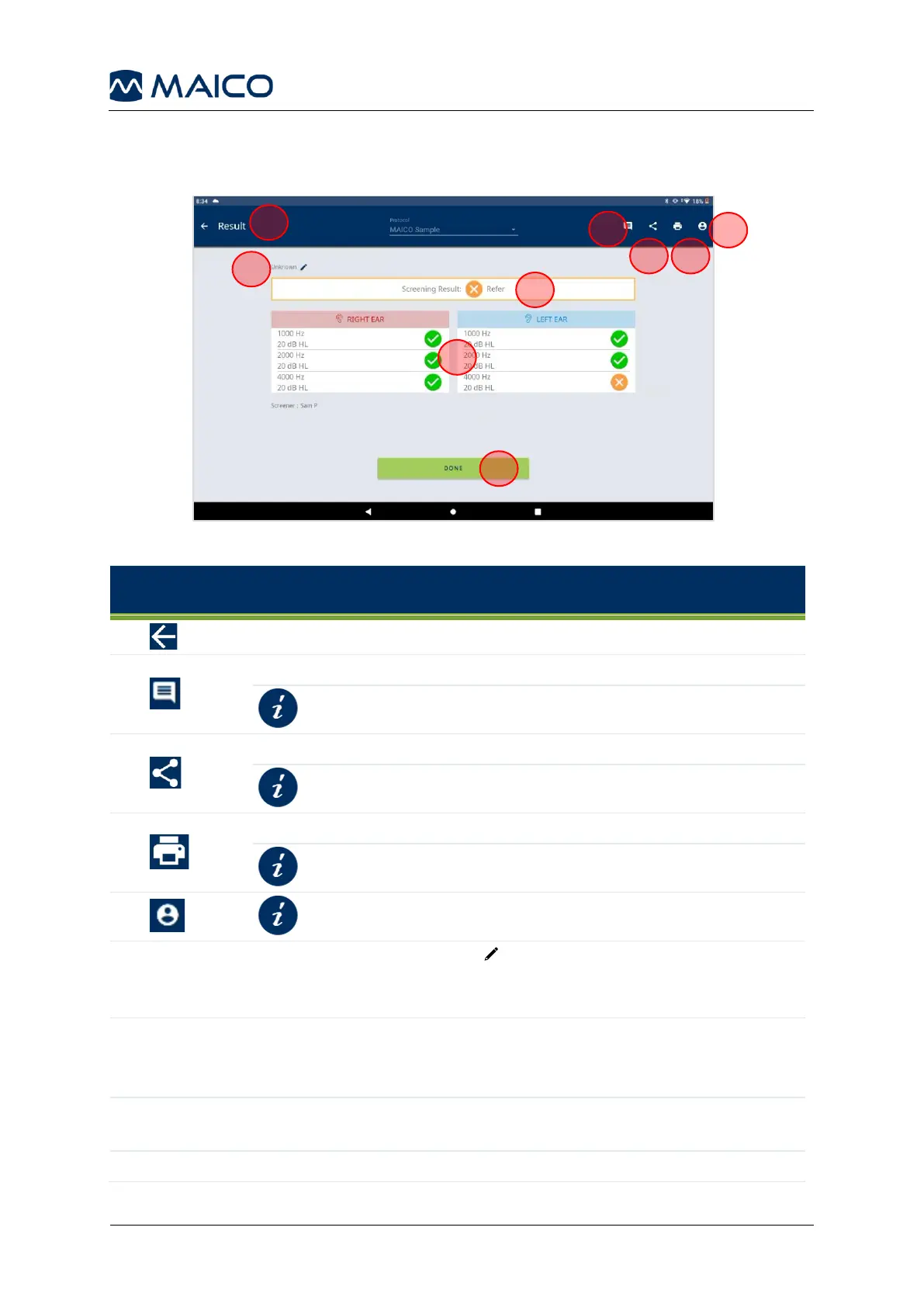
Figure 27 shows the Result screen. Table 4 gives explanation.
Table 4 Explanation of Test Result Screen
To return to test screen (e.g., if you want to continue a stopped test).
To add a comment to the printout and excel export of the Screening List.
Opens Android
TM
menu with sharing apps.
Opens Android
TM
printing application.
Displays subject. An Edit icon is displayed only for subjects
entered within the easyTone App. Subjects imported from the
easyTone Companion Software cannot be edited.
The overall result is displayed as Pass or Refer.
When No Response is collected for just one frequency, the overall
result is displayed as Refer.
Display all frequency result for both ears.
To exit Result Screen and return to start screen.


 To Next Page