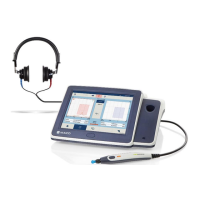
Operation Manual
touchTymp MI 26
and
MI 36
Version
• Increase top: + is in the top position and – is in bottom
(usual setting for Display type None and Table)
• Increase bottom: - is in the top position and + is in
bottom (usual setting for Display type One
audiogram or Two audiograms).
Selecting + increases the level and selecting – decreases the level.
5.6.17 Settings – Audiometry – Frequency
Frequency control: Movement of the test frequency when
selecting the frequency / buttons (Figure 160). Choose
between:
• Wrap: When the highest frequency is reached and is
selected, frequency movement is to the lowest frequency
(i.e. at 8000 Hz frequency selection moves to 125 Hz).
When the lowest frequency is reached and is selected,
frequency movement is to the highest frequency (i.e. 125
Hz moves to 8000 Hz).
• Back: Frequency movement return to 1000 Hz when the
minimum and maximum has been reached.
Store control: Movement of the test frequency when Store
or NR is pressed (Figure 161). Choose between:
• Remain: Test frequency does not move when Store
or NR is selected.
• Wrap: Test frequency will move up in frequency and
moves (i.e. wraps) to the lowest frequency when the
highest frequency is reached.
• Back: Test frequency moves up in frequency and returns to
1000 Hz when the highest frequency is reached.
Level change after store: Movement of the volume level
when Store or No Response is selected (Figure 162).
Choose between: Default level, -30 dB, -20 dB, -10 dB,
Remain, +10 dB, +20 dB.


 To Next Page
 Loading...