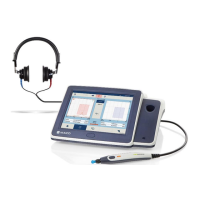
Operation Manual
touchTymp MI 26
and
MI 36
Version
Air: Select frequencies that are active during the air
conduction test. Device only cycles through active
frequencies in the test screen. 1000 Hz is not available for
deselection and excluded from the list. Choose between:
125 Hz, 250 Hz, 500 Hz, 750 Hz, 1500 Hz, 2000 Hz,
3000 Hz, 4000 Hz, 6000 Hz, and 8000 Hz (Figure 163).
Bone: Select frequencies that are active during the bone
conduction test. Device only cycles through active
frequencies in the test screen. 1000 Hz is not available for
deselection and excluded from the list. Choose between:
250 Hz, 500 Hz, 750 Hz, 1500 Hz, 2000 Hz, 3000 Hz,
4000 Hz, 6000 Hz, and 8000 Hz (Figure 164).
NOTE: Bone Conduction is an optional license within the
MI 26 version. If this is not licensed, Bone is greyed out.
5.6.18 Settings – Audiometry – Masking
NOTE: Masking is included in the optional Bone Conduction license with the MI 26
version. If device is not licensed the Masking tab is greyed out and not accessible.
Noise type: Selection of the masking noise (Figure 165).
Choose between: Narrow band and White noise.
Default masking level: Select a level the masking signal
defaults to when turned on. Choose a value between 0 dB
and 50 dB (Figure 166).
Off with store: Turns off masking signal with the selection of
Store or NR (Figure 167).
Show masking table: Masking table is displayed for
documentation of the masking level. Activating this setting
defaults the device to always show the masking table within
the test screen (Figure 157).
NOTE: Masking is included in the optional Bone
Conduction license with the MI 26 version. If device is not
licensed the setting will be greyed out.


 To Next Page
 Loading...