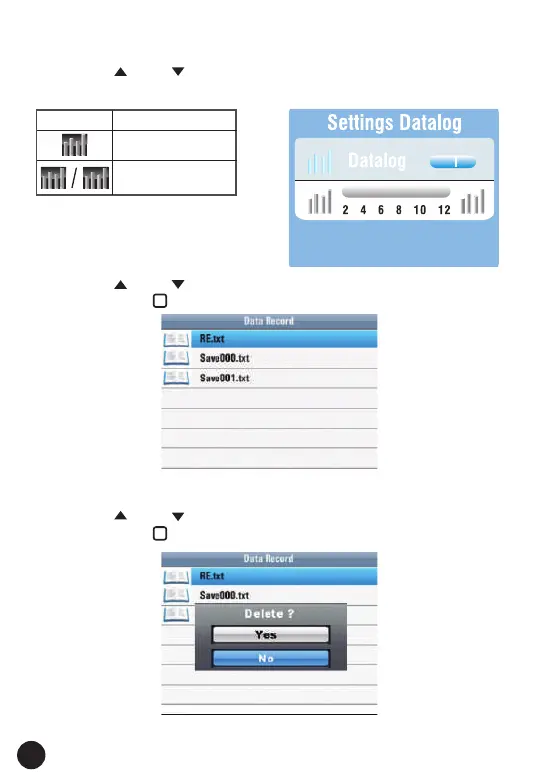
7.3. Datalog
• Press the " " and " " Button to select the items.
• Press the "◄" and "►" Button to set.
Items Menu
On or off the
Datalog
/Set Datalog time
(Unit: Second)
8. Data Record
• Press the " " and " " Button to select the data record file.
• Then press the " " Button to enter.
8.1. Delete Files
• Press Help/Delete Button to menu.
• Press the " " and " " Button to the Yes or No.
• Then press the " " Button to execute.
36



 To Next Page