9
3. INSTRUMENT OVERVIEW
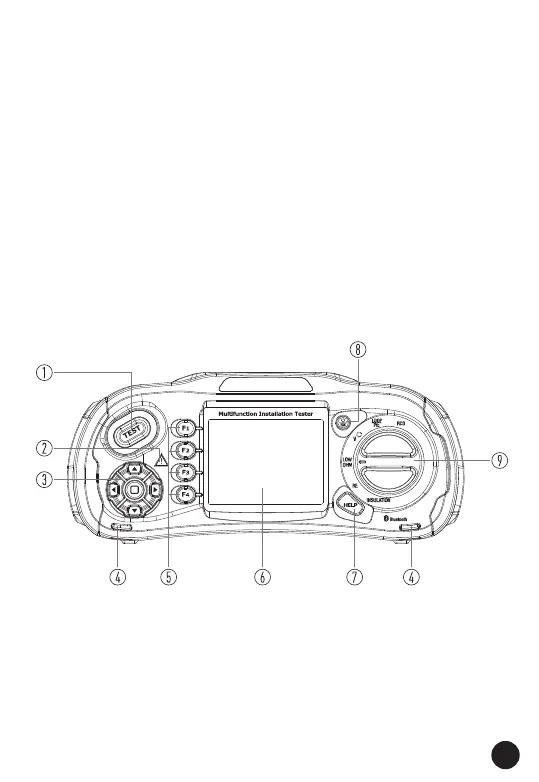
3.1. FRONT VIEW
1 - TEST Button
• The TEST Button is surrounded by a "Touch Pad".
• The touch pad measures the potential between the operator and
the tester's PE terminal.
• If you exceed a 100V threshold, the D symbol above the touch
pad is illuminated.
2 - Warning Lamp
3 - Navigation Button
4 - Lanyard Hole
5 - F1/F2/F3/F4 Software Button
6 - 320x240 (RGB) Colour Active Matrix
7 - HELP Button
8 - POWER/ESC Button
9 - Function Selector Switch



 To Next Page