EasyManua.ls Logo

MAJORITY Histon - User Manual

MAJORITY Histon
23 pages
Print Icon
To Next Page IconTo Next Page
Loading...
CB24-DAB-BLK
Majority Histon
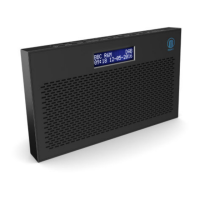
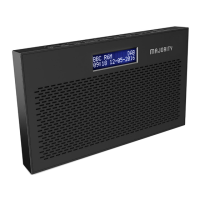
DAB / DAB+ / FM Radio Alarm Clock
User Guide

Questions and Answers

  • J
    jaredrogersJul 26, 2025
    How to set the time and date automatically on my MAJORITY Radio?
    • R
      Robert TownsendJul 26, 2025
      To set the time and date automatically on your MAJORITY Radio, turn on the system and switch to DAB radio and let it scan. Then, press the ‘Power Mode’ button, and the system will go into standby. The date and clock will then update automatically.
  • C
    Craig WhiteJul 31, 2025
    What to do if my MAJORITY Histon buttons are not working?
    • S
      Shannon HarmonJul 31, 2025
      If the buttons on your MAJORITY Radio are not working, turn off the unit and then turn it back on after a few seconds. This might reset the system and restore button functionality.
  • S
    Sheila PotterAug 4, 2025
    What to do if my MAJORITY Histon has no sound?
    • C
      Cory FreemanAug 4, 2025
      If your MAJORITY Radio has no sound, there might be a few reasons: * The station might not be properly tuned. Try fine-tuning the station. * The volume could be set too low. Increase the volume. * Headphones might be connected. Disconnect them to play sound through the speakers.
  • V
    Vicki HansenAug 8, 2025
    Why is my MAJORITY Histon Radio sound distorted?
    • J
      Jeffrey ChambersAug 8, 2025
      If the sound from your MAJORITY Radio is distorted, the volume may be too high. Try adjusting the volume control to a lower level.
  • B
    brian01Aug 13, 2025
    What to do if my MAJORITY Radio display shows “No Service”?
    • B
      Brian WongAug 13, 2025
      If your MAJORITY Radio displays “No Service”, it indicates that there is no DAB coverage in your area or the reception is poor. Try adjusting the position of the aerial or moving the unit to a location with a stronger signal.
  • J
    jacksonelizabethAug 17, 2025
    Why is the FM on my MAJORITY Radio static or the DAB burbling?
    • L
      Leslie OwensAug 17, 2025
      If you are experiencing static sound on FM or burbling/intermittent cut-out on DAB with your MAJORITY Radio, the signal reception is likely low. To resolve this, adjust the aerial or move the unit to a location with a stronger signal. You may also need to re-scan for stations.
  • M
    Matthew KellyAug 21, 2025
    What to do if I can't find the desired station on my MAJORITY Radio?
    • R
      Ronald ShepherdAug 21, 2025
      If you cannot find the desired station on your MAJORITY Radio, it may be due to a weak signal. Try using the manual tune function to find the station.

Summary

Controls And Functions

Side View

Details the side view of the radio, including power and earphone connectors.

Top View

Illustrates the top view, listing all controls like Power, Mode, Scan, etc.

Back View

Shows the back view, identifying the antenna, battery compartment, display, and speaker.

Whats In The Box?

Instructions Guide

Basic Operation

Explains initial setup, power connection, antenna extension, and basic tuning.

DAB Radio

Details how to operate the DAB radio, including scanning and station selection.

How to store a preset DAB station

Guides on saving favorite DAB stations to memory presets.

How to play a preset radio station

Explains how to recall and listen to saved preset radio stations.

FM Radio

Covers operating the FM radio, including auto-scanning and manual tuning.

How to store a preset FM station

Instructions for saving favorite FM stations to memory presets.

How to play a preset radio station

Instructions for recalling and listening to saved FM preset radio stations.

Station information for DAB and FM Radio

Details how to view programme information for DAB and FM radio stations.

Clock and Date Settings

Manually Setting the time

Guides on manually adjusting the device's time settings.

Manually Setting the Date

Instructions for manually setting the device's date.

Dual Alarm Setting

Alarm 1; Alarm2 Setting

Step-by-step guide to configure both Alarm 1 and Alarm 2 settings.

Snooze;Switch off Alarm when sounding

Explains how to use the snooze function or turn off the alarm when it sounds.

Other Functions

System Reset

Details how to perform a factory reset on the device.

SW Version - Software Version Display

How to check the software version of the device.

Sleep Setting

Instructions for setting the automatic sleep timer to turn off the radio.

Technical Specifications

Power supply

Lists power supply requirements and battery options.

Mode

Specifies the radio modes supported, including FM and DAB/DAB+ frequencies.

Output Connector

Identifies the available output connector types.

Aerial

Describes the type of aerial used by the radio.

Power Supply and Batteries

Explains how the unit is powered and how to insert batteries.

Warranty

Information on the product's warranty and registration process.

Troubleshooting Guide

No sound

Provides solutions for issues related to no audio output from the radio.

Buttons are not working

Offers troubleshooting steps for unresponsive buttons on the device.

FM: Static sound

Addresses common issues with static or poor sound quality in FM mode.

DAB: Burbling;intermittent cut-out

Solutions for audio interruptions or distortion in DAB mode.

Sound is distorted

Troubleshooting tips for distorted audio playback.

Desired station not found

Guidance on finding and tuning to desired radio stations.

Display shows No Service

Explains how to resolve "No Service" messages on the display.

Display is blank

Troubleshooting steps for a blank or unresponsive display.

Time and Date not setting automatically

Instructions for fixing automatic time and date synchronization issues.

Safety Information

Reading and Keeping Instructions

Emphasizes the importance of reading and retaining the manual.

General Usage Precautions

Covers general safety advice like avoiding water, proper installation, and avoiding heat sources.

Power Cord and Ventilation Safety

Advises on protecting the power cord and not blocking ventilation openings.

Electrical Shock and Servicing

Warns about electric shock, not opening the unit, and referring servicing to qualified personnel.

Product Disposal and Recycling

Instructions for responsible disposal of electrical products and batteries.

Additional Warnings

Includes warnings about liquid exposure, mains plug usage, and battery heat exposure.

MAJORITY Histon Specifications

General IconGeneral
TypePortable Radio
FM Frequency Range87.5 - 108 MHz
DisplayLCD
Alarm FunctionYes
Speaker Output3W
Tuner TechnologyDigital
Headphone JackYes
Power SourceBattery and Mains Powered
Battery Type4 x AA
FeaturesSleep Timer
Weight0.48 kg

Related product manuals