Non Real-Time Functions: Editing Reels and Splices with Reaper (Cont’d)
31
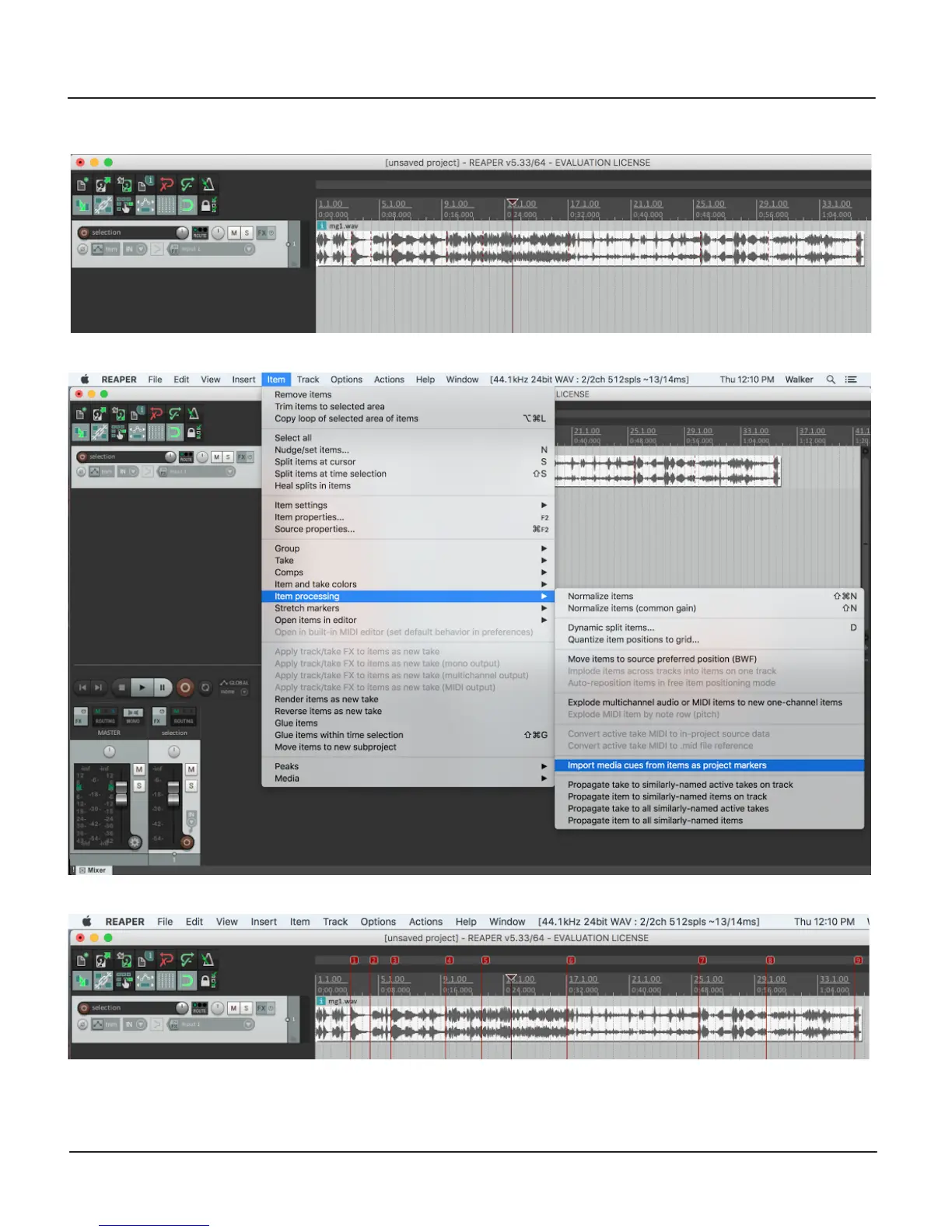
If importing a le created by Morphagene into Reaper, Splice Markers will show up as red dotted lines and must be imported
before editing.
To do so, click on the Item Menu and select "Import media cues from items as Project markers:”
They now show up as Reaper Standard. After editing, Render with the same settings as described on the previous page.
You are welcome to remove any or all Reels either via Reel Deletion on the Morphagene or by moving them to the Trash on a
computer. If there are gaps in the Reel numbering system, the Morphagene reorganizes them automatically. You may also see an
“options.txt” and/or a “qc.txt,” which do not have to be present for the Morphagene to operate.


 To Next Page