54
MAINTENANCE CONTINUED
Cleaning the Drive Gear | Continued
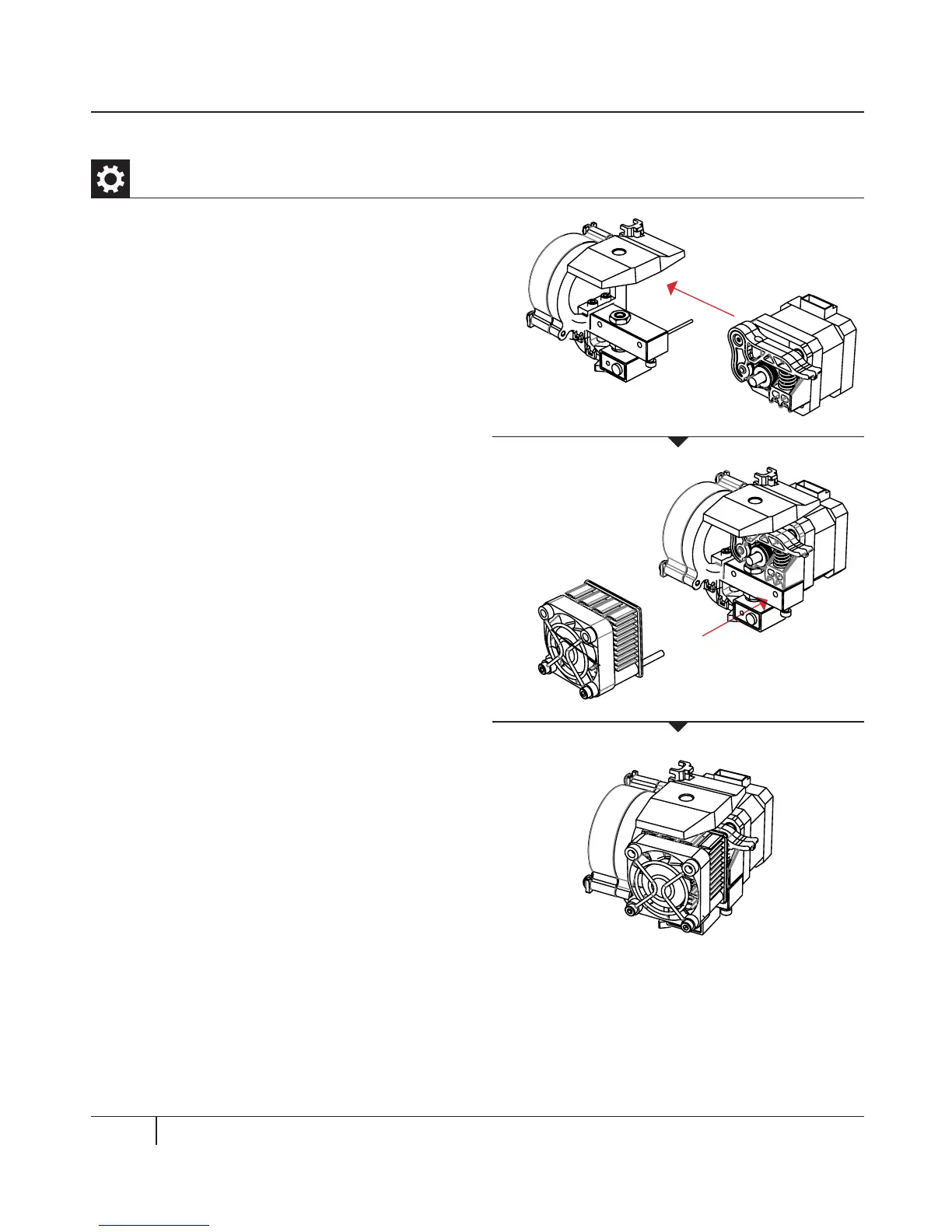
6. Reseat the motor assembly.
7. Plug in the motor wires.
8. Add the fan guard, the fan, the heat sink,
and spacers to the front of the extruder and
bolt them on.
9. Reload the MakerBot PLA Filament. To
do this, go to the LCD panel and select
Utilities > Filament Options > Load.



 To Next Page