LUBRICATING Z-AXIS ROD AND IDLER PULLEY CONTINUED
33MAINTENANCE
4. Grasp both sides of the build platform and
move it to the top of the MakerBot Replicator 2X.
5. Use a clean, lint-free rag [or your nger]
to spread the PTFE-based grease onto
the bottom section of the threaded rod.
Make sure you get the grease inside the
threads themselves.
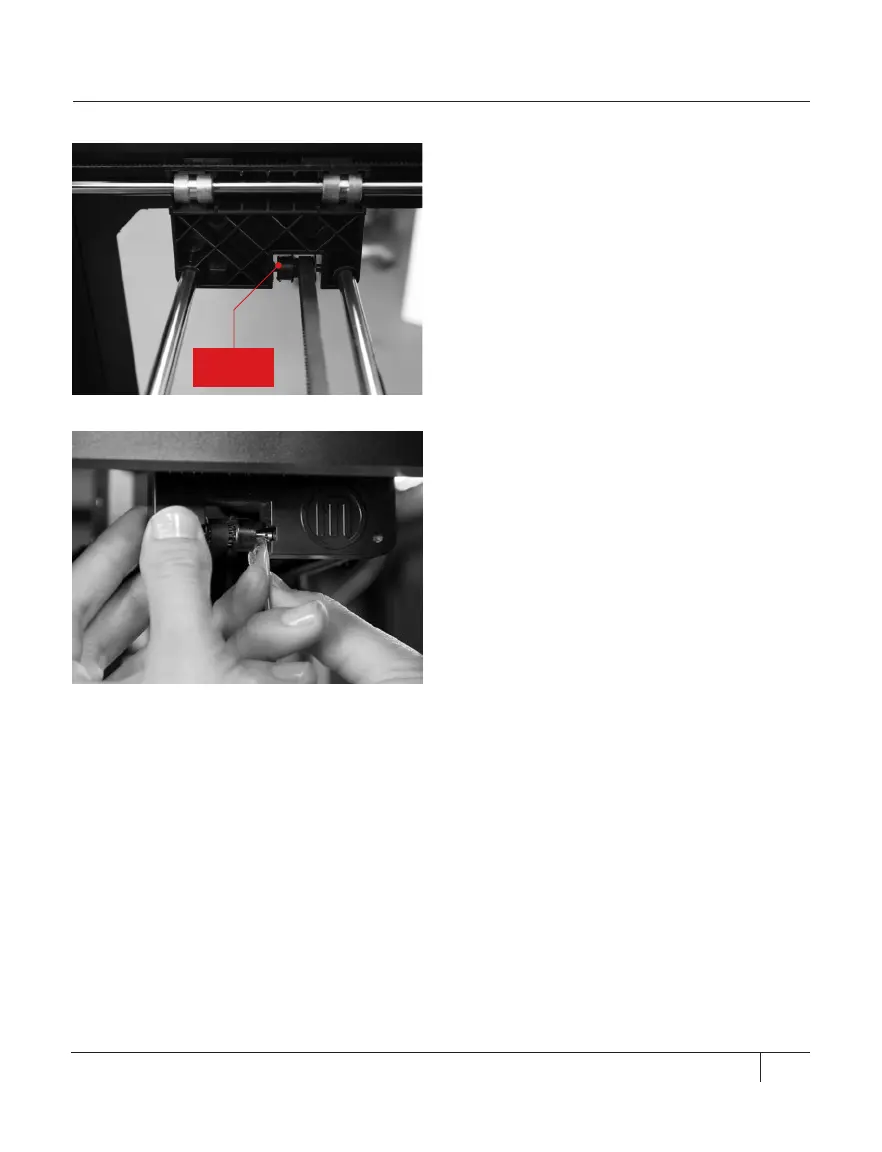
6. Locate the X-axis idler pulley. Facing the
front of the MakerBot Replicator 2X, the idler
pulley is at the top le side. [Fig. 2.6] The
idler pulley is one of the pulleys that allow the
rubber belt to move the extruder from le to
right, or along the X-axis. The pulley at the
other side of the gantry is called the timing
pulley and does not require lubrication.
7. Squeeze a small amount of the PTFE-
based grease directly onto the exposed area
of the metal rod inside the idler pulley and
manually move the pulley back and forth to
spread the grease.[Fig. 2.7]
NOTE: To view a video of this process, go to the
MakerBot Replicator 2X video page at
makerbot.com/support/replicator2x/videos and
select the video Replicator 2X Maintenance.
Fig. 2.6
Fig. 2.7
X-axis
idler pulley





 To Next Page