startup19
THE MAKERBOT REPLICATOR CONTROL PANEL
The MakerBot
®
Replicator
®
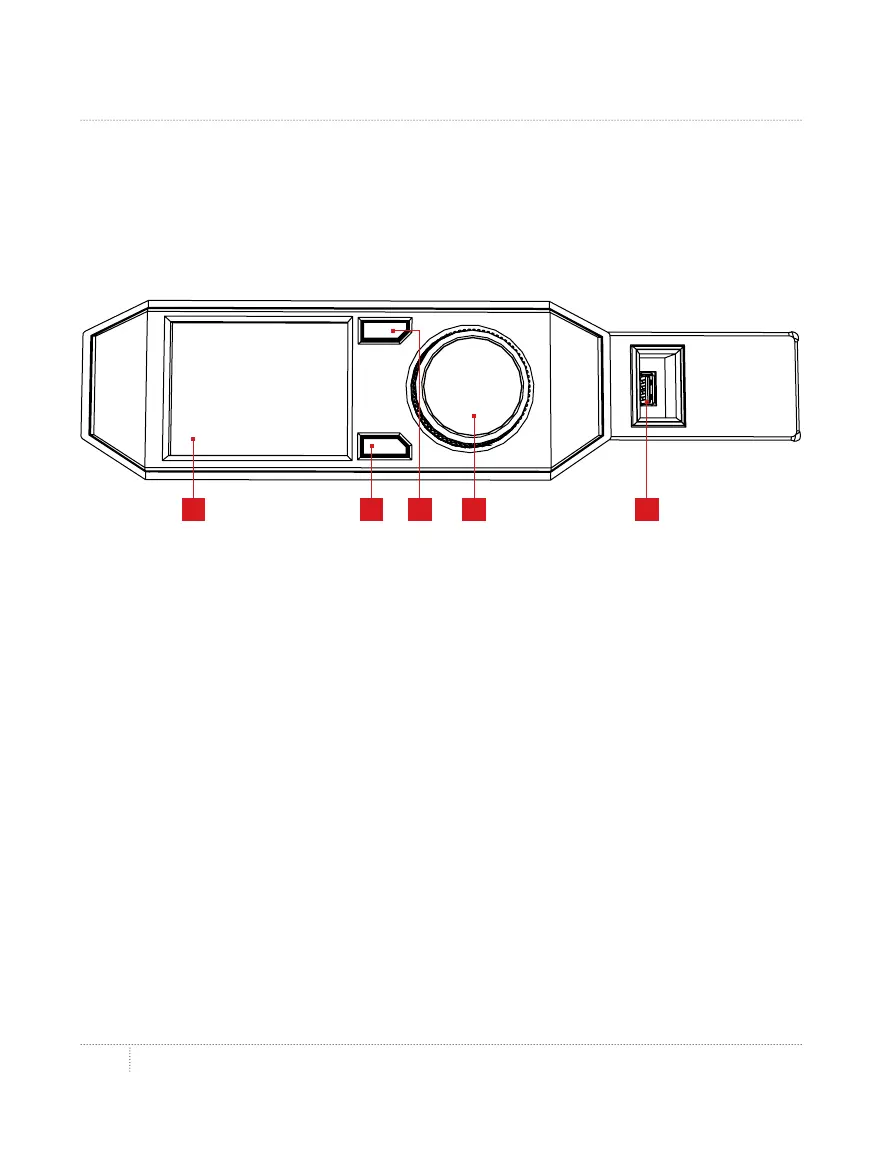
is operated by means of a control panel
at the upper right of the machine. The control panel includes a color LCD screen,
a rotary/push dial, and two buttons.
• • Turn the dial to scroll through the available options on a screen.
• • Press the dial to make a selection.
• • Press the back button to return to the previous screen or cancel an action.
• • Press the menu button to open a menu with additional options. If a menu is
available, amenuicon will appear at the lower right corner of the screen.
4 5321
1. LCD screen
2. Menu button
4. Dial
5. USB drive port
3. Back button



 To Next Page