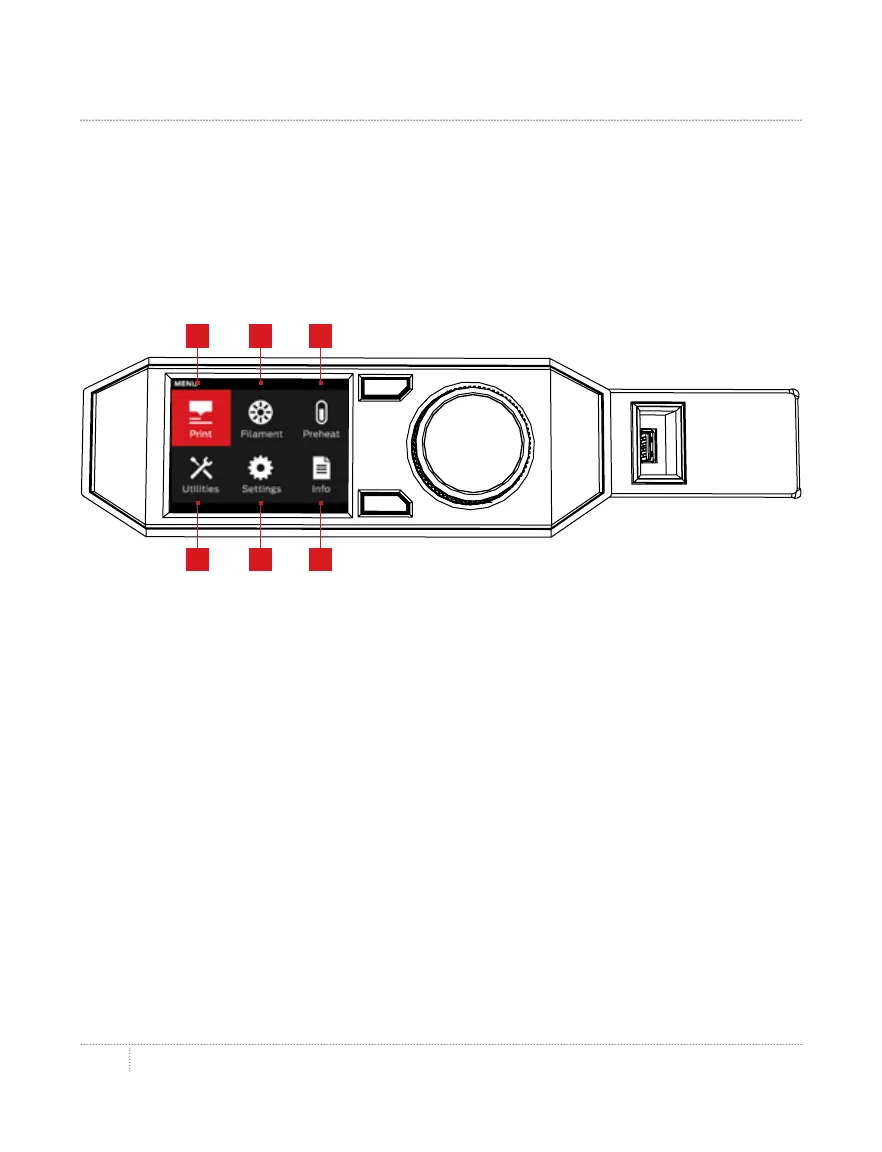
the control panel35
HOME SCREEN
1. PRINT: Initiate a print stored on a USB drive or internal storage, or synced from your
MakerBot account.
2. FILAMENT: Load filament into or unload filament from the MakerBot Replicator Smart Extruder.
3. PREHEAT: Preheat the Smart Extruder.
4. UTILITIES: Access build plate leveling, diagnostics and other tools.
5. SETTINGS: Edit network and sharing settings and personalize your MakerBot Replicator.
6. INFO: View your 3D printer’s history and statistics.
Use the control panel to:
• • Print objects from a USB flash drive or the internal storage of
your MakerBot Replicator.
• • Start prints initiated via MakerBot Desktop.
• • Change printer settings.
• • View print history and statistics.
54 6
21 3



 To Next Page