EasyManua.ls Logo

Makita DUR369AZ - User Manual

Makita DUR369AZ
28 pages
Print Icon
To Next Page IconTo Next Page
Loading...
INSTRUCTION MANUAL
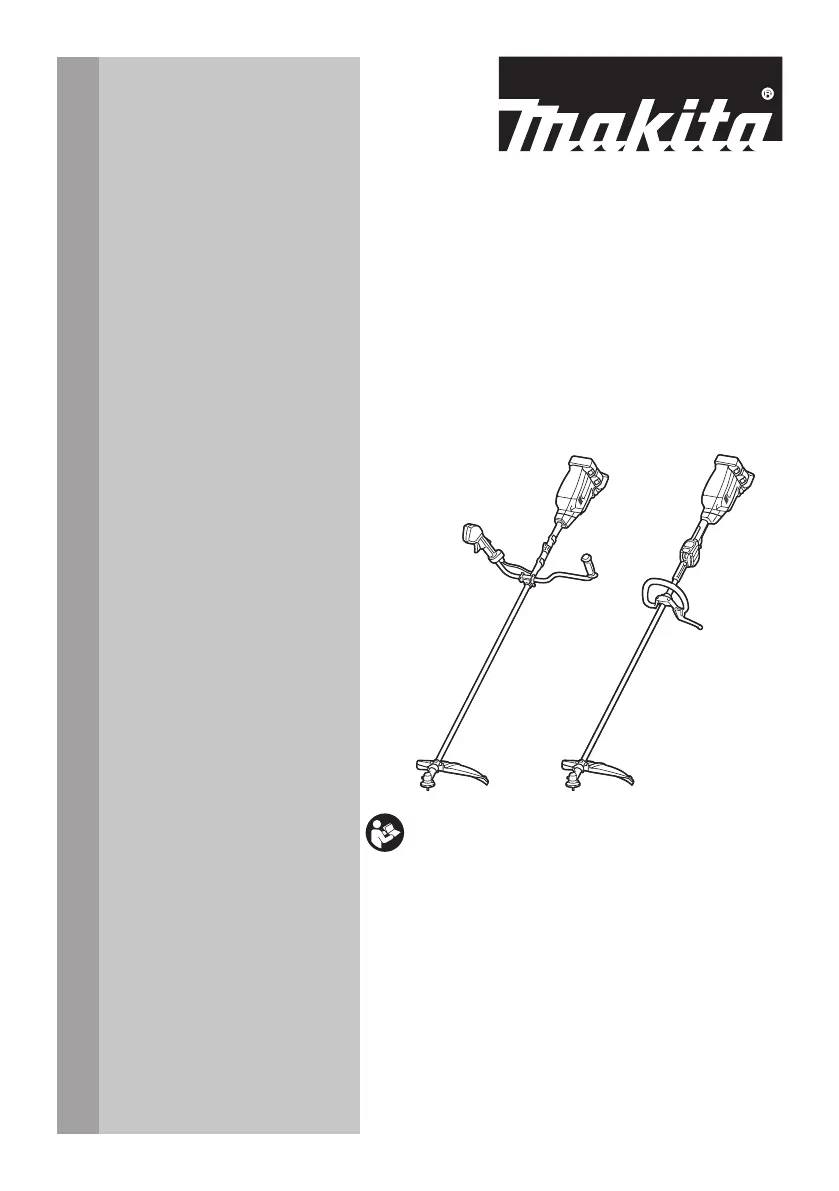
Cordless Grass Trimmer
DUR369A
DUR369L
ENGLISH: Original instructions
Read before use.

Questions and Answers

  • K
    Keith GordonJul 25, 2025
    What to do if Makita DUR369AZ motor stops running after a little use?
    • J
      Jason SloanJul 26, 2025
      If your Makita Trimmer motor stops running shortly after you start using it, it could be due to a low battery. Try recharging the battery cartridge, and if that doesn't solve the issue, replace the battery. Alternatively, the tool might be overheating. If this is the case, stop using the trimmer and allow it to cool down.
  • H
    Heather SmithJul 30, 2025
    What to do if Makita Trimmer cutting tool does not rotate?
    • J
      Joan RoweJul 30, 2025
      If the cutting tool on your Makita Trimmer isn't rotating, stop the machine immediately! Check if a foreign object, like a branch, is jammed between the guard and the cutting tool and remove it. Also, verify that the cutting tool is securely tightened. If the problem persists, the drive system may not be working correctly, and you should contact your local authorized service center for repair.
  • J
    Joseph TerryAug 4, 2025
    Why my Makita Trimmer motor does not run?
    • A
      angela35Aug 4, 2025
      If the Makita Trimmer motor isn't running, first, ensure the battery cartridge is correctly installed. If it still doesn't work, the battery might be the issue. Try recharging it, and if that doesn't help, replace the battery cartridge. If problems persist, the drive system may not be working correctly, and you should seek repair at your local authorized service center.
  • A
    Alexander MendozaAug 9, 2025
    Why my Makita DUR369AZ does not reach maximum RPM?
    • M
      Mrs. Caroline Murphy DDSAug 9, 2025
      If your Makita Trimmer isn't reaching its maximum RPM, start by checking if the battery cartridge is properly installed as described in the manual. If it is, the battery power might be dropping. Try recharging the battery cartridge, and if that doesn't work, replace it. If the issue continues, the drive system may not be functioning correctly, and you should consult your local authorized service center for repair.
  • W
    wilsonrachelAug 14, 2025
    What to do if Makita DUR369AZ has abnormal vibration?
    • D
      Dennis BarnesAug 14, 2025
      If your Makita Trimmer is vibrating abnormally, stop the machine immediately! This could be due to a broken, bent, or worn cutting tool, which requires replacement. It could also be that the cutting tool is loosely attached, so tighten it securely. If neither of these solutions works, the drive system may not be functioning correctly, and you should seek assistance from your local authorized service center.
  • J
    jenniferhernandezAug 19, 2025
    What to do if Makita DUR369AZ cutting tool and motor cannot stop?
    • J
      Justin ArnoldAug 19, 2025
      If the cutting tool and motor on your Makita Trimmer cannot be stopped, remove the battery immediately! This likely indicates an electric or electronic malfunction. Remove the battery cartridge and seek assistance from your local authorized service center for repair.

Summary

Specifications and Noise Levels

Model and Technical Specifications

Details model, speed, dimensions, voltage, and weight of the grass trimmer.

Applicable Battery, Adapter, and Charger

Lists compatible battery cartridges, adapters, and chargers for the tool.

Noise Levels by Cutting Tool

Details noise emission levels for different cutting tools and models.

Vibration Data

Vibration Emission Levels

Provides vibration emission data for different cutting tools and models.

Safety Information and Symbols

Understanding Safety Symbols

Explains the meaning of symbols used in the manual for safe operation.

General Safety Precautions

Covers work area, electrical, and personal safety guidelines.

Tool and Battery Usage Guidelines

Power Tool Use and Care

Instructions on how to properly use and maintain the power tool.

Battery Tool Use and Care

Guidance on the safe use and maintenance of battery-powered tools.

Tool Service and Maintenance

Information on tool maintenance and repair by authorized centers.

Important Safety Instructions

Intended Use and General Instructions

Specifies intended applications and general operating guidelines.

Protective Equipment and Area Safety

Details necessary safety gear and work area precautions.

Electrical and Battery Safety

Crucial safety rules for electrical and battery components.

Putting Into Operation and Basic Operation

Tool Assembly and Preparation

Step-by-step guide for preparing and assembling the tool before use.

Standard Operation Procedures

Instructions for the correct and safe operation of the tool.

Cutting Tool Selection and Use

Information on various cutting tools and their applications.

Advanced Operation and Maintenance

Kickback Prevention and Vibration

Explains kickback and vibration effects and how to mitigate them.

Tool Transport and Maintenance

Guidelines for safe transport and regular tool maintenance.

Storage, First Aid, and Battery Safety

Storage and First Aid Measures

Instructions for proper storage and accident response.

Battery Safety and Longevity

Critical safety information and tips for battery health.

Parts Description

Component Identification

Identifies and labels all components of the tool.

Functional Description and Protection Systems

Tool and Battery Functions

Explains tool functions, cartridge handling, and protection systems.

Protection System Operation

Details overload, overheat, and overdischarge protection mechanisms.

Battery Capacity Indicator

How to check the remaining battery charge level using indicators.

Switches and Controls

Main Power and Switch Operation

Instructions on operating the main power switch and lock-off lever.

Speed Control and ADT

Adjusting Tool Speed

How to select and adjust the tool's operating speed.

Automatic Torque Drive Technology

Explains the ADT feature for optimal performance.

Debris Removal with Reverse Function

How to use the reverse function to clear debris.

Electronic Features and Assembly

Electronic Functions and Assembly

Describes electronic features and provides assembly instructions.

Installing the Tool Handle

Step-by-step guide for attaching the handle to the tool.

Attachment Installation and Storage

Barrier and Hex Wrench Installation

Instructions for attaching the safety barrier and storing the hex wrench.

Cutting Tool and Protector Combination

Ensures proper pairing of cutting tools and protective guards.

Installing the Protector Guard

Steps for correctly installing the protective guard.

Cutting Tool Installation Procedures

Cutter Blade Installation

Detailed steps for installing a cutter blade.

Nylon Head and Plastic Blade Attachment

Instructions for attaching nylon heads and plastic blades.

Nylon Cutting Head Installation

Nylon Cutting Head Types

Instructions for installing both bump & feed and manual feed nylon heads.

Plastic Blade and Harness Attachment

Plastic Blade Installation

Steps for installing a plastic blade.

Attaching the Shoulder Harness

Guide on how to properly attach and adjust the shoulder harness.

Shoulder Harness Adjustment

Harness Adjustment and Release

How to adjust, release, and position the shoulder harness.

Hanger Position Adjustment

How to adjust the hanger position for comfortable handling.

Tool Handling and Operation Techniques

Correct Tool Handling and Positioning

Essential techniques for safe and effective tool operation.

Nylon Head (Bump & Feed) Operation

Specific operation instructions for bump & feed nylon cutting heads.

Maintenance Procedures

Tool Cleaning and Cord Replacement

How to clean the tool and replace the nylon cord.

Troubleshooting and Accessories

Problem Solving Guide

Common problems, their causes, and remedies.

Recommended Optional Accessories

Lists recommended accessories and attachments for the tool.

Makita DUR369AZ Specifications

General IconGeneral
Type2-in-1 Brush cutter & String trimmer
CordlessYes
Head typeBlade & nylon line
Handle typeU-type handle
Product colorGreen
Rotational speed7000 RPM
Cutting diameter (max)430 mm
Power sourceBattery
Battery voltage18 V
Battery includedNo
Weight and Dimensions IconWeight and Dimensions
Length1905 mm
Weight5900 g

Related product manuals