Using the system
41
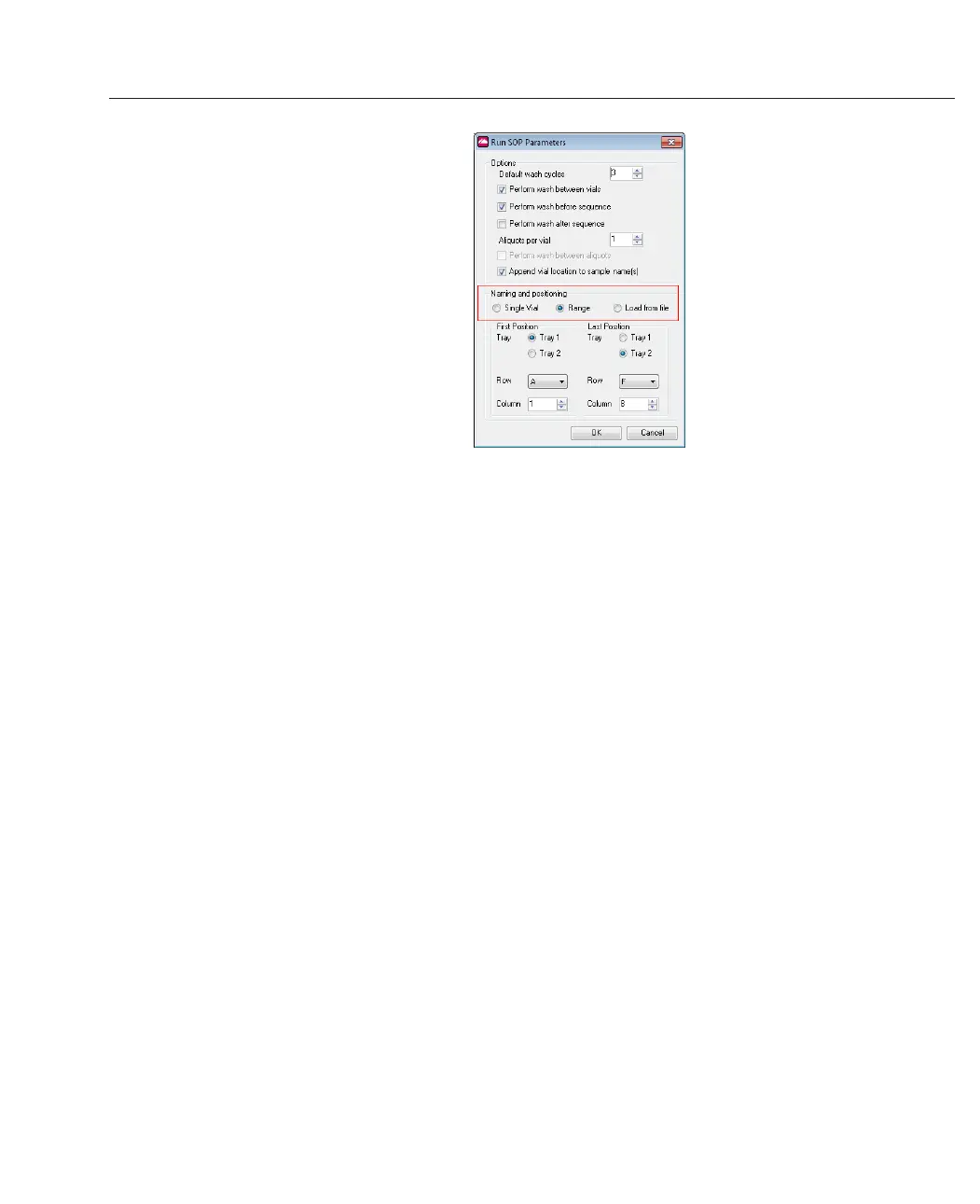
The following options are common to all running methods:
l
Perform wash between vials/before or after sequence/between aliquots -
the wash sequence flushes the flow cell and relevant tubing (the needle itself is
washed after any sample load step and is not adjustable). The number of wash
cycles will be as specified in the default settings unless manually edited. The more
wash cycles used, the more fluid is required in the system.
l
Aliquots per vial - number of samples taken from each vial (up to a maximum of
3). The analysis is run on each aliquot.
l
Append vial location to sample name(s) - this is useful when later identifying
the source of the measurement - for example, if activated, the measurement of
tray 1, well A01 will ensure the records for that vial are named "....(1A01)" etc.
l
Default wash cycles - the default number of wash cycles is set to 3. This can be
changed, and will be applied to ALL wash steps in the sequence. Wash cycles can
be specified to run between different vials, and also at the start and end of the
sequence if required.
For each aliquot to be measured two commands are added to the playlist – Load Sample
(which contains the location parameters and the missing vial action), and below it, the
name of the SOP to be used.
Click Load Sample then the Properties tab to view or edit these parameters.



 To Next Page