MicroCal iTC
200
Washing Module User Guide 9
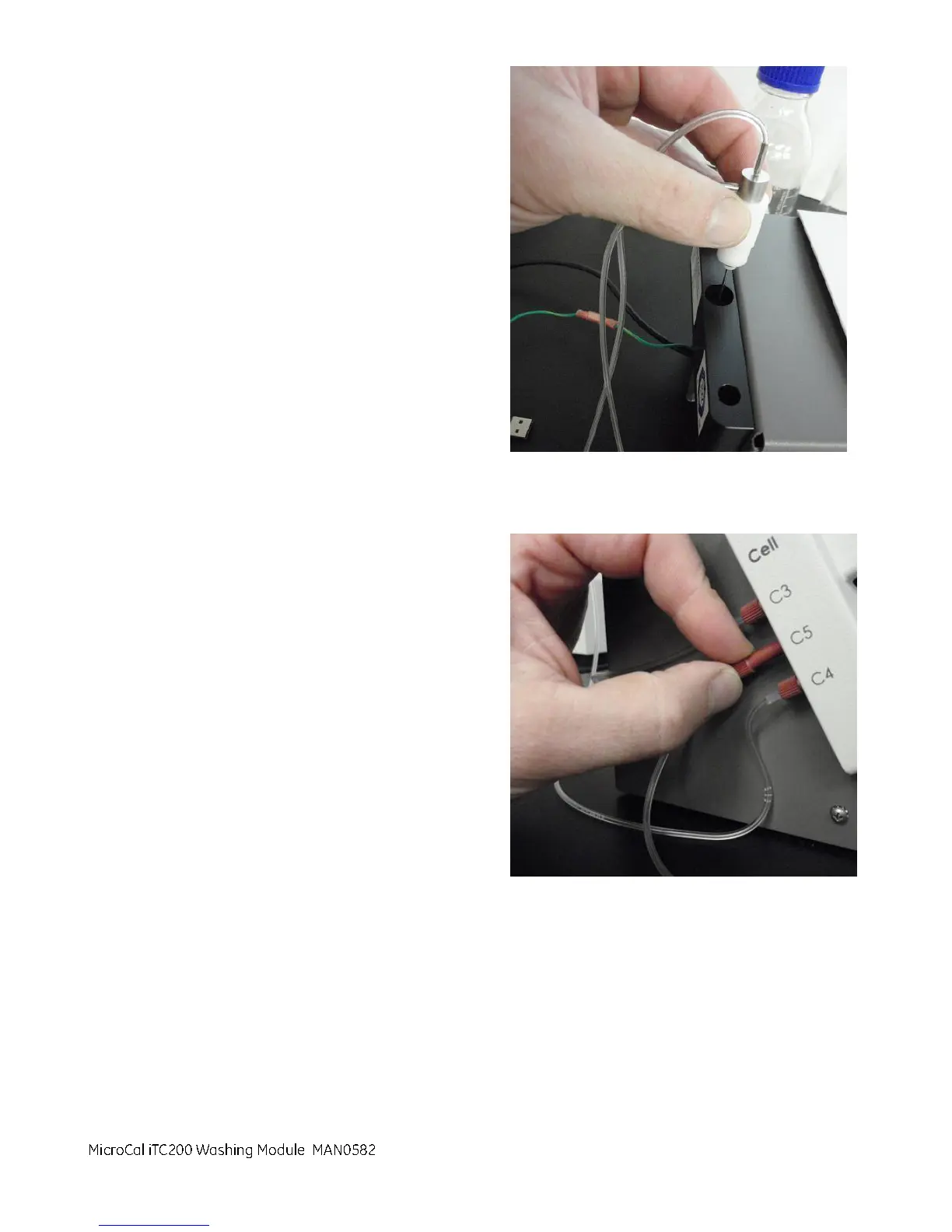
4. Place the cleaning device into the center hole at
the back of the washing module.
5. Two waste lines were set aside in Part 1, Step 2.
Select one of the waste lines based on how far
the waste bottle will be located from the
washing module. Then connect it to the C5 port
on the washing module. Turn the nut on the red
plumbing connector until it is finger tight.
MicroCal iTC200 Washing Module



 To Next Page