8 MicroCal iTC
200
Washing Module User Guide
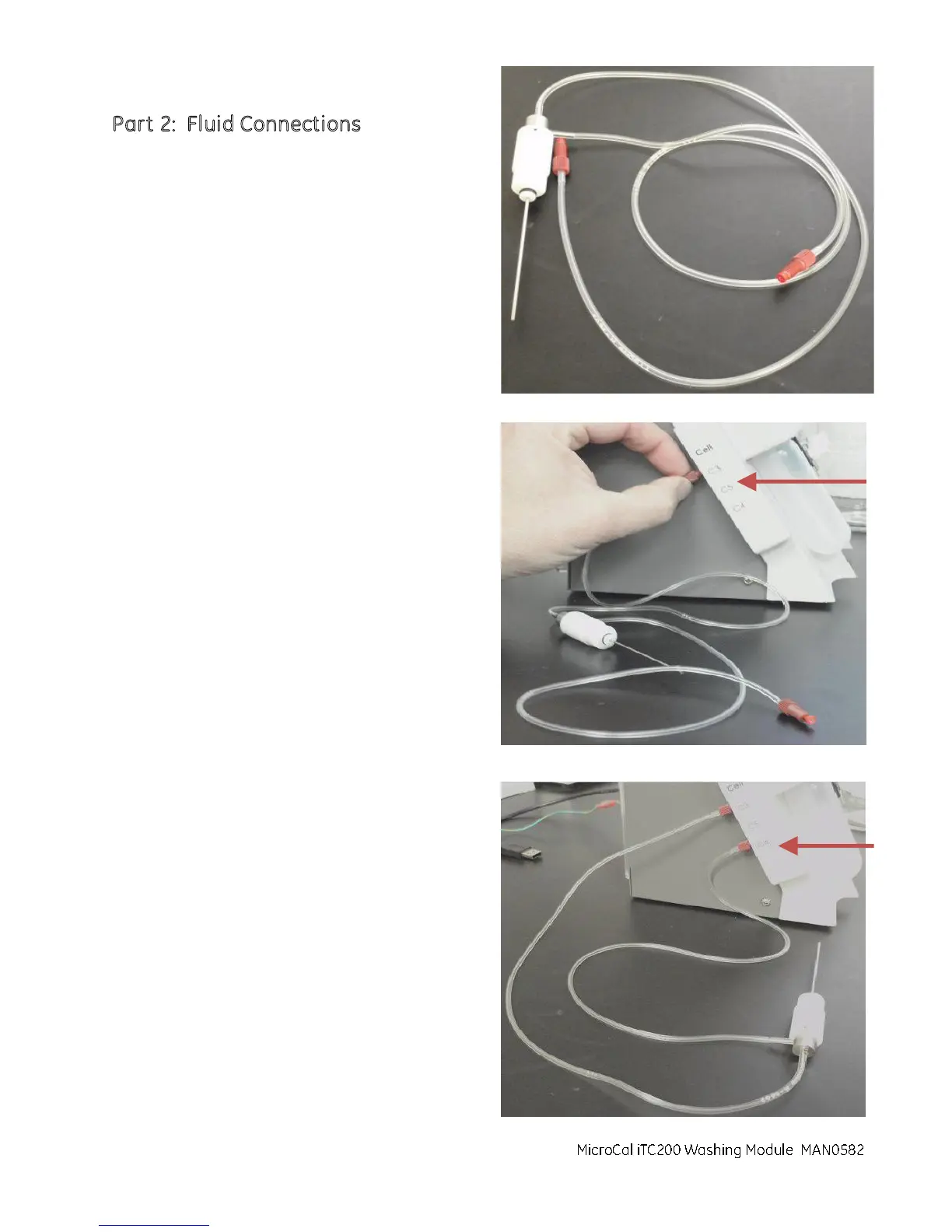
Part 2: Fluid Connections
1. Remove the cleaning device (ASY020513) from
its packaging.
2. Connect the line from the top of the device into
the C3 port on the left side of the washing
module. Turn the nut on the red plumbing
connector until it is finger tight.
3. Connect the line that originates at the side of
the device to the C4 port on the left side of the
washing module. Turn the nut on the red
plumbing connector until it is finger tight.
MicroCal iTC200 Washing Module



 To Next Page