2 - 14
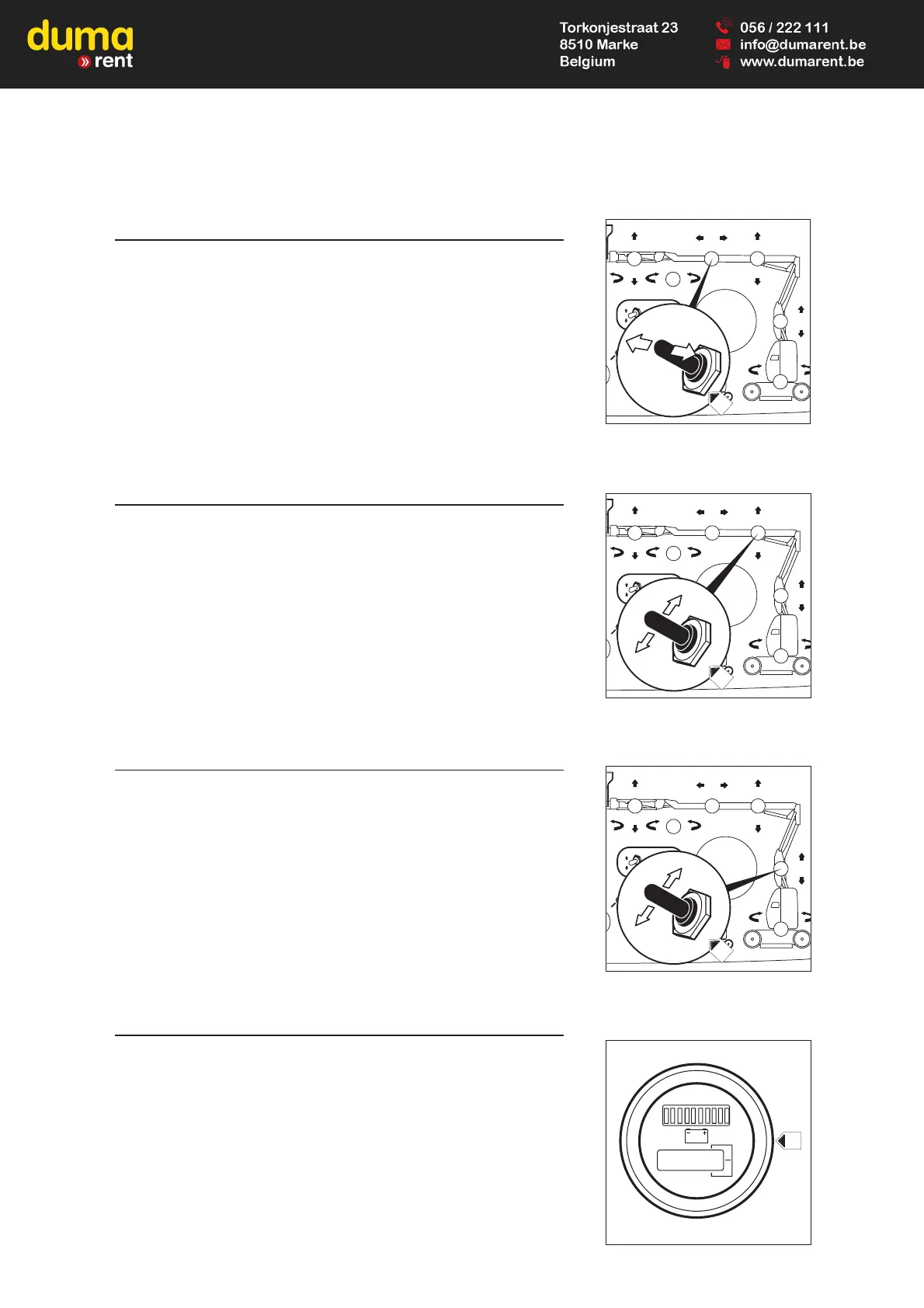
9 - TELESCOPE OUTPUTS AND INPUTS CONTACTOR
- This contactor is used to outputs and inputs of the telescope arm.
OUTPUTS OF THE TELESCOPE ARM
- Place the base/basket switch in the base position, keep the "dead man"
button pushed and push the switch 9 to the left.
INPUTS OF THE TELESCOPE ARM
- Place the base/basket switch in the base position, keep the "dead man"
button pushed and push the switch 9 to the right.
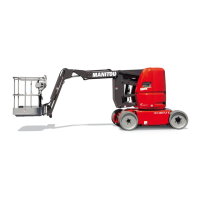
10 - RA I S E A N D L O W E R C O N TA C T O R O F T H E
SUPERIOR ARM
- This contactor is used to raise or lower the superior arm.
LIFTING OF THE SUPERIOR ARM
- Place the base/basket switch in the base position, keep the "dead man"
button pushed and push the switch 10 upwards.
LOWERING OF THE SUPERIOR ARM
- Place the base/basket switch in the base position, keep the "dead man"
button pushed and push the switch 10 downwards.
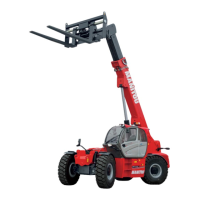
11 - R A I S E A N D L O W E R C O N TA C T O R O F T H E
INFERIOR ARM
- This contactor is used to raise and lower the inferior arm.
LIFTING OF THE SUPERIOR ARM
- Place the base/basket switch in the base position, keep the "dead man"
button pushed and push the switch 11 upwards.
LOWERING OF THE INFERIOR ARM
- Place the base/basket switch in the base position, keep the "dead man"
button pushed and push the switch 11 downwards.
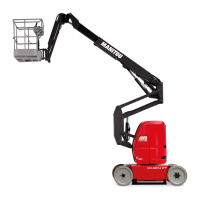
12 - BATTERY CHARGE INDICATOR AND THE
HORAMETER
A - BATTERY CHARGE INDICATOR
· BATTERY CHARGED
- Only the green lamp on the right is on.
· BATTERY DISCHARGED
- One of the two orange or red lamp on the left are on, meaning that the
battery needs to be re-charged (see chapter “MAINTENANCE
PERIODICITY”).
B - HORAMETER INDIACTOR
This shows the number of hours worked by the access platform.
2 - 14






 To Next Page