2 - 19
DIRECTION
TO THE RIGHT OR TO THE LEFT
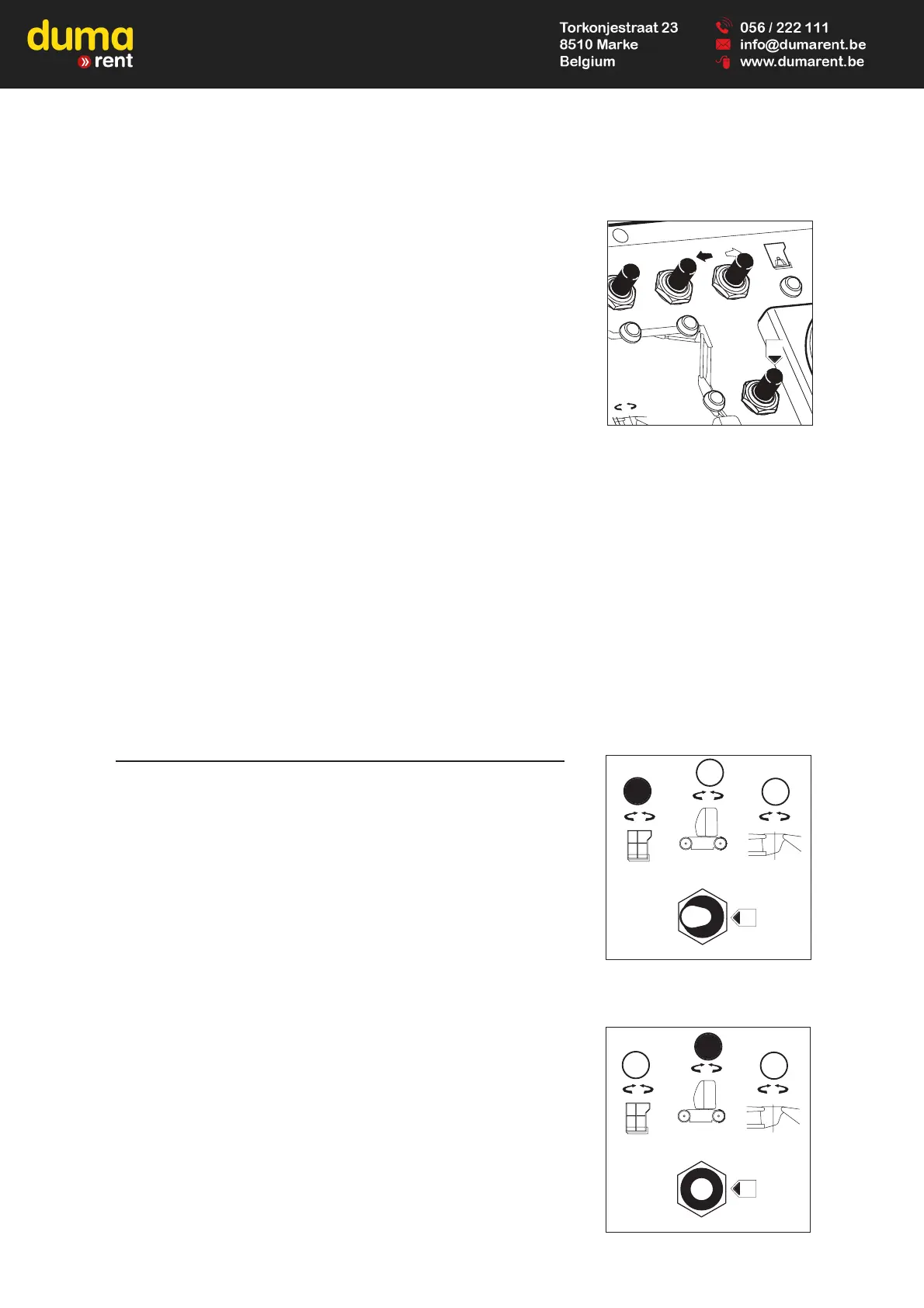
- Select the direction by pressing and holding button A of the control switch
28, to the right or to the left, to move right or left respectively.
LIFTING / LOWERING OF THE INFERIOR ARM
- Sélect the movement with a brief press on the button 27, the led comes on
for 8 seconds.
- Push (forward) or pull (backward) the switch control 28 to raise or lower.
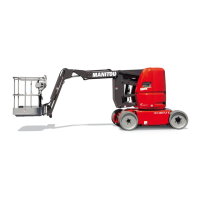
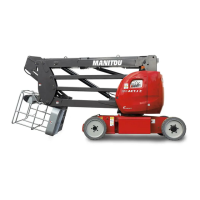
29 - CONTACTOR OF SELECTION OF ROTATION
PLATFORM ROTATION
- Switch the contactor 29 to the left (position A).
- Incline to the right or to the left the control switch 28 to orientate on the right
or on the left respectively.
TURRET ROTATION
- Switch the contactor 29 to the vertical (position B).
- Incline to the right or to teh left the control switch 28 to orientate on the right
or on the left respectively.



 To Next Page