2-101
IT
EN PL
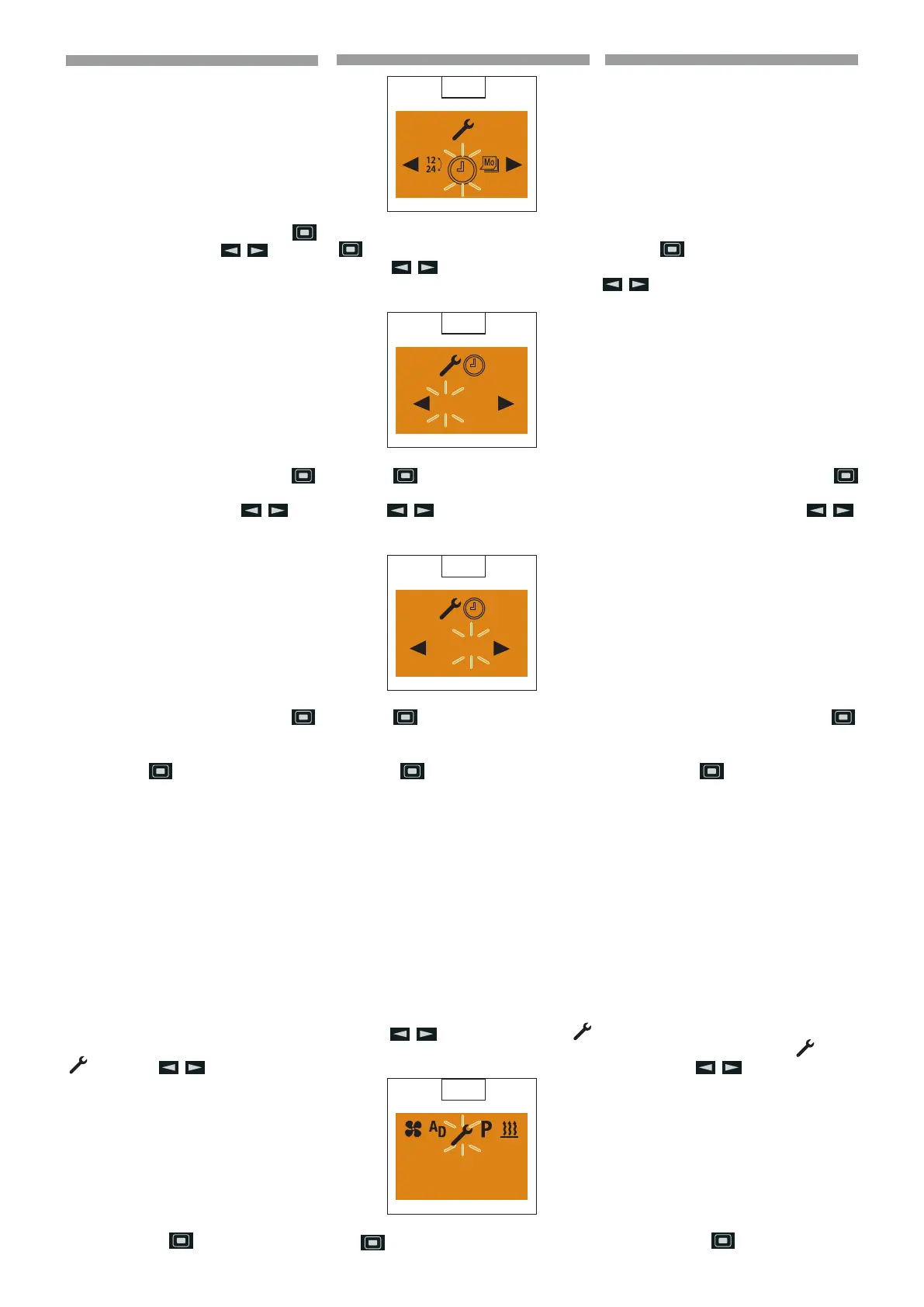
Conrm the Set the Time by pressing the
button.
Use the
button to set the hours.
(
76)
Press the
button to conrm the setting.
Use the button to set the minutes.
(
77)
Press the
button to conrm the setting.
p
Please note! Do not press the
button, as otherwise Set
the Time appears in the display
a gain. After making the setting,
press the button to return to the
Settings menu item or wail until
- if the vehicle lighting is On the
Settings menu item is displayed,
- if the vehicle lighting is O the
display lighting goes out.
Setting the weekday
Display On, the Start display appears.
Use the
button to select the
symbol in the Menu bar. (
78)
Conrm the Settings menu item by pressing
the
button.
75
76
06 : 00
77
06 : 30
78
10:30
Mo.
Confermare Impostare l’ora con il tasto .
Impostare l’ora con il tasto .
(
76)
Confermare l’impostazione con il tasto
.
Impostare i minuti con il tasto .
(
77)
Confermare l’impostazione con il tasto
.
p
Avvertenza! Non premere il ta-
sto
, altrimenti sul display ri-
appare Impostare l’ora. Al termi-
ne dell’impostazione tornare con
il tasto all’opzione Impostazioni
del menu oppure attendere finché
- in Illuminazione veicolo On
viene visualizzata l’opzio-
ne Impostazioni del menu,
- in Illuminazione veicolo O si
spegne l’illuminazione del di-
splay.
Impostare giorno della settimana
Display On, viene visualizzata la videata in-
iziale.
Selezionare dalla barra del menu il simbolo
con il tasto .
(
78)
Confermare l’opzione Impostazioni del
menu con il tasto
.
Potwierdzić ustawienie godziny za pomocą
przycisku
.
Ustawić godzinę za pomocą przycisku
.
(
76)
Potwierdzić ustawienie za pomocą przycisku
Ustawić minuty za pomocą przycisku .
(77)
Potwierdzić ustawienie za pomocą przycisku .
p
Ostrzeżenie! Nie naciskać przy-
cisku
, ponieważ spowoduje
to ponowne pojawienie się na
wyświetlaczu opcji Ustawienie god
-
ziny. Po zakończeniu ustawiania
wrócić, za pomocą przycisku , do opc-
ji menu Ustawianie lub poczekać, aż
- przy włączonym oświet-
leniu pojazdu wyświet-
li się opcja menu Ustawianie
- przy wyłączonym oświetleniu po-
jazdu wyłączy się podświetlanie
wyświetlacza.
Ustawianie dnia tygodnia
Wyświetlacz włączony, wyświetlany jest ek-
ran początkowy.
Wybrać na pasku menu symbol
za po-
mocą przycisku .
(
78)
Potwierdzić opcję w menu Ustawienia za
pomocą przycisku
.
648870 IT-EN-PL (04/05/2015)










 To Next Page