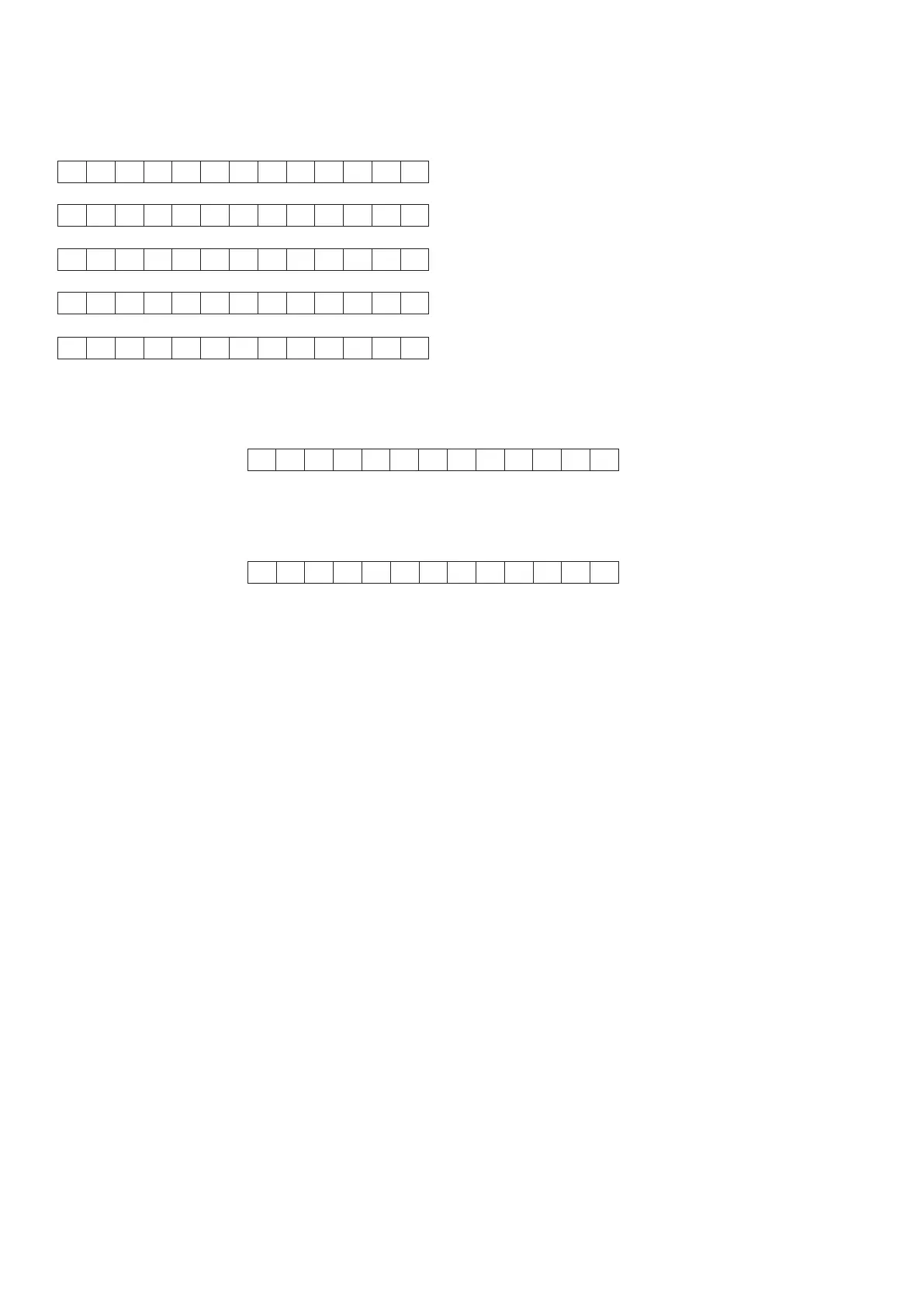
11. Press the ENTER button, the Firmware version of the
HD radio Module is displayed (scroll) in the format
below. (/U1B only)
12. Press the ENTER button, the software version of the
DMP Sub CPU (IC51) is displayed in the format below.
13. Press the ENTER button, the software version of the
DMP Module is displayed in the format below.
14. Press the ENTER button again, the left half, right half
and center of the label area in the FLD light on and off
each other.
15. Press the ENTER button again, the segments of the
character area in the FLD flick in checker pattern.
16. Press the ENTER button again, all the FL segments
turns off.
17. Press the ENTER button again to quit this mode.
Product Reset
To reset the back up memory of the unit into the default
status, follow the procedure below.
Should the operation or display seem to be abnormal,
reset the unit with the following procedure.
To turn on the AV8003, press and hold the ZONE and
TOP buttons simultaneously for 3 seconds or more.
Remember that the procedure will reset the settings of
the function selector, Surround mode, delay time, TUNER
PRESET etc., to their initial settings.
11. 更にENTERボタンを押すと、HD radio Moduleのバージ
ョンがスクロール表示されます。(
/U1B
のみ
)
12. 更にENTERボタンを押すと、DMP Sub マイコン(IC51)
のバージョンが表示されます。
13. 更にENTERボタンを押すと、DMP Moduleのバージョン
が表示されます。
14. 更にENTERボタンを押すと、FLのラベル部分の左半分と
右半分および中心部が交互に点灯と消灯を繰り返します。
15. 更にENTERボタンを押すと、FLのキャラクタセグメント
部がチェッカーフラグのように点灯と消灯を繰り返しま
す。
16. 更にENTERボタンを押すと、FLは全消灯します。
17. 更にENTERボタンを押すと、サービスモードを終了しま
す。
初期状態に戻すには(リセット)
但しリセット行うと、セットアップメニューにて設定した内
容、サラウンドモードの設定の情報が消去されますことをご了
承ください。
1. 電源が入っていることを確認します。
2. 本機のZONE ボタンを押しながら、TOP ボタンを3秒以上
押します。
本機は一度スタンバイ状態になった後、再度POWER − ON
状態となり、各種設定された内容が初期化され、工場出荷時の
状態に戻ります。
H D R M H D R a d i o S
_ 0 0 B U 0 9 . 1 6 /
D R I - 3 5 2 - 0 0 1 7
5 1 E F - C M R L - V 0 1
6
Module Firmware Version
Module DSP Version



 To Next Page