Mode 5 : Update/Download HD Radio Module's
software.
Update/Download Software for HD Radio Module (Mode 5)
(/U1B only)
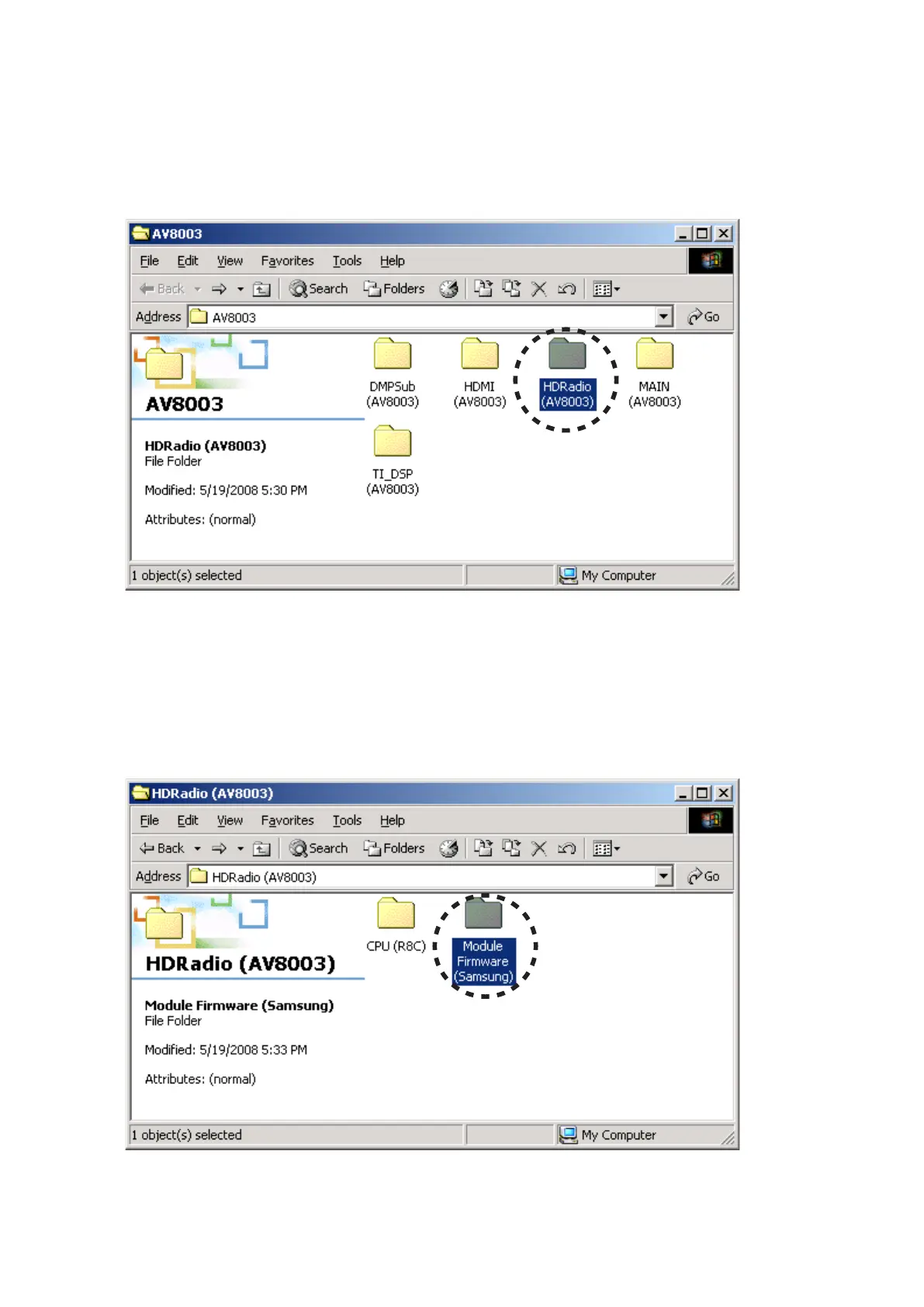
Put the "HDRadio (AV8003)" folder into anywhere on 1.
your PC's hard disc.
Connect the RS-232C on rear panel of the unit and the 2.
Serial Port of windows PC with RS-232C cable.
Connect the mains cord into the unit.3.
Press the 4. POWER ON/OFF (STANDBY) button for turn
on the unit.
Double click the Module firmware (Samsung) folder in 5.
the HDRadio (AV8003) folder.
Mode 5 : Update/Download HD Radio Module's
software.
Update/Download Software for HD Radio Module (Mode 5)
(/U1B only)
"1. HDRadio (AV8003)"フォルダをPCの任意のフォルダにコ
ピーします。
本機のリアパネルにあるRS-232CコネクタとWindows 2.
PCのSerialポートをRS-232Cケーブルで接続します。
本機に電源ケーブルを差します。3.
POWER ON/OFF (STANDBY)4. ボタンを押し、本機の電源
を入れます。
HDRadio (AV8003)フォルダ内のModule firmware 5.
(Samsung)フォルダをダブルクリックします。



 To Next Page