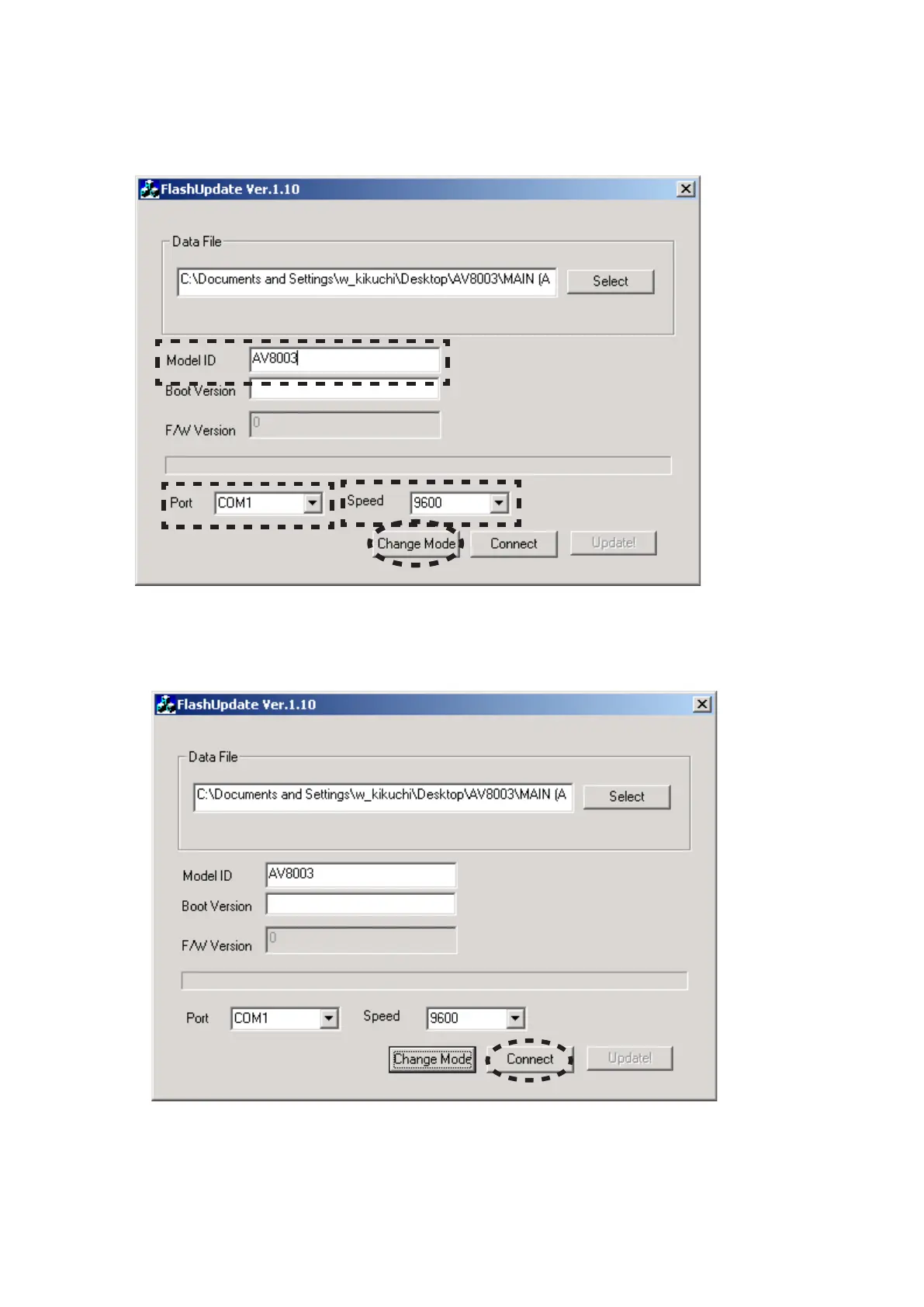
Input the 8. AV8003 in the Model ID.
Choose the COM Port number.
Choose the 9600 in the Speed.
And click the Change Mode.
The FLD of the unit alternately displays "UPDATE 9.
MODE" or "CONNECTING".
Click the 10. Connect.
Model IDに8. AV8003を入力します。
使用するCOMポート番号を選択します。
Speedから9600を選択します。
Change Modeをクリックします。
本機のFLディスプレイにUPDATE MODE9.
と"CONNECTIONG"が交互に表示されます。
Connect10. をクリックします。



 To Next Page