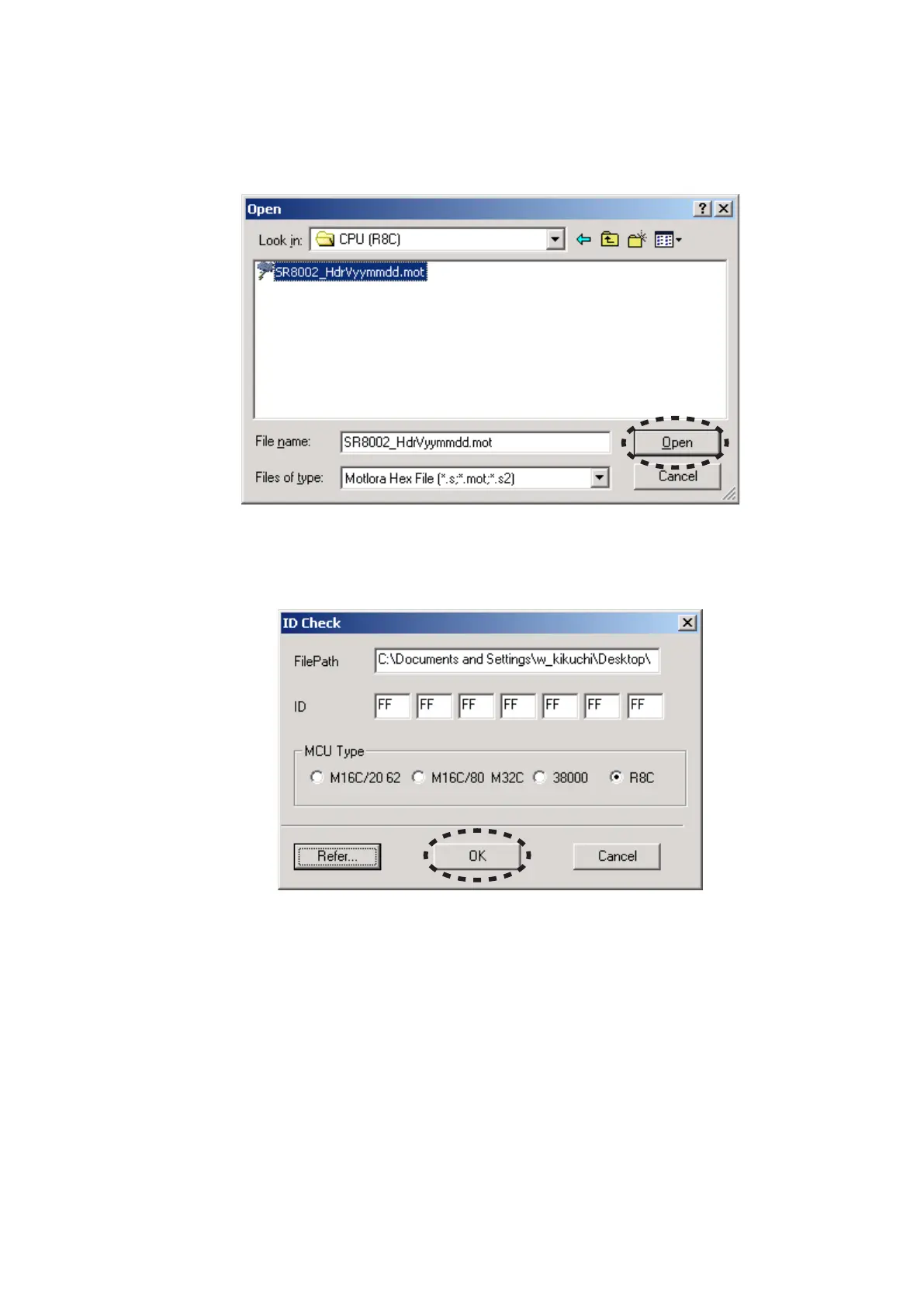
Choose the SR8002_HdrVyymmdd.mot. And click the 14.
Open.
NOTE : The yy is two digits of year. The mm is month. The
dd is date.
The FilePath and ID are inputted automatically, and the 15.
MCU Type is selected to R8C automatically.
Click the OK.
SR8002_HdrVyymmdd.motを選択し、14. Openをクリック
します。
注意 : yyは年の下二桁、mmは月、ddは日
FilePathとIDは自動的に記入され、MCU TypeはR8Cが選15.
ばれます。
OKをクリックします。



 To Next Page