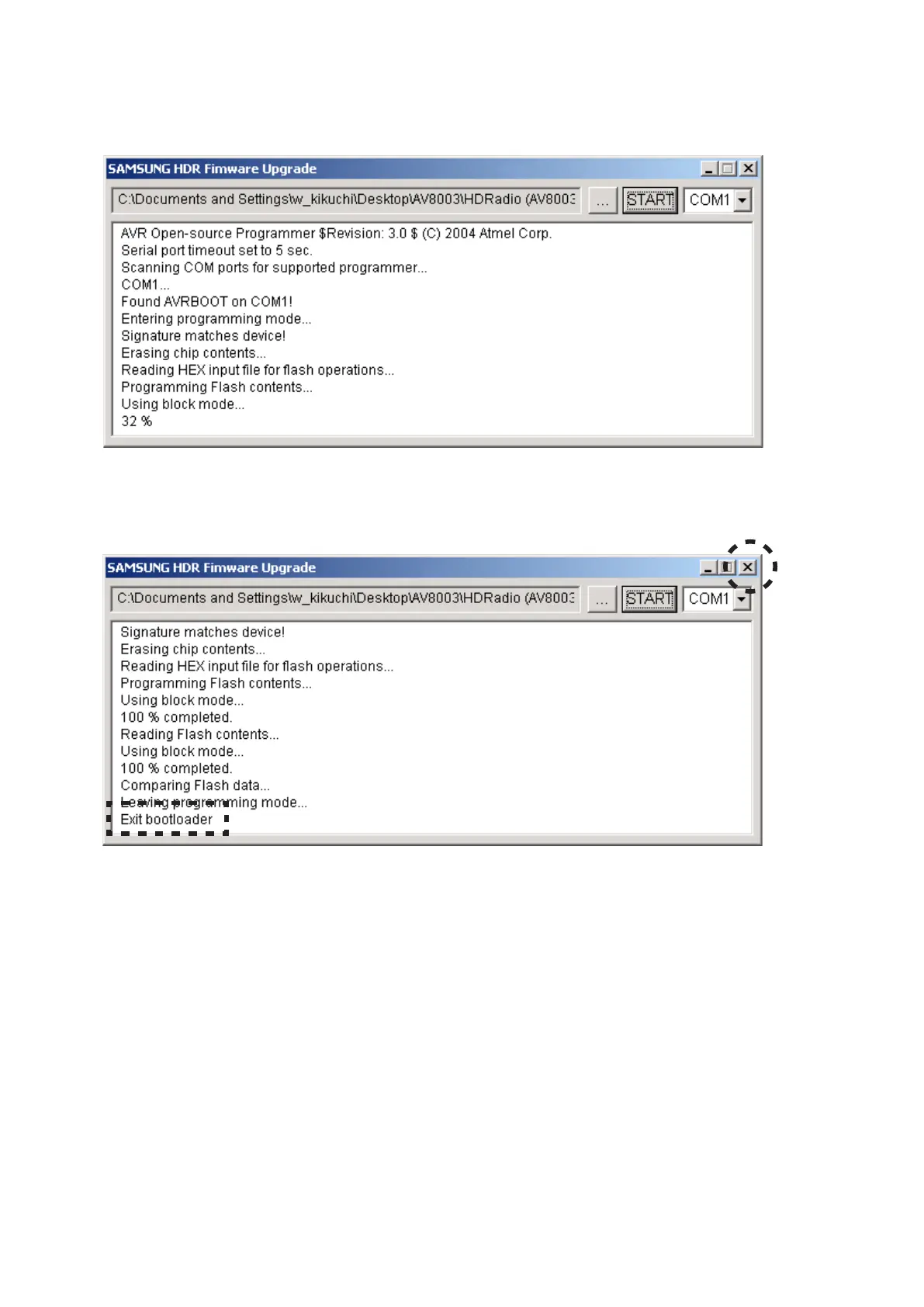
"SELECTED HDRM" shows on the FLD. And then 16.
software is written into the HD Radio module.
The writing of software takes about 1 minute.
Check the "Exit bootloader" appear on the command 17.
line.
Click the X icon.
Disconnect the mains cord.18.
Disconnect the RS-232C cable from the unit.19.
FLに16. "SELECTED HDRM"と表示され、ソフトウェアが
HD Radioモジュールに書き込まれます。
書き込みにかかる時間は約1分です。
コマンドラインに"Exit bootloader"が表示されたことを確17.
認し、Xアイコンをクリックします。
本機から電源コードを外します。18.
本機からRS-232Cケーブルを抜きます。19.



 To Next Page