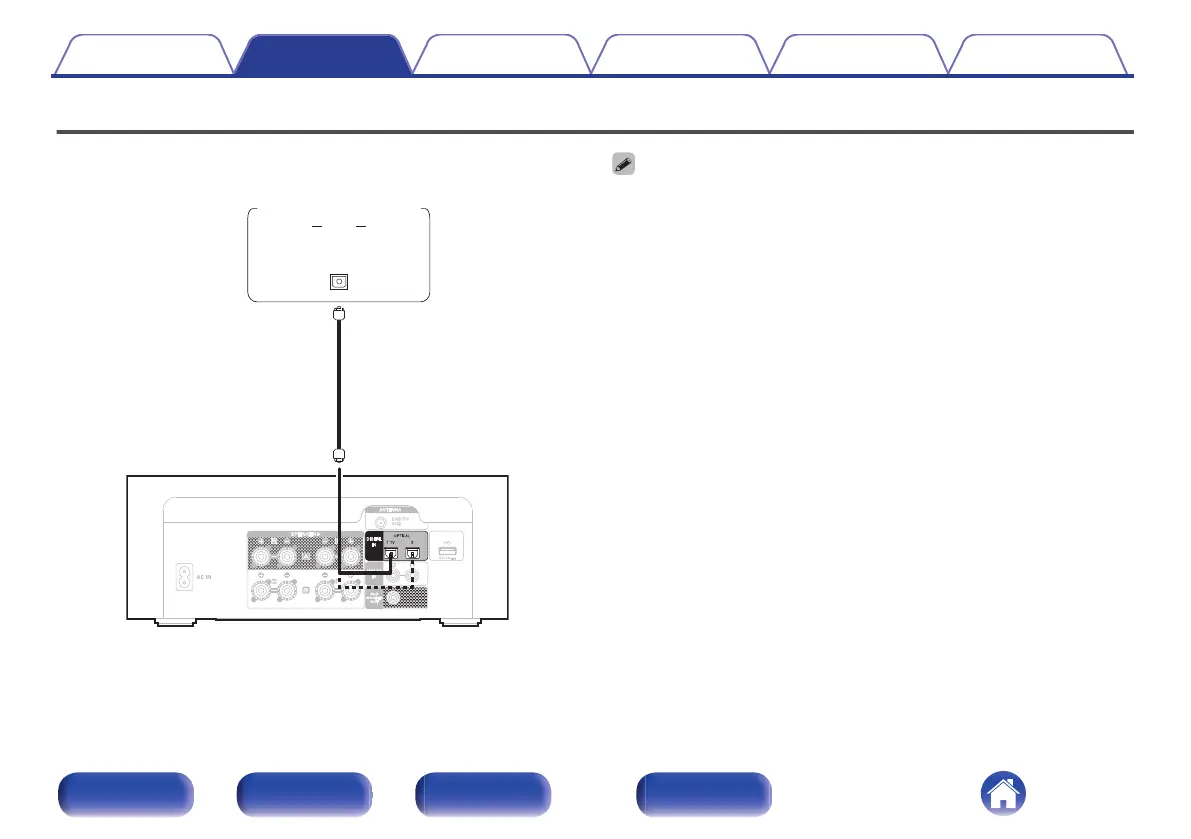
Connecting a digital device
Connect this unit to a device with digital output connectors, such as a TV.
.
AUDIO
OPTICAL
OUT
TV/Digital
device
0
When connecting a TV to this unit, turn off the audio output of the TV’s internal
speakers. See the owner’s manual of your TV for details.
o
Specifications of supported audio formats
See “DIGITAL IN” (v p. 93).
Contents Connections Playback Settings Tips Appendix
24
Front panel Rear panel
Remote control
unit
Index















 To Next Page