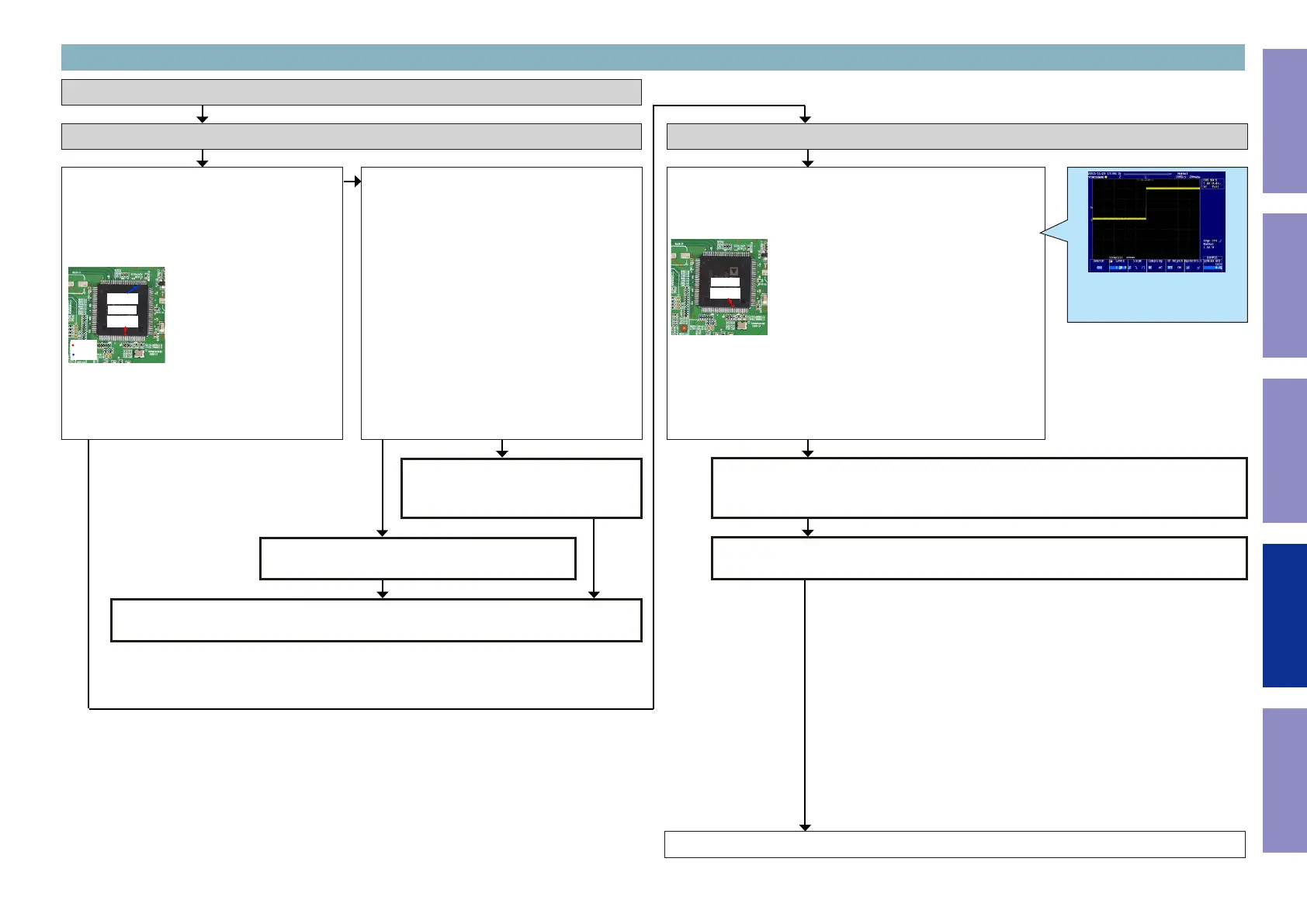
Check item(12). Check the power supply voltage.
:
Does the power supply voltage of the
OSD[U1030] indicate the appropriate voltage
(1.8V, 3.3V)?
The test points are as follows.
U1030
93 pin
6 pin
1.8V
3.3V
Check item(13). Check the power supply voltage.
:
Check the power supply components [U1067,
Q1087, U1069] on the substrate and peripheral
pattern.
If there is no problem, remove the OSD [U1030]
from the substrate and measure the voltage at
the test point of check item (12).
Is the voltage correct (1.8 V or 3.3 V)?
Check the power supply voltage.
Checking device. (OSD)
Go to next page.
3-3. Error Code H1-07 failure detection procedure
NO
HDMI OSD[U1030] is faulty.
Replace with a new device.
Recheck from check item (1).
If it does not work, replace the PCB.
The power supply circuit is faulty.
Replace the PCB.
NOYES
YES
Check item(14). Checking the reset :
Check the CPU.
When the power is turned on, is the TP waveform correct (as shown
in the gure)?
U1030
97 pin
Checking the reset waveform.
Examples of conrmation waveform
Voltage scale:1.0V/div
Time scale:20ms/div
Recheck from check item (1).
If it does not work, replace the PCB.
Check the reset circuit between CPU [U1013] and HDMI OSD[U1030].
If there is no problem, the HDMI OSD [U1030] is faulty.
Replace with a new device.
NOYES
84
Caution in
servicing
Electrical Mechanical Repair Information Updating



 To Next Page