C
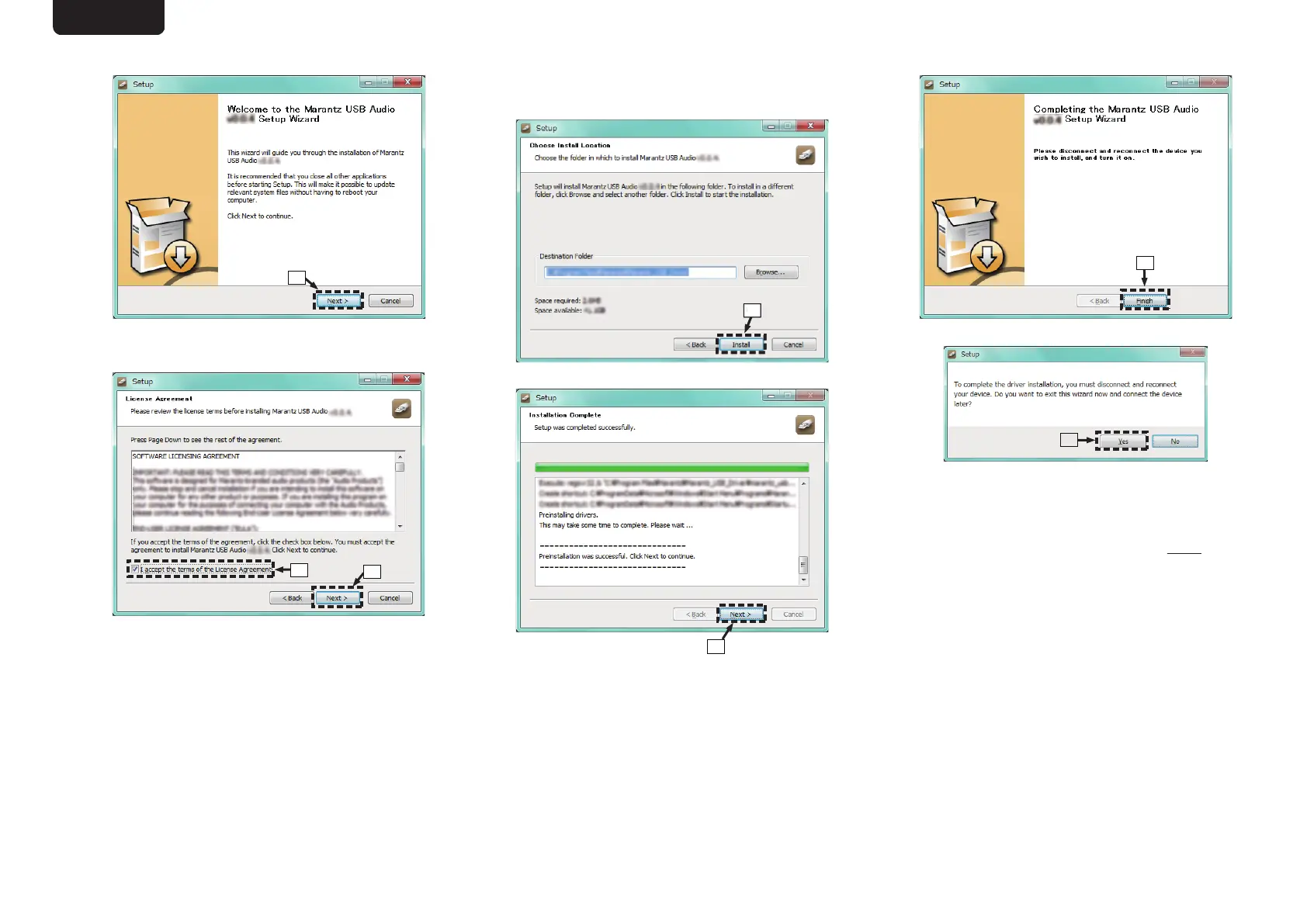
The wizard menu is displayed. Click “Next”.
.
D
Read the Software Licensing Agreement, and click
“I accept the terms of the License Agreement”.
E
Click “Next”.
.
F
Click “Install” on the installation start dialog.
0
The installation starts. Do not perform any
operation on the PC until the installation is
completed.
.
G
Click “Next”.
.
H
When the installation is completed, click “Finish”.
.
I
Click “Yes”.
.
5
With the unit power off, connect the unit and
PC using a USB cable (sold separately).
0
For the connection procedure, refer to the
“Connecting a PC or Mac” section. (v
p. 10)
ENGLISH
21



 To Next Page