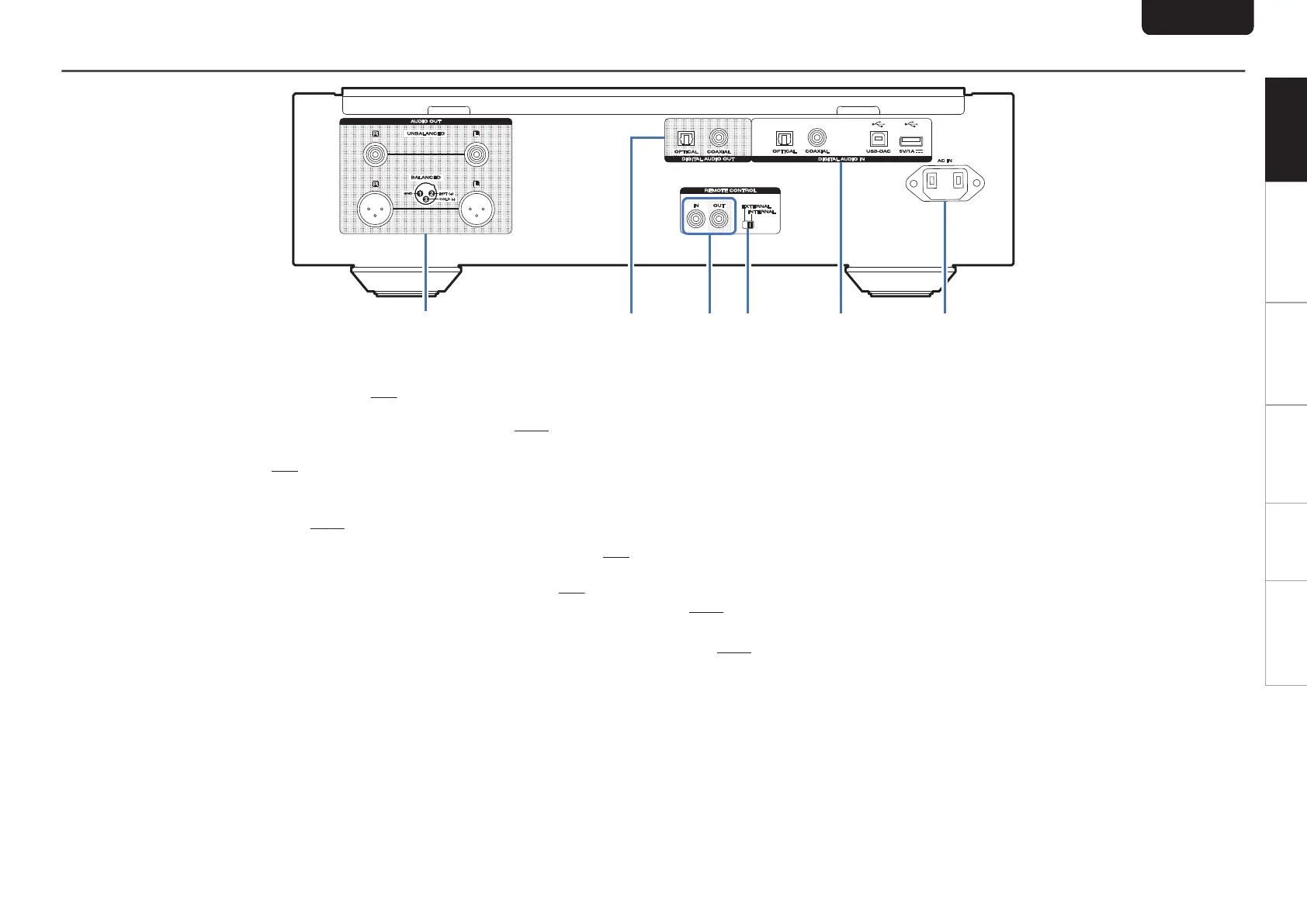
Rear panel
.
A
AUDIO OUT connectors
Used to connect devices equipped with analog audio
inputs connectors or an external amplifier. (v p. 8)
B
DIGITAL AUDIO OUT connectors (COAXIAL/
OPTICAL)
Used to connect an AV receiver or D/A converter that has
a digital input connectors. (v p. 8)
C
REMOTE CONTROL connectors
Used to connect to a Marantz amplifier that is compatible
with the remote control function. (v
p. 10)
D
EXTERNAL/INTERNAL switch
Turn this switch to “EXTERNAL” to operate the unit by
pointing the remote control at the amplifier connected to
this unit using the remote control connection.
(v
p. 10)
E
DIGITAL AUDIO IN connectors
Used to connect a device with digital audio output
connectors (coaxial/optical) or to connect a USB memory
device, an iPod/iPhone with the supplied USB cable or a
computer.
0
“Connecting to a device with digital audio output
connectors” (v
p. 9)
0
“Connecting an iPod or USB memory device to the USB
port” (v p. 9)
0
“Connecting a PC or Mac” (v
p. 10)
F
AC inlet (AC IN)
Used to connect the power cord. (v p. 10)
ENGLISH
6
Overview Connections Playback Settings Tips Appendix



 To Next Page