Menu
settin
s
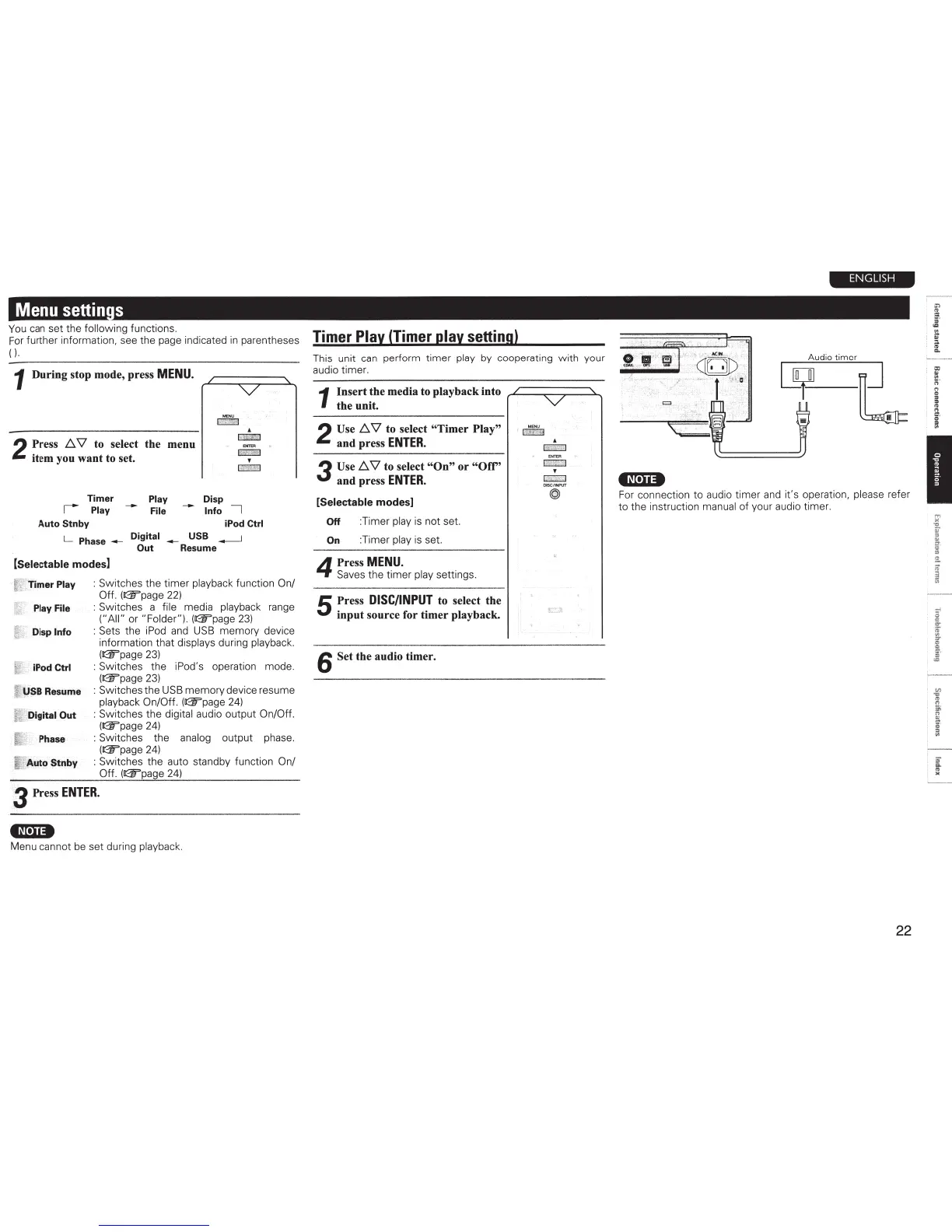
You
can
set the
following functions.
For
further information, see the page indicated
in
parentheses
(
).
1
During stop mode, press
MENU.
2
Press
!:::.
'\1
to select the menu
item you want to set.
E>mR
~
'
CBLfl
Timer
Play
Disp
I
Play
--
File
--
Info
I
Auto Stnby
iPod
Ctrl
L
Phase
__
Digital
__
USB
~
Out
Resume
(Selectable modes]
f'
Timer
Play
: Switches the timer playback function
On/
Off. (@"page
22)
Play
File
: Switches a
file
media playback range
("All"
or
"Folder").
(&page
23)
~
Disp
Info
: Sets the
iPod
and
USB
memory device
information that displays during playback.
(&page
23)
i.
iPod
Ctrl
: Switches the
iPod's
operation mode.
(&page
23)
['
USB
Resume
: Switches the
USB
memory device resume
playback
On/Off.
(~page
24)
[
Digital
Out
:
Switches the
digital
audio output On/Off.
(~page
24)
I
Phase
: Switches the
analog output phase.
(~page
24)
~
Auto
Stnby
: Switches the auto standby function
On/
Off. (r:w'page
24)
3 Press
ENTER.
•~t·u•
Menu cannot
be
set during playback.
Timer
Play
(Timer
play
setting)
This unit
can
perform timer
play
by cooperating with your
audio timer.
1
Insert the media
to
playback into
the unit.
2 Use
!:::.
'\1
to select
"Timer Play"
and press
ENTER.
3
Use!:::.
'\1
to select
"On" or
"Off'
and press
ENTER.
[Selectable
modes]
Off
:Timer
play
is
not set.
On
:Timer
play
is
set.
4
Press
MENU.
Saves the timer
pl
ay
settings.
5
Press
DISC/INPUT
to select the
input source for timer playback.
6
Set
the audio timer.
v
'"""
~
'
~
DISC/INPUT
@
ENGLISH
•N·u•
For connection to audio timer
and
it's operation,
pl
e
ase
refer
to t
he
instruction
manual
of your audio timer.
22
=
fl
;;
·
"
..
;
..
"
"·
0
a
i =
1
"-
1 :
_, _



 To Next Page