0
eration
Before
use
Power
ON
Press
<!>
ON/OFF,
on the unit.
A power on status is established.
0
Switching
to
a
standby
status
Press
<!>
CD.
A standby status is then established.
•
Before setting power to standby, make sure the disc tray is
completely closed.
•N•u•
•
Do
not force the tray
in
by hand while power is set to standby.
This could cause a trouble.
• Even when power
is
set to standby, electrical current passes
through some circuits. If you do not intend to use the unit for
an
extended period of time, unplug the power cord from the
household power outlet.
0
Turning
the
power
off
Press<!>
ON/OFF
on the unit.
The power turns
off
.
Switching
the
input
source
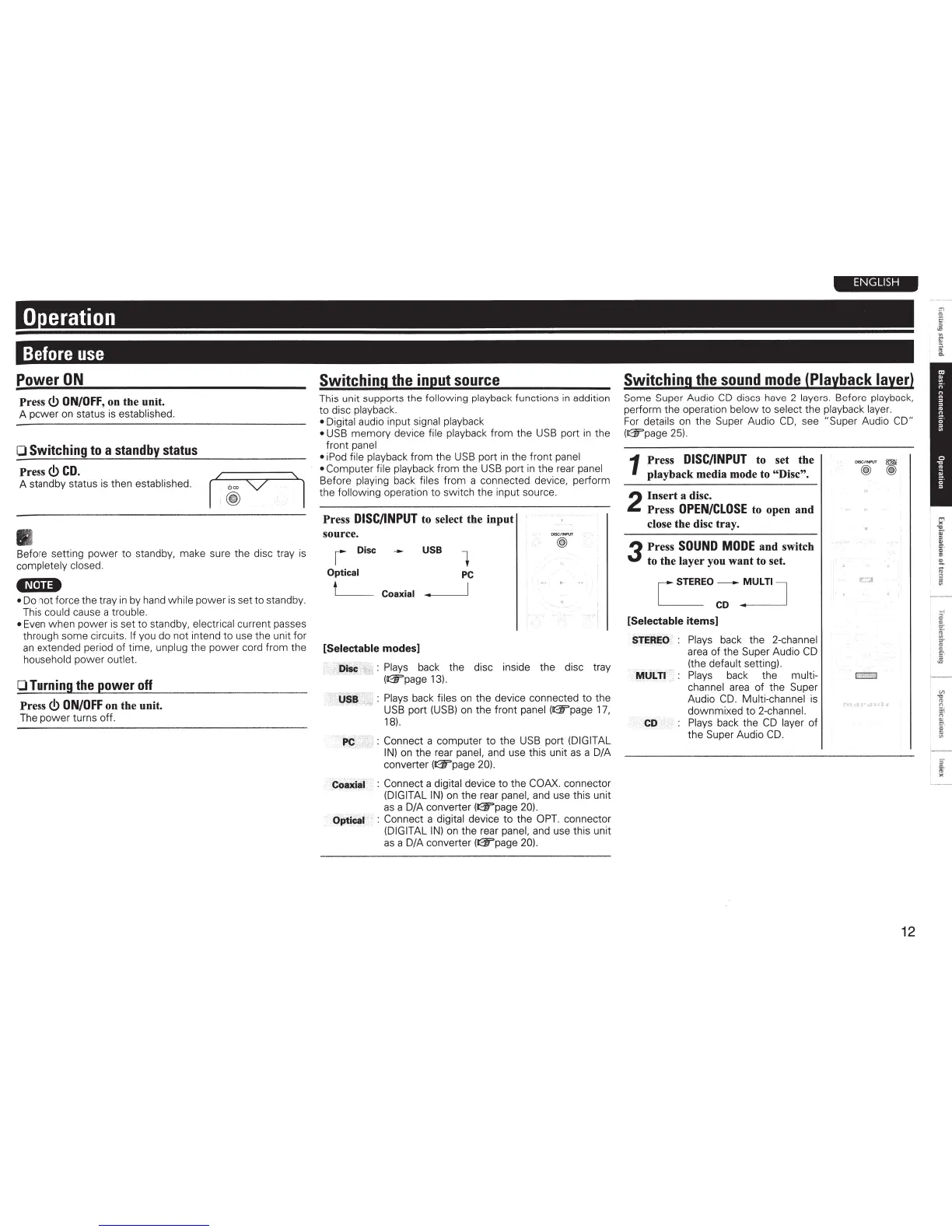
This unit supports the following playback functions
in
addition
to
disc playback.
• Digital audio input signal playback
• USB memory device file playback from the USB port
in
the
front panel
• iPod file playback from the
USB
port
in
the front panel
• Computer file playback from the
USB
port
in
the rear panel
Before playing back files from a connected device, perform
the following operation to switch the input source.
Press
DISC/INPUT
to select the input
source.
r Disc
Optical
t'-----
Coaxial
[Selectable modes]
USB
1
PC
DISCIINPIJT
@
Disc : Plays back the disc inside the disc tray
(02Fpage
13).
·
USB
~
: Plays back files
on
the device connected to the
USB
port
(USB)
on
the front panel (02Fpage
17,
18).
PC
: Connect a computer to the
USB
port (DIGITAL
IN)
on the rear panel, and use this unit
as
a D/A
converter (02Fpage 20).
Coaxial : Connect a digital device to the COAX. connector
(DIGITAL
IN)
on
the rear panel, and use this unit
as
a D/A converter (02Fpage 20).
Optical : Connect a digital device
to
the
OPT.
connector
(DIGITAL
IN)
on
the rear panel, and use this unit
as
aD/A
converter (02Fpage 20).
ENGLISH
Switching
the
sound
mode
(Playback
layer)
Some Super Audio
CD
discs have 2 layers. Before playback,
perform the operation below to select
the playback layer.
For
details
on
the Super Audio
CD,
see "Super Audio CD"
(02Fpage 25).
1 Press
DISC/INPUT
to set the
playback media mode to "Disc".
2
Insert a disc.
Press
OPEN/CLOSE
to open and
close the disc tray .
3
Press
SOUND
MODE
and switch
to the layer you want to set.
[STEREO-::
~ULTI
J
[Selectable items]
STEREO
: Plays back the 2-channel
area
of
the Super Audio
CD
(the default setting).
MULTI Plays back the multi- c:::::J
channel
area
of the Super
Audio
CD
. Multi-channel is
downmixed to 2-channel.
CD
Plays back the
CD
layer of
the Super Audio
CD
.
12



 To Next Page