8
NAMES AND
FUNCTIONS
BASIC
CONNECTION
BASIC
OPERATION
ADVANCED
CONNECTIONS
TROUBLESHOOTING
OTHERS
NAMES AND
FUNCTIONS
ENGLISH
APPLICATION
OPERATION
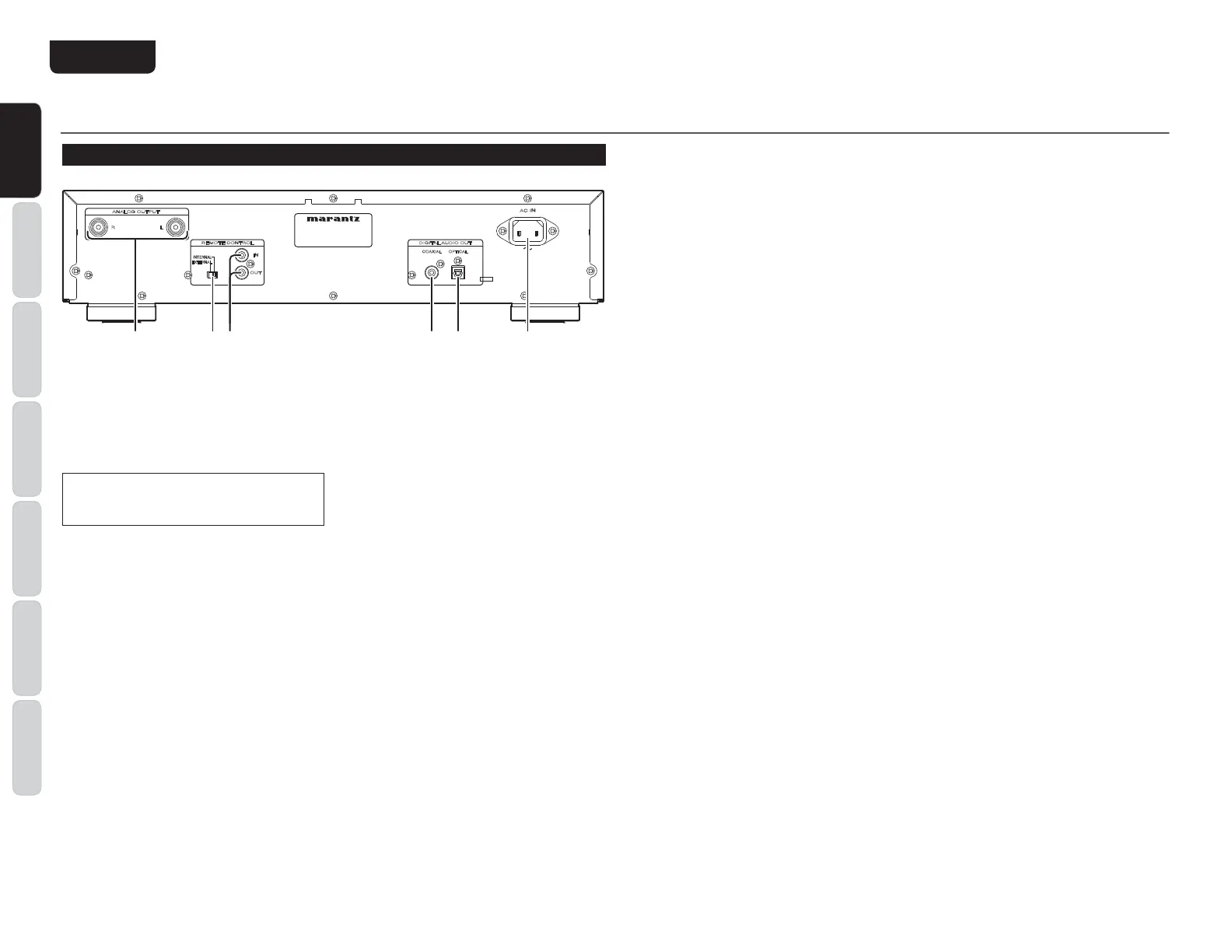
NAMES AND FUNCTIONS
/ Power cord connector socket
Use the supplied power cord to connect the unit to
a standard household power supply outlet.
Connect the player so that the power cord
can be removed easily as a precaution against
possible accidents.
4 DIGITAL AUDIO OUT OPTICAL
(optical digital output) connector
This optical output connector performs digital
output of the music signal of the audio CD during
playback (see page 11).
) DIGITAL AUDIO OUT COAXIAL
(coaxial digital output) connector
This coaxial digital output connector performs digital
output of the music CD of the audio CD during
playback (see page 11).
0 REMOTE CONTROL IN / OUT
(remote control IN and OUT)
connectors
These connectors are used to connect the player to
a Marantz audio component equipped with remote
control connectors using the supplied remote
control connecting cable (see page 12).
1 EXTERNAL / INTERNAL
(external/internal) switch
The switch is set to INTERNAL at factory shipping,
enabling use of the player
’
s built-in remote sensor.
When connecting the remote c
ontrol connector
of this player to a Marantz unit using the supplied
connecting cable, set this switch to EXTERNAL
(see page 12).
6 ANALOG OUT (analog output)
connector
This connector outputs the music signal during
playback (see page 9).
REAR PANEL
AC IN
DIGITAL AUDIO OUT
IN
OUT
REMOTE CONTROL
ANALOG OUTPUT
R L
OPTICALCOAXIAL
INTERNAL
EXTERNAL
qwety r



 To Next Page