18
NAMES AND
FUNCTIONS
BASIC
CONNECTION
BASIC
OPERATION
ADVANCED
CONNECTIONS
REMOTE CONTROLLER
OPERATION
TROUBLESHOOTING
OTHERS
APPLICATION
OPERATION
ENGLISH
CHOOSING FILES FROM A DIFFERENT
FOLDER
3.
2.
1.
1. EgZhh i]Z FOLDER $P Wjiidc id Y^heaVn
i]Z XjggZci [daYZg
¼
h cVbZ VcY cjbWZg#
HZVgX] [dg i]Z [daYZg i]Vi XdciV^ch ndjg
YZh^gZYigVX`#
2. L]Zci]ZcVbZd[i]Z[daYZgi]ViXdciV^ch
ndjg YZh^gZY igVX` ^h Y^heaVnZY! egZhh i]Z
ENTERWjiidc dc i]ZgZbdiZ Xdcigda# I]Z
i^iaZ d[ i]Z Äghi igVX` ^c i]Z [daYZg l^aa WZ
Y^heaVnZY#
3. JhZ i]Z ! E Wjiidch id hZaZXi ndjg
YZh^gZYigVX`#EgZhhPLAYWjiidcidgZ\^hiZg
i]ZhZaZXi^dcVcYeaVn#
PLAYING YOUR FAVORITE
TRACKS
0
2
7
8
¡¢
41
0-9
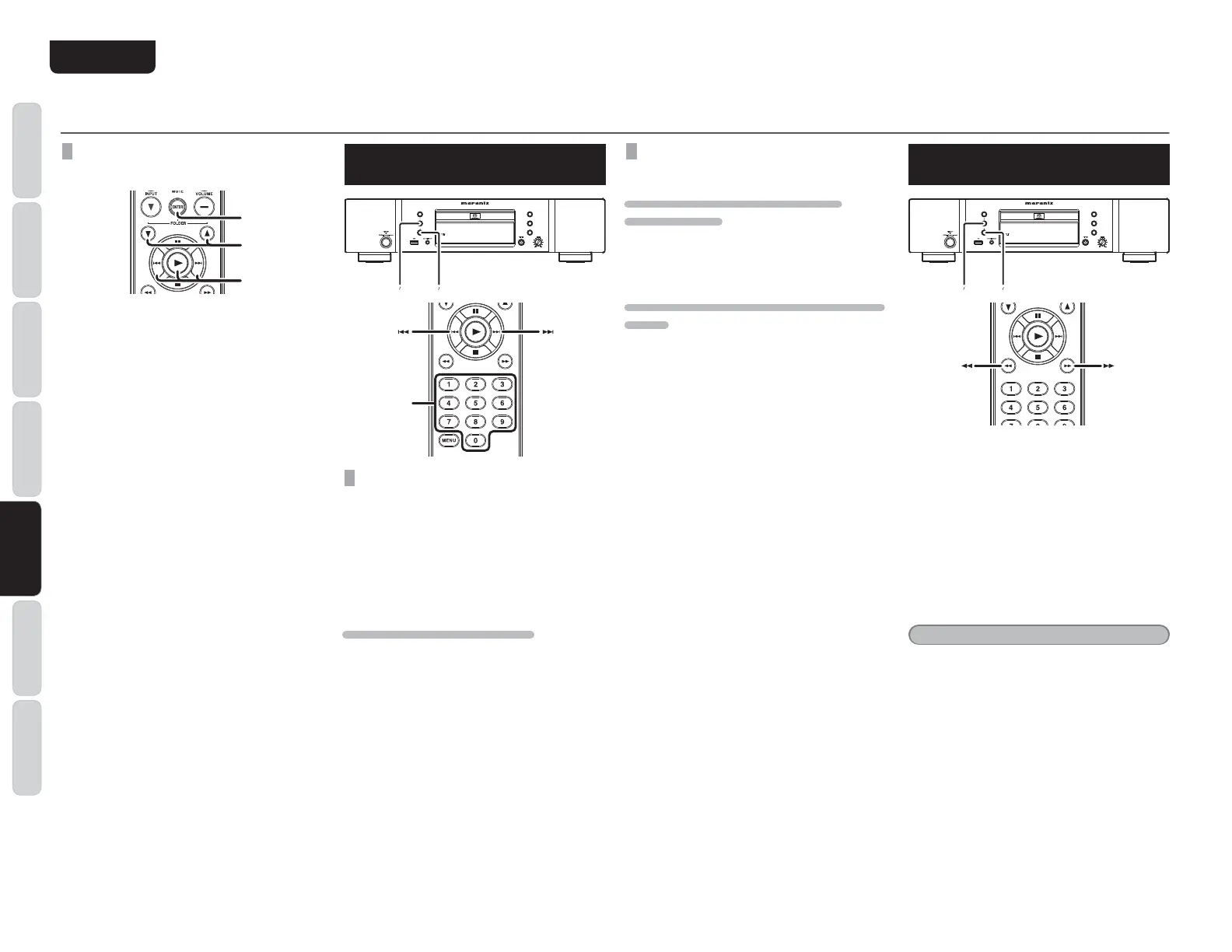
SPECIFY RACK NUMBER TO PLAY
(DIRECT SEARCH)
Specify track number with numerical buttons (0-9)
on the remote.
(example)
3rd track : Press
“
3
”
.
12th track : Press
“
1
”
and then press
“
2
”
(within
approximately 1.5 seconds).
IF A WRONG NUMBER IS PRESSED
If a track number that is not in the folder is specified,
the screen will return to its previous display.
Press correct number again.
SKIPPING TO THE PREVIOUS OR NEXT
TRACK (TRACK SKIP)
TO LISTEN TO A TRACK POSTERIOR THE
CURRENT TRACK
Press the E button on the main unit or the remote
control the same number of times as the number of
tracks you want to advance.
TO LISTEN TO A TRACK PRIOR TO THE CURRENT
TRACK
Press the button on the main unit or remote
control once and the current track will start playing
again from the beginning.
Co
ntinue to press the button on the main unit
o
r the remote control the same number of times as
the number of tracks you want to return.
APPLICATION OPERATION (USB/iPod OPERATION)
PLAYING YOUR FAVORITE
PARTS OF A TRACK (SEARCH)
0
2
7
8
¡¢
41
While playing a track, press and continue holding
the , E buttons on the main unit or press the
, Z buttons on the remote control to begin
track search.
You can change the search speed by pressing the
, E buttons on the main unit or the remote
control , E buttons again.
For USB media, the player has 4 levels of search
speed with 4 being the fastest. It changes from 1
→ 2 → 3 → 4 → 1.
For iPods, t
here is only 1 level of search speed.
Release the 2 button when the point you want to
listen to gets close.
Note:
Sounds do not come out during search operations.



 To Next Page