Initialized
Reset
HOME
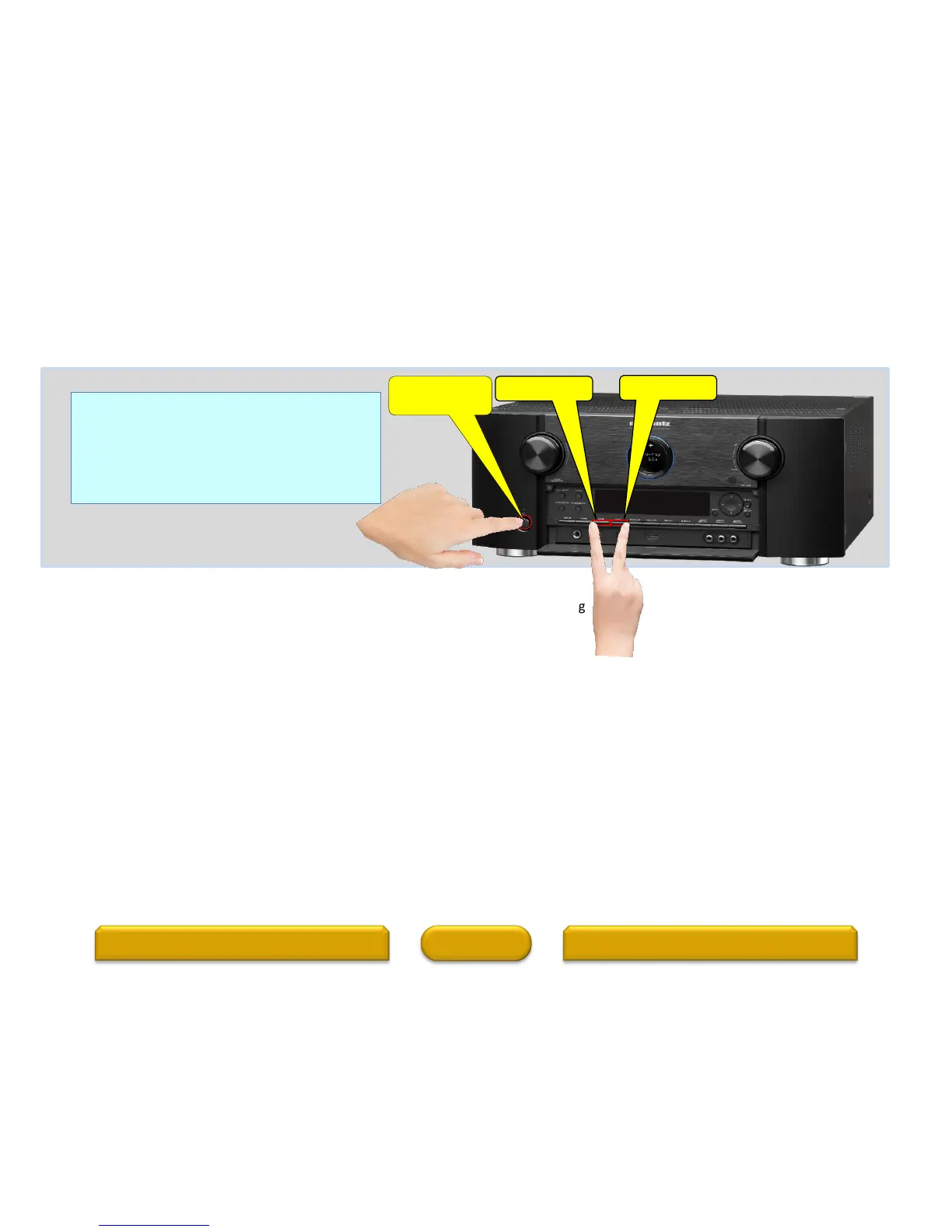
Reset procedure:
With the power off, press and hold the “A-DSX”
button, “GAME” button, and “POWER” button
simultaneously on the AVR for a few seconds
until “INITIALIZED” appears on the AVR’s display
• A jolt of static electricity
• Current surge through an input
Before resetting the microprocessor;
• Check all connections carefully
• Check for setup errors
• Back up your settings. You may also want to write down your preferred settings for easier task of setting up the AVR after reset.
Note: If you had an installer setup your system, please first contact your installer to see if they can reset and then setup your system again
as there may be specific EQ calibrations (Audyssey) that the installer will need to perform.
ACCESSORIESWARRANTY 2
Power/Standby
button
“A-DSX” button
“GAME” button
18
Resetting the micro is a procedure used to "reboot" the microprocessor to restore its
normal operation when it temporarily freezes, locks up, or behaves erratically. Resetting
the microprocessor, erases any saved settings you may have previously programmed
into the unit Issues that can affect the performance of the microprocessor:



 To Next Page