A-DSX
With The Door Open (1 of 3)
HOME
FRONT PANEL
Buttons and Display exposed when the door is
Open (2 of 3)
3
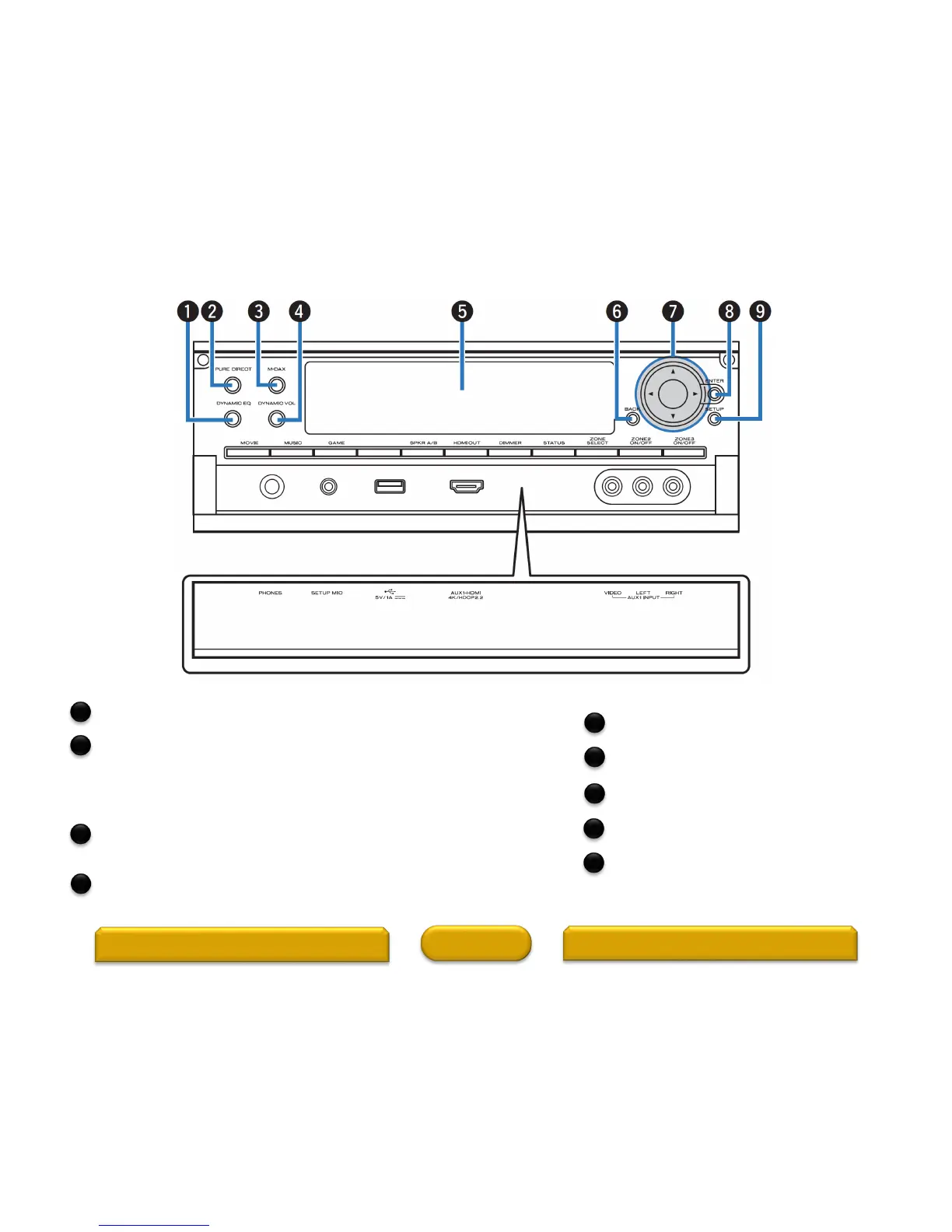
Sub display
This displays various pieces of information.
BACK button
This returns to the previous screen.
Cursor buttons ()
These select items.
ENTER button
This determines the selection.
SETUP button
This displays the menu on the TV screen.
DYNAMIC EQ button
This switches the Dynamic EQ settings.
PURE DIRECT button/indicator
This switches the sound mode between Direct, Pure Direct and
Auto.
This lights when the Pure Direct mode is selected as the sound
mode.
M-DAX button/indicator
This enables the M-DAX mode.
This lights when the M-DAX mode is selected.
Dynamic Volume button (DYNAMIC VOL)
This switches the Dynamic Volume settings.
3
4
5
6
7
8
9
1
2



 To Next Page