EasyManua.ls Logo

Marbella TX2 Mini - Inserting Memory Card

Marbella TX2 Mini
35 pages
Print Icon
To Next Page IconTo Next Page
To Previous Page IconTo Previous Page
Loading...
18
© 2018
Ma
k
a
T
e
c
hnologie
s
G
roup
. A
ll Righ
ts
Re
s
er
v
ed
.
Getting
Started
Installation
of your TX2mini
F
HD Digital
Roadcorder
TM
In
sert
ing
a
mem
o
ry
car
d
Your
device
accepts
memory
cards
with
maximum
capacities
of
64
GB.
Depending
on
the
memory
card
manufacturer
and
type,
some
memory
cards
may
not
be
compatible
with
your
device.
Some
memory
cards
may
not
be
fully
compatible
with
the
device.
Using
an
incompatible
card
may
damage
the
device
or
the
memory
card,
or
corrupt
the
data
stored
in
it.
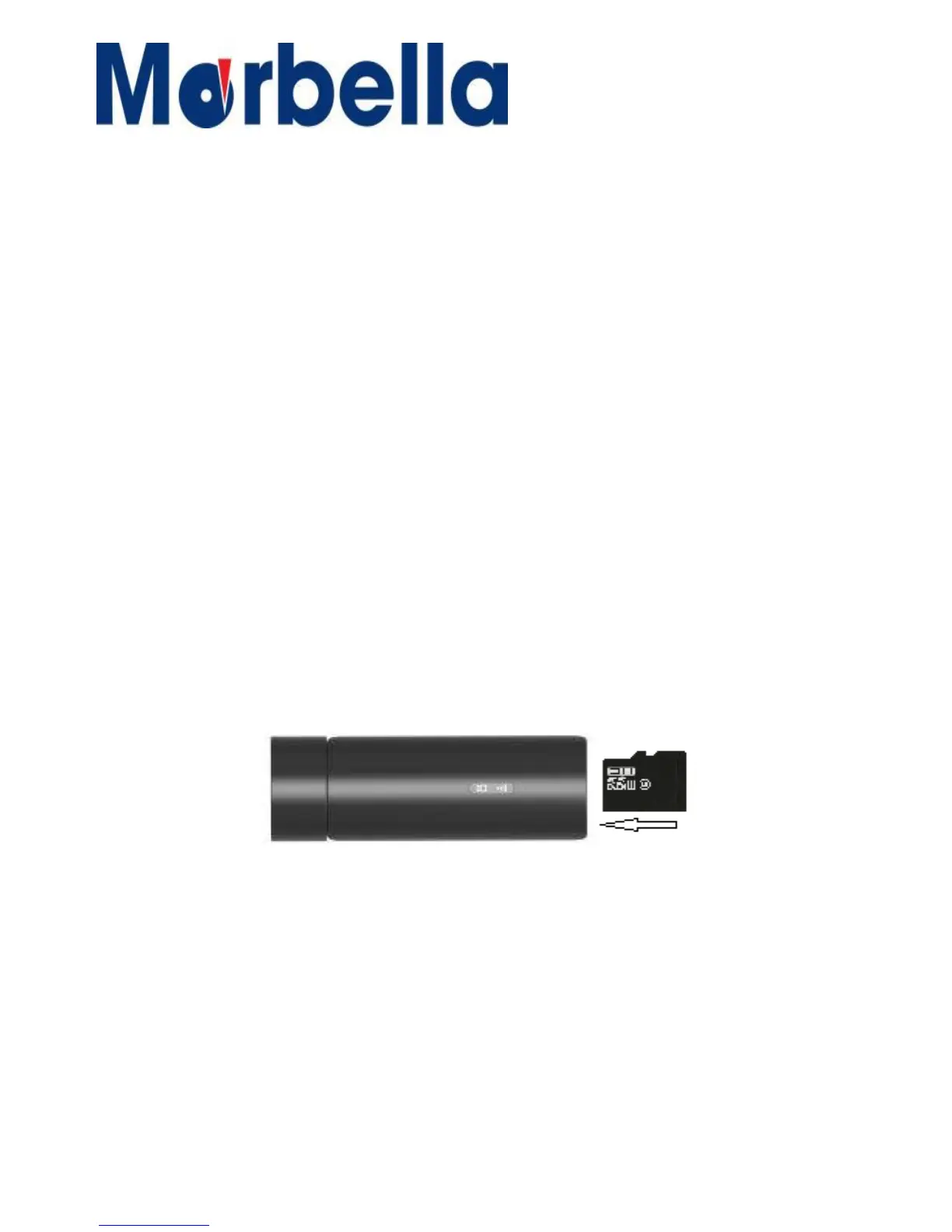
Use
caution
to
insert
the
memory
card
right-side
up
as
shown
in
the
image
below.
Insert
a
memory
card
with
the
gold-coloured
contacts
facing
downwards.
Push
the
memory
card
into
the
slot
until
it
locks
in
place.
It
is
recommended
to
reformat
a
memory
card
every
time
images
are
transferred
from
it
to
a
computer,
or
at
least
once
every 2weeks.
.
Reformatting
a
memory
card
keeps
data
and
the
structure
of
files
stored
on
it
clean,
helping
to
prevent
error
messages
and
missing
images.
Reformatting
also
restores
the
memory
card,
which
can
prevent
it
from
becoming
corrupted.

Related product manuals