25
© 2018
Ma
k
a
T
e
c
hnologie
s
G
roup
. A
ll Righ
ts
Re
s
er
v
ed
.
Getting
Started
Operation
of your TX2mini
F
HD
Digital
Roadcorder
TM
1.Swtich Device
This
function
enables
you to log out and connect to another device if the SSID
is save in the mobile.
2.Calibration Car Cam Time
This
function
enables
you
to
synchronize date and time with your mobile phone
accordingly when trigger this function. First usage of the device is advisable to
do this synchronize.
3.Car Cam Name
This
function
enables
you
to change the SSID of the device according to your
preference name.
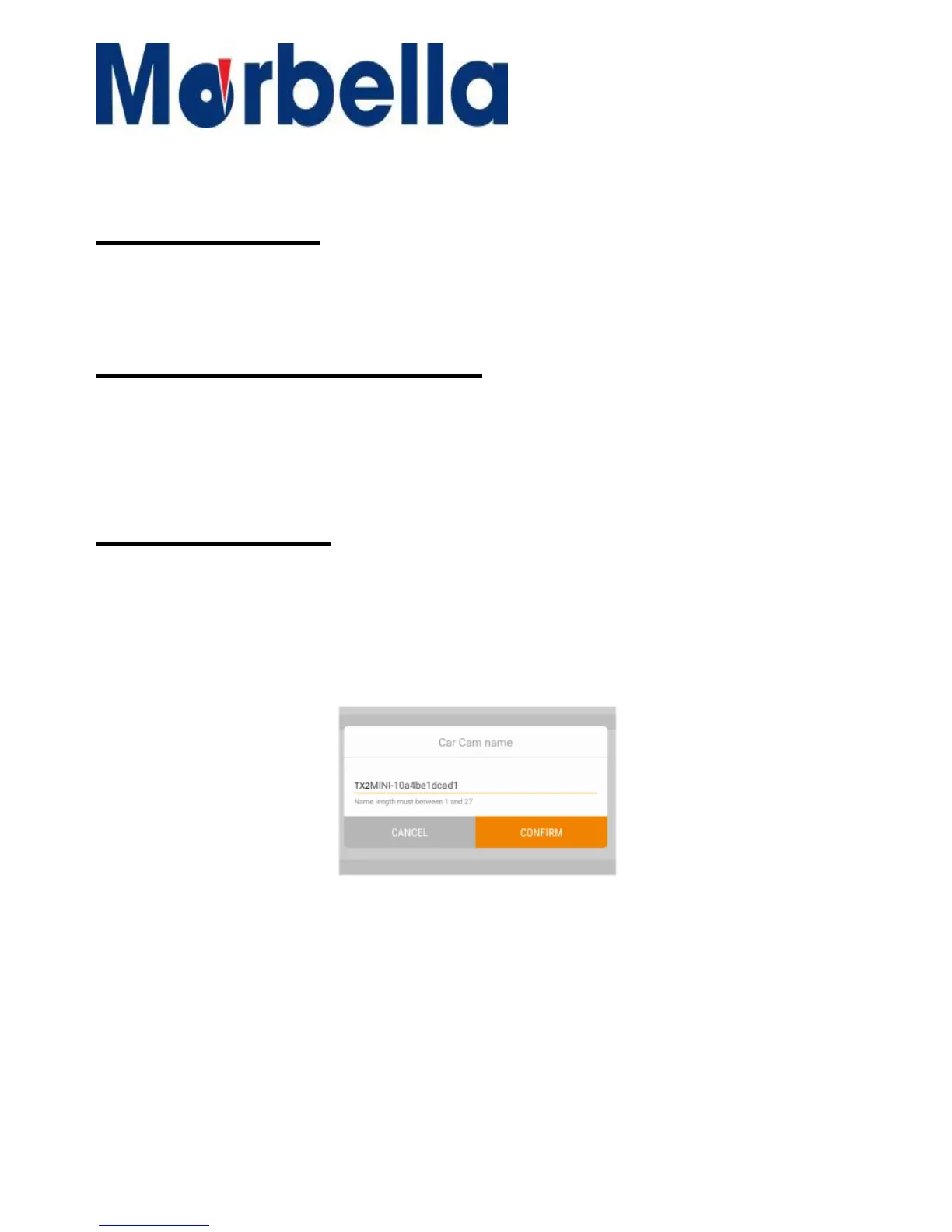
1. When in the setting, press on the arrow sign to go into the function.
2. You will see the screen as shown below:
3. Change the name and press confirm to activate changes. Message will
prompt to reconnect the wifi to complete the change.
4. Reconnect the wifi again using the changed name and enter password
connect.



 To Next Page