30
© 2018
Ma
k
a
T
e
c
hnologie
s
G
roup
. A
ll Righ
ts
Re
s
er
v
ed
.
Getting
Started
Operation
of your TX2mini
F
HD
Digital
Roadcorder
TM
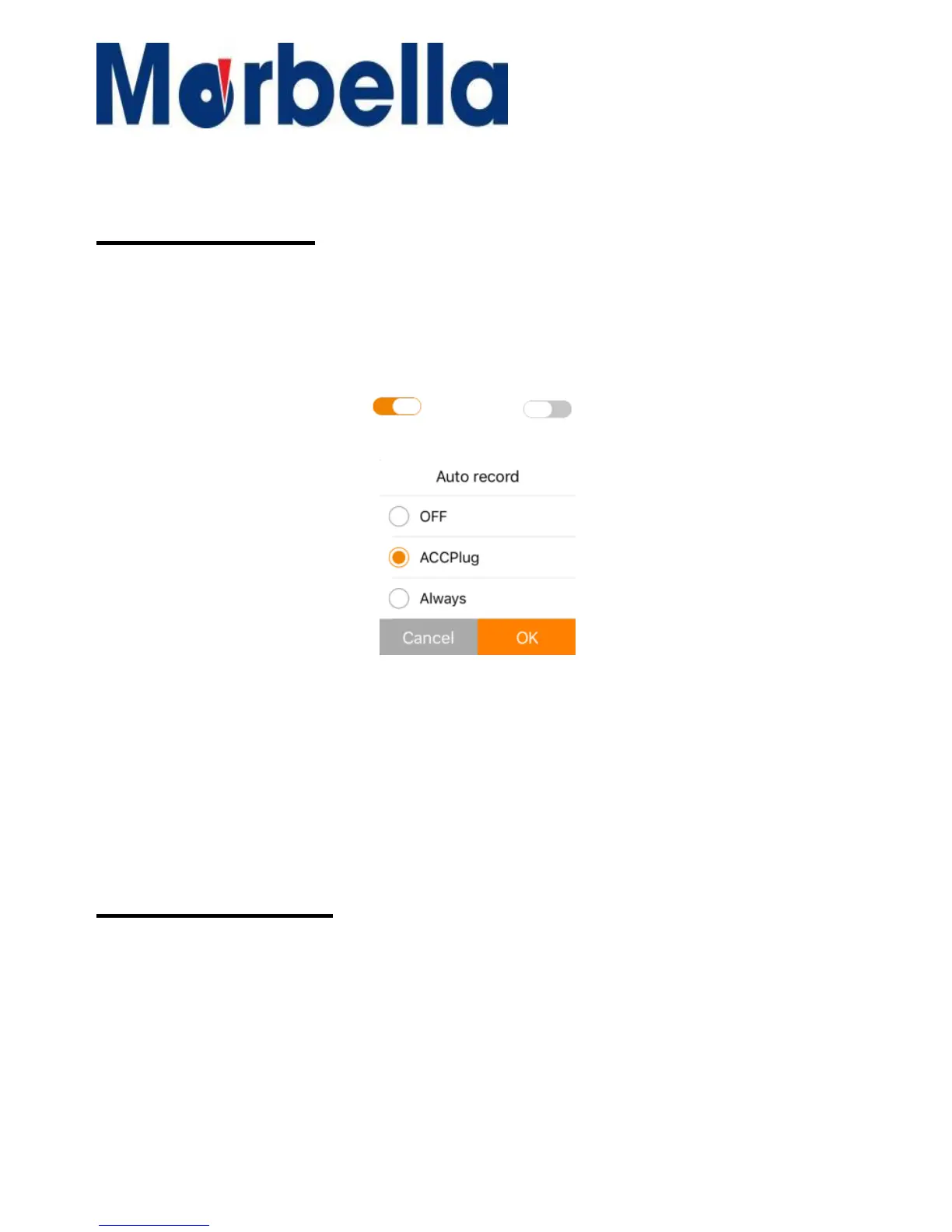
10.Auto Record
This function enable to you change the camera recording mode (Auto-
recording on/off) when booting up the device for Android Mobile. IOS will
have 3 selection (Default for both is set as On)
1. When in the setting, go to the selection icon on the function Auto Record.
2. Press once on the icon to on or to off (Android Mobile)
3. For IOS, press on the arrow to enter for selection as below
4. Select the prefer accordingly (default is set as Always). If duration is set to
Off, overwriting of the video will not happen when memory used up.
5. Press confirm to activate changes and exit this selection.
6. Go back to the live view and press record to start recording.
7. Make sure the recording icon on the top right hand is blinking before exit
the apps.
11.Motion Detect
This
function
enables
you
to
use
your
device
as
a
remote
surveillance
camera
with
motion
detection
functionality.
It
uses
the
built-in
camera
to
detect
movements
in
the
surrounding
area
using
an
advanced
motion
detection
algorithm.
Camera
will
auto
record
If
it
detects
any
movement



 To Next Page