Setting the modulation
(1)
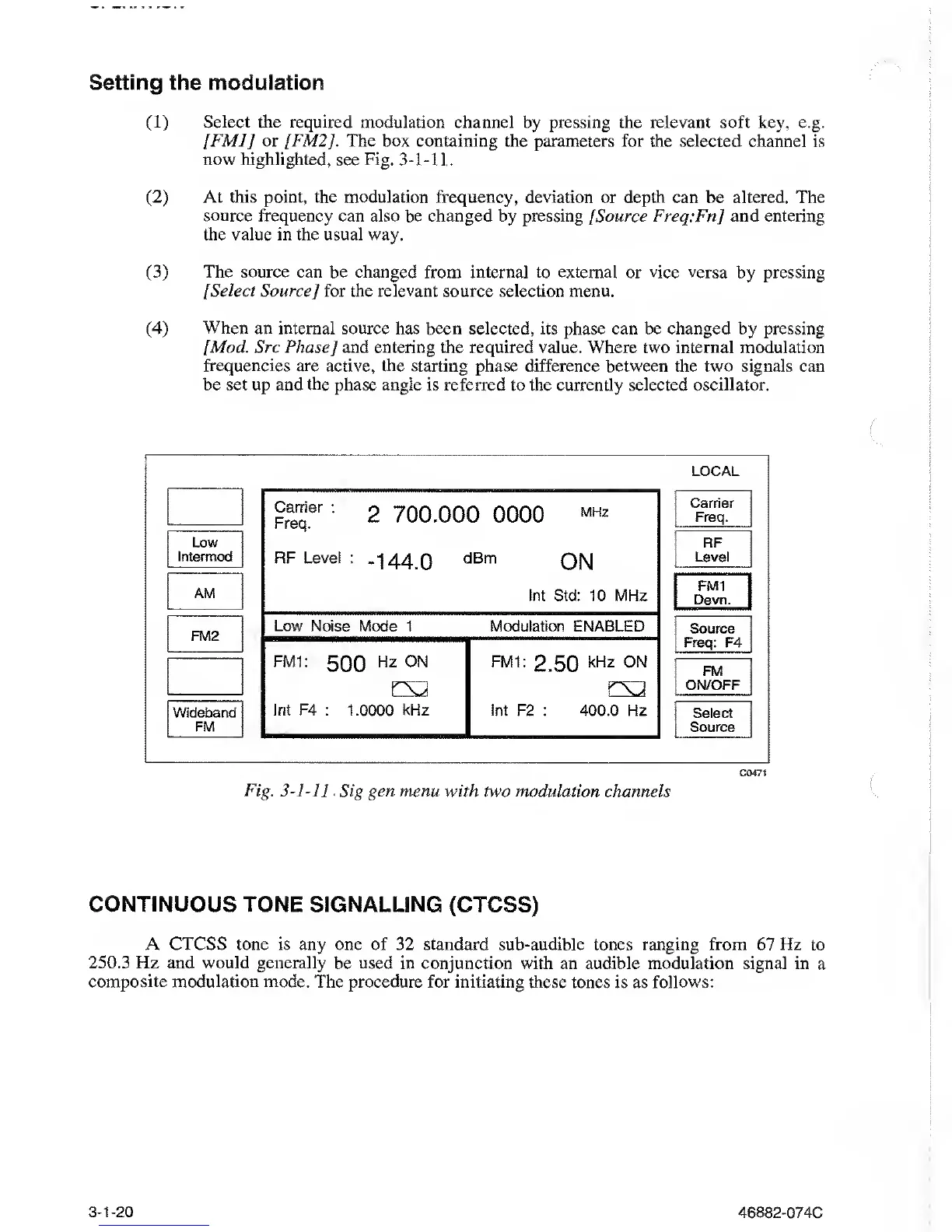
Select the required modulation
channel by pressing the
relevant
soft key, e.g.
[FMJ] or
/
FM2J
. The box containing the parameters for the selected channel
is
now
highlighted, see Fig.
3-1-11.
(2)
At this point, the modulation frequency, deviation
or
depth can be altered.
The
source frequency
can
also
be changed by pressing [Source Freq:Fn
]
and entering
the value in
the usual way.
(3)
The source
can be changed from internal to external or vice versa
by
pressing
[Select Source
]
for the relevant source selection
menu.
(4)
When an internal source has been selected, its
phase can be changed by pressing
[Mod. Src Phase]
and entering the required value. Where two internal modulation
frequencies are active, the starting phase difference between the two signals can
be set up and the phase angle
is referred to the currently selected oscillator.
LOCAL
“:
2
700.000
0000
mhz
RF Level
:
-^44
Q
dBm
ON
Int Std: 10 MHz
Low
Intermod
AM
FM2
Low Noise
Mode 1 Modulation ENABLED
FM1:
500
Hz 0N
FM1:
2.50
kHz ON
EX2
Wideband
Int
F4
: 1.0000 kHz Int F2
:
400.0 Hz
FM
Carrier
Freq.
RF
Level
FM1
Devn.
Source
Freq: F4
FM
ON/OFF
Select
Source
C0471
Fig.
3-1-11
Sig gen menu
with two
modulation channels
CONTINUOUS TONE SIGNALLING
(CTCSS)
A CTCSS tone is any one of 32 standard
sub-audible tones ranging from 67 Hz to
250.3 Hz and would generally
be used in conjunction with an audible modulation signal in
a
composite modulation mode. The procedure for initiating these
tones is as
follows:
3-1-20
46882-074C



 To Next Page