Tone
selection
(1)
At the
Sig
Gen
menu, press
[
Select Source].
(2)
At the Internal Source
Selection Menu, press
/
CTCSS
].
The
Continuous Tone
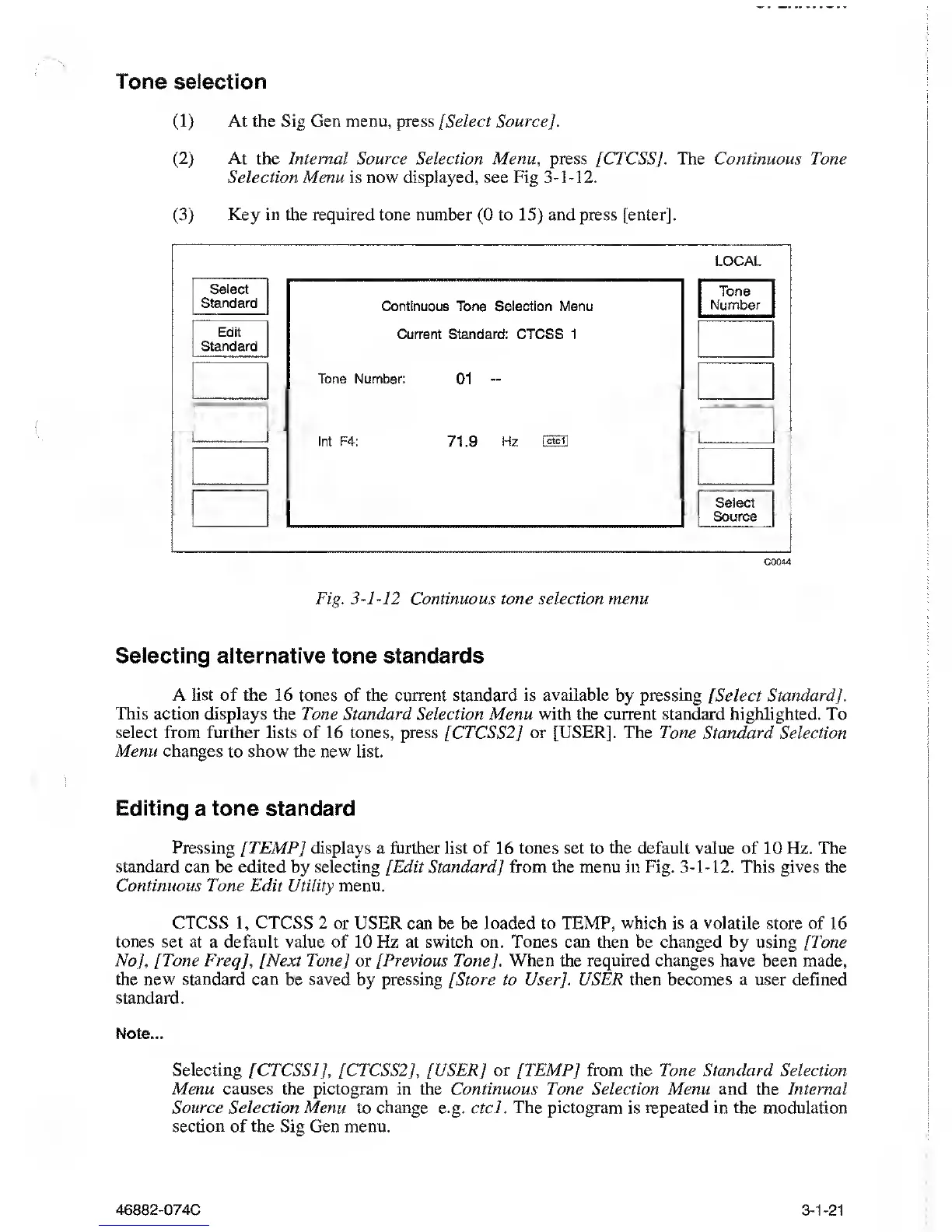
Selection Menu is now displayed, see Fig
3-1-12.
(3)
Key in the required
tone number
(0
to
15)
and press
[enter]
.
LOCAL
Select
Standard
Edit
Standard
Continuous Tone Selection Menu
Current Standard: CTCSS 1
Tone Number:
01
-
Int F4:
71.9
Hz
Tone
Number
Select
Source
C0044
Fig.
3-1-12
Continuous tone selection
menu
Selecting
alternative tone standards
A list of the 16 tones of the current standard is
available
by pressing [Select Standard].
This action displays the Tone Standard
Selection Menu
with the current standard
highlighted. To
select
from
further lists of 16 tones, press [CTCSS2] or [USER]. The Tone Standard Selection
Menu changes to show the new list.
Editing a tone standard
Pressing
[TEMP] displays a further list of 16 tones set to the default value of 10 Hz. The
standard can be edited
by
selecting [Edit Standard] from the menu in Fig.
3-1-12.
This
gives
the
Continuous Tone Edit Utility menu.
CTCSS
1,
CTCSS 2 or USER can be be loaded to TEMP,
which
is a
volatile
store of 16
tones set at a default value of 10 Hz at switch on. Tones can then be changed
by
using [Tone
No], [Tone Frecj], [Next Tone]
or
[Previous
Tone].
When the required
changes have been made,
the
new
standard can be saved by pressing [Store to User]. USER then becomes a user defined
standard.
Note...
Selecting
[CTCSS!
],
[CTCSS2], [USER] or
/
TEMP
J
from the Tone Standard Selection
Menu causes the pictogram in the Continuous Tone Selection Menu and the Internal
Source Selection Menu
to
change
e.g. ctcl.
The pictogram
is
repeated
in the modulation
section of the Sig Gen menu.
46882-074C
3-1-21



 To Next Page