INCREMENTING
(using A)
Displaying
shifts
Press the
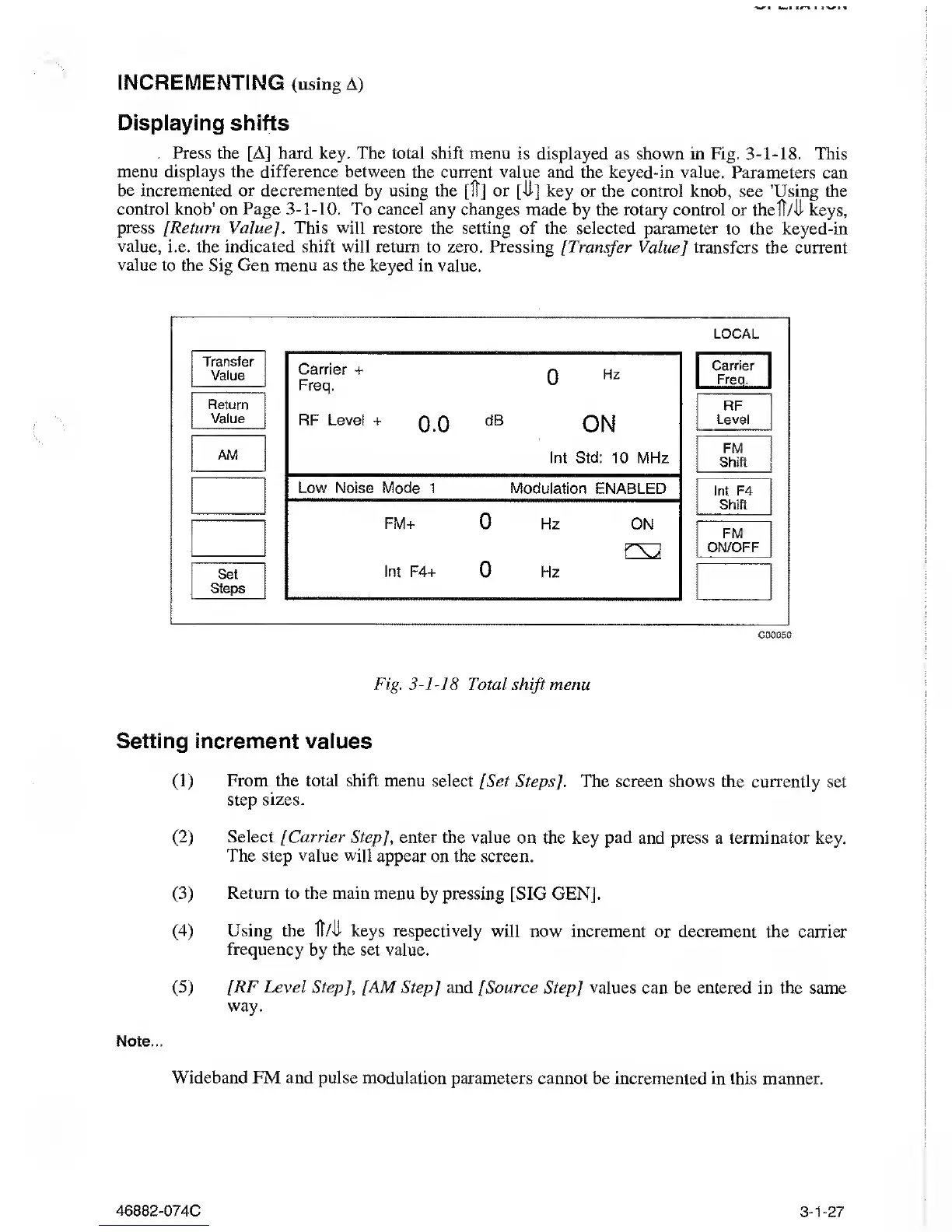
[Aj hard key. The total shift menu
is
displayed
as
shown
in Fig.
3-1-18.
This
menu displays the difference between
the current
value
and the keyed-in
value.
Parameters
can
be incremented or decremented
by using the [IT] or [II] key or the control knob,
see 'Using the
control
knob'
on Page
3-1-10.
To cancel any changes
made by the rotary control or theft/U keys,
press [Return Value]. This will restore
the setting of the selected parameter to the
keyed-in
value, i.e. the indicated shift will
return to zero. Pressing
[Transfer
Value] transfers
the current
value
to the Sig Gen menu as the keyed in value.
LOCAL
Transfer
Value
Return
Value
AM
Set
Steps
Carrier
+
n
Hz
Freq.
u
RF Level
+
Q.O
dB
ON
Int Std: 10 MHz
Low Noise Mode 1
Modulation ENABLED
FM+
0
Hz
ON
Int F4+
0
Hz
Carrier
Freq.
RF
Level
FM
Shift
Int F4
Shift
FM
ON/OFF
C00050
Fig.
3-1-18
Total
shift
menu
Setting increment values
(1)
From
the total shift menu select
[Set Steps]. The screen shows the currently
set
step sizes.
(2)
Select [Carrier Step],
enter the value on the key pad and press a terminator
key.
The
step
value will
appear on the screen.
(3)
Return
to
the main
menu by pressing [SIG GEN].
(4)
Using the
Ml
keys respectively
will now increment
or decrement the carrier
frequency by the set value.
(5)
[RF Level Step],
[AM Step
]
and [Source
Step]
values
can be entered in the same
way.
Note-
Wideband FM and pulse modulation
parameters cannot be incremented in
this manner.
46882-074C
3-1-27



 To Next Page