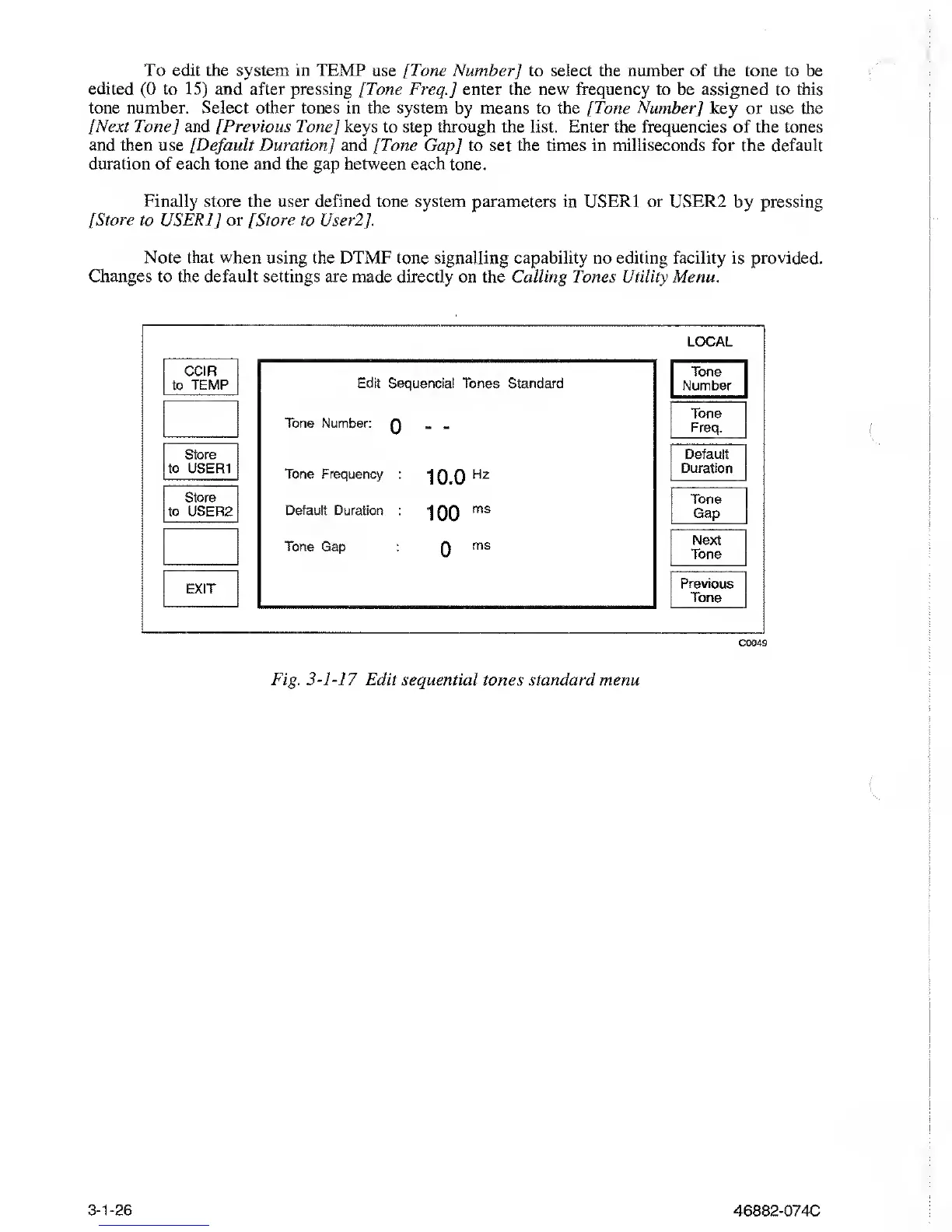
To edit the system in TEMP use [Tone
Number] to
select the number
of the tone to be
edited
(0
to
15)
and after pressing
[Tone
Freq.J
enter the
new
frequency to be assigned to this
tone number. Select
other tones in the system
by
means to the [Tone Number
]
key or use the
[Next Tone
[
and [Previous Tone
]
keys to step
through the list.
Enter
the
frequencies of
the tones
and then use
[Default
Duration
]
and [Tone Gap] to set the times in milliseconds for the default
duration of
each tone and the gap between each tone.
Finally store the
user defined tone system parameters in USER1 or USER2 by pressing
[Store to USER1
]
or [Store to User2[.
Note that
when
using the DTMF tone signalling capability no editing facility
is provided.
Changes to the default
settings are made directly on the Calling Tones Utility Menu.
LOCAL
CCIR
to
TEMP
Store
to USER1
Store
to USER2
EXIT
Edit Sequencia! Tones Standard
Tone Number:
Q
- -
Tone Frequency
:
10.0
H2
Default
Duration
:
100
ms
Tone
Gap
:
0
ms
Tone
Number
Tone
Freq.
Default
Duration
Tone
Gap
Next
Tone
Previous
Tone
C0049
Fig.
3-1-17
Edit sequential
tones
standard menu
3-1-26
46882-074C



 To Next Page