- 14
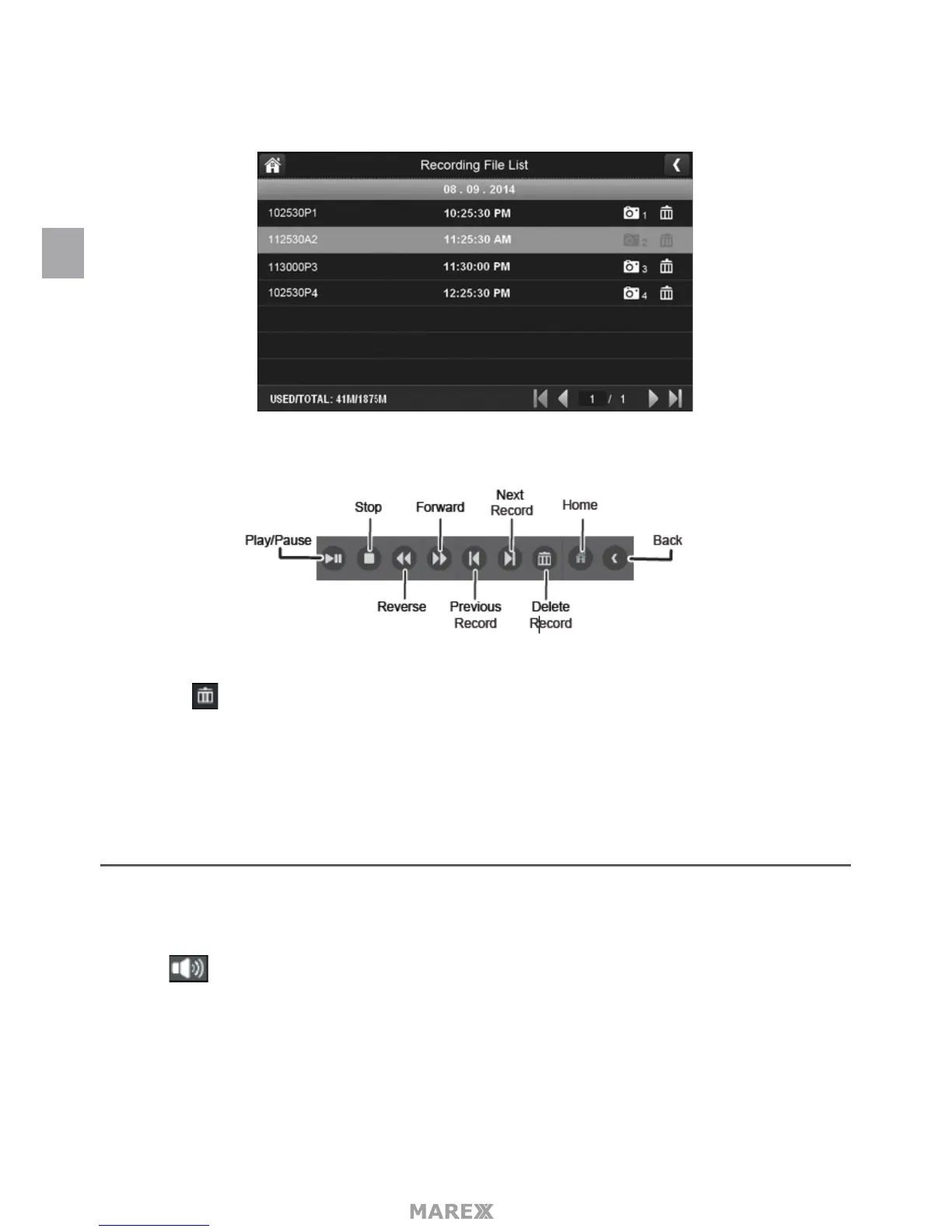
• Days that are highlighted have recorded les. Tap the day you want to review and a list of recordings for
that day displays.
• Tap the record you want and it plays, with a control bar across the bottom of the screen.
• When the le nishes, the monitor displays the Recording File List screen again.
• Tap the icon to delete the record if desired.
ALARM
When motion triggers the camera to begin recording, the monitor will play an alarm tone. This menu lets you
determine how loud that tone will be.
• Tap The following menu will appear:
EN


 To Next Page