- 22
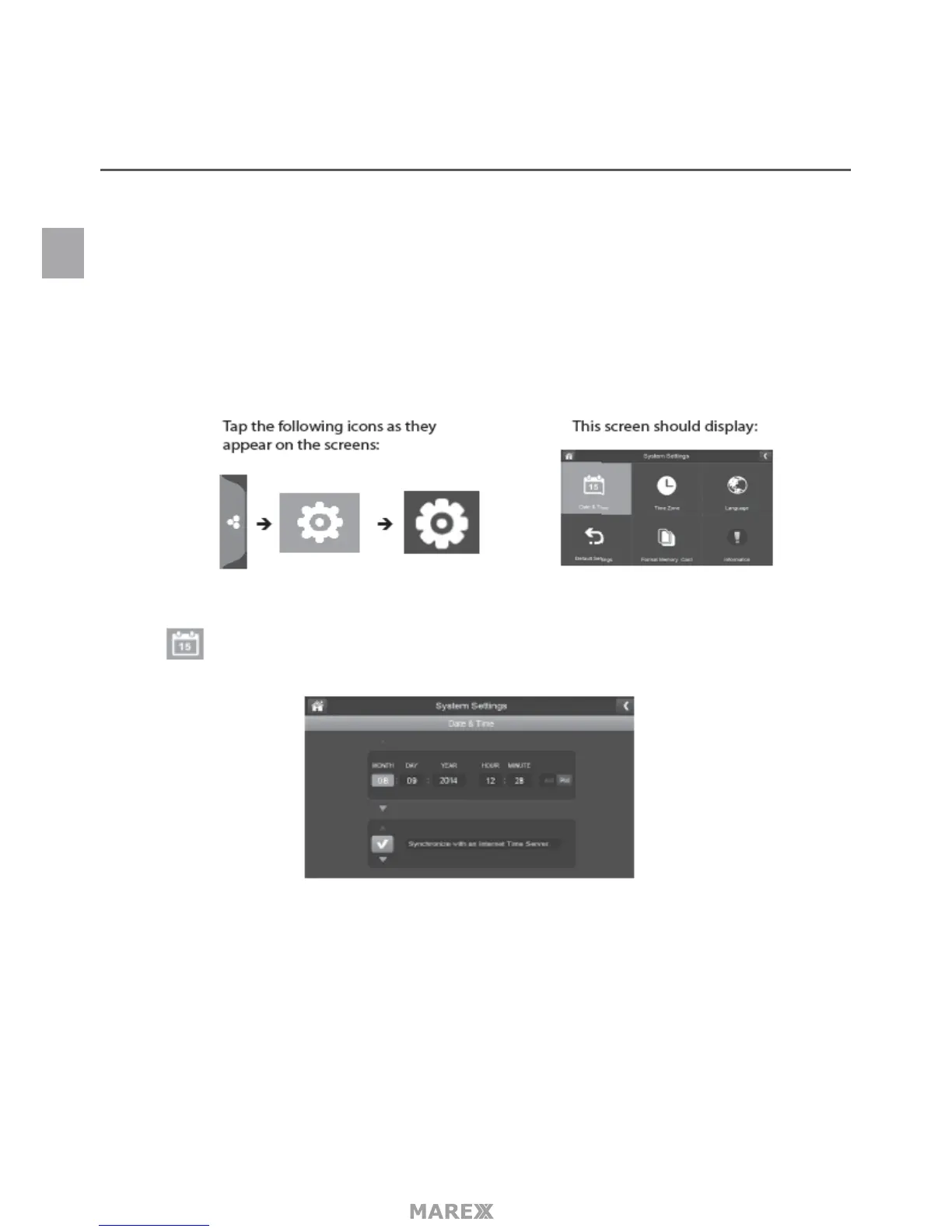
SYSTEM SETTINGS MENU
Use these setting options to congure your system:
• Date and Time
• Time Zone
• Language
• Default Settings
• Format Memory Card
• Information
DATE AND TIME
1. Tap to acces the Date & Time screen.
2. Tap the up or down arrow to set the month, day, and date.
3. Tap the up or down arrow to set the time
- Tap the AM/PM block to toggle between them
- Tap the up or down arrows to set the correct hour and minute.
4. Tap synchronize with an internet time server if you want the internet clock to set your time
automatically.
You must keep your system connected to your wireless network using the ethernet cable in order to
synchronize with the internet time server.
EN


 To Next Page