- 17
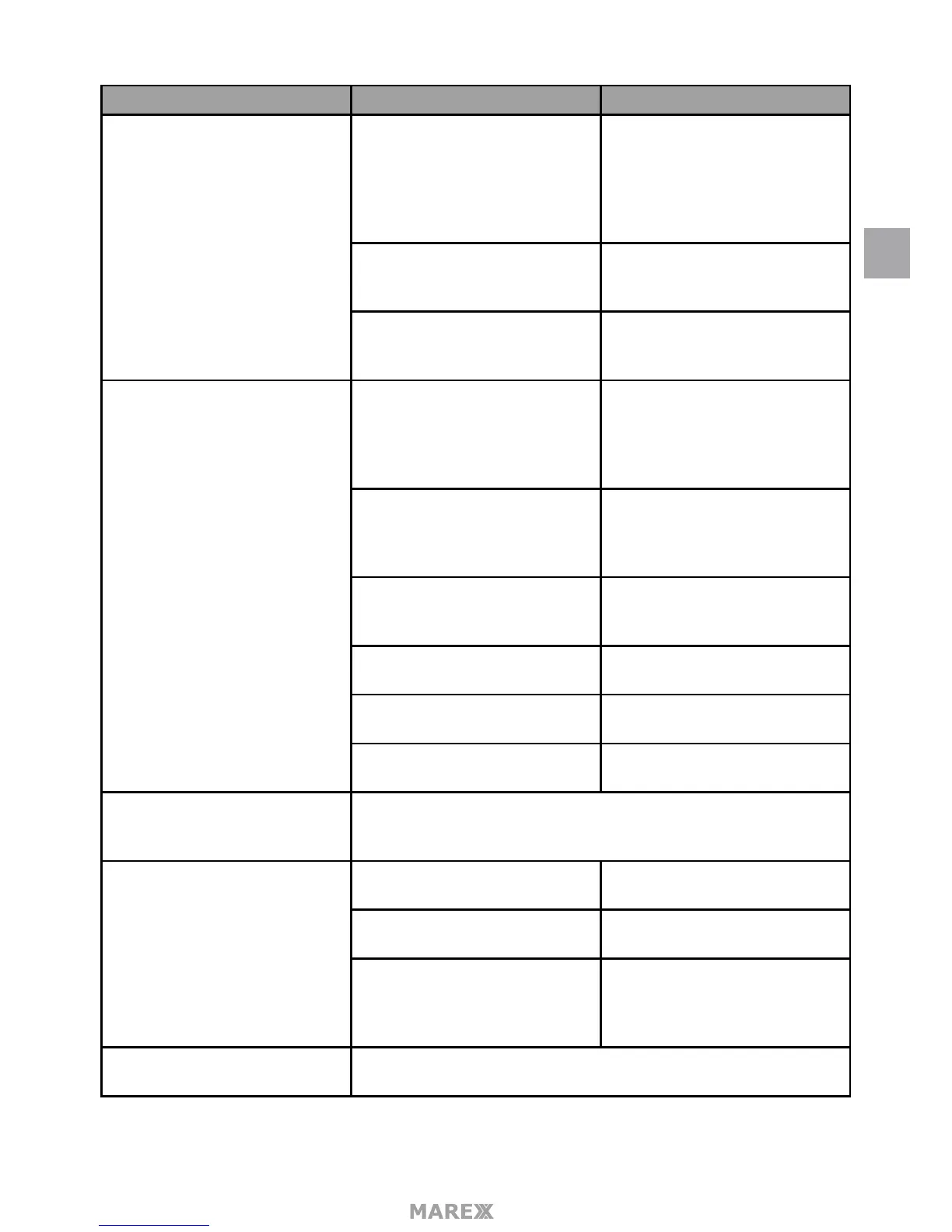
Main Screen Sub-Screen What it Does
Recording Setup Duration Set the length of time the camera
records once motion sensitivity
triggers the camera to record.
Choices are 15 seconds, 30
seconds, or 1 minute (Default - 15
seconds)
Schedule Recording Set up a schedule for pre-
determined recording times and
lengths.
File Overwrite Overwrites the oldest recorded
data on the SD card once the card
is full.
System Settings Date & Time • Time Setting. Set the current
time (including Daylight
Savings Time).
• Time Zone. Set the time
zone for your system.
Time Zone • Set the time zone for your
system.
• Enable/Disable Daylight
Savings Time.
Lanuage Changes languages setting for
the montior (English, French or
Spanish)
Default Settings Restores the system to default
settings.
Format SD Card Reformats the SD card and de-
letes all existing data.
Information Displays rmware information for
the monitor and each camera.
Motion Detection Settings A single screen lets you set motion detection sensitivity for each cam-
era. It also lets you determine which viewing areas for each camera
should be masked from motion detection.
Network Setup Advanced Setup Set up Dynamic or Static IP ad-
dress.
Reset Password Reset app password to the
default (000000).
Information Displays and allows you to
change information about your
network and the monitor’s
unique UID number.
Firmware Upgrade Lets you select how you want to upgrade your rmware (from SD card
or from server).
EN


 To Next Page