- 26
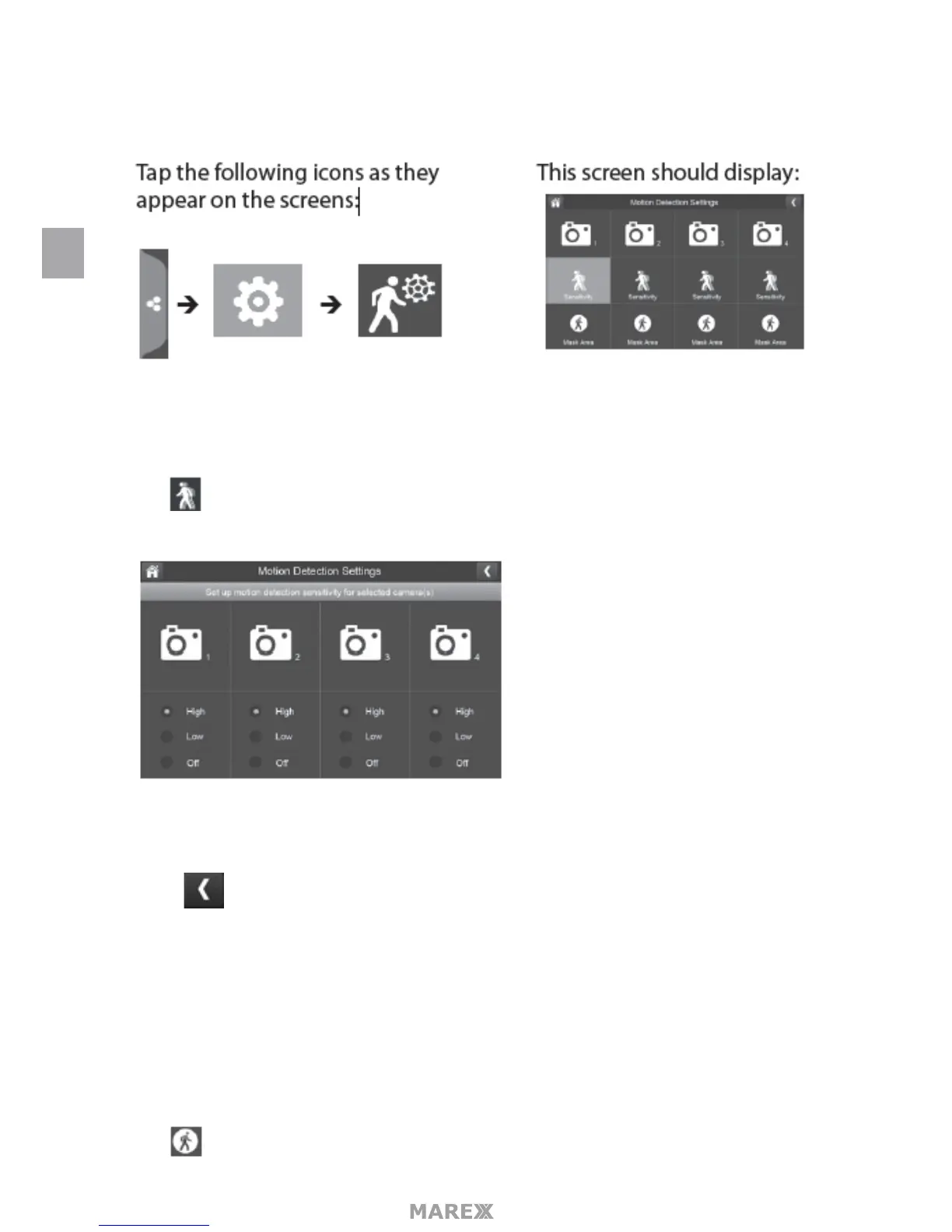
menu also lets you mask o any areas in the image for the camera to ignore. For example, you may have trees
in the image area that would set o motion detection if there is a breeze.
SENSITIVITY
this selection allows you to set the camera’s motion detection sensitivity levels to High, Low or O.
1. Tap The following screen displays.
2. Tap High, Low or O to set sensitivity.
3. 3. Tap to return to the previous screen.
MASK AREA
Use this selection to mask o any parts of the viewing area you do NOT want to be included for motion
detection.
Note: the video image is removed to make it easier to see the masking grid.
1. Tap The Mask Area menu displays, superimposed over the image from that camera.
EN


 To Next Page