- 28
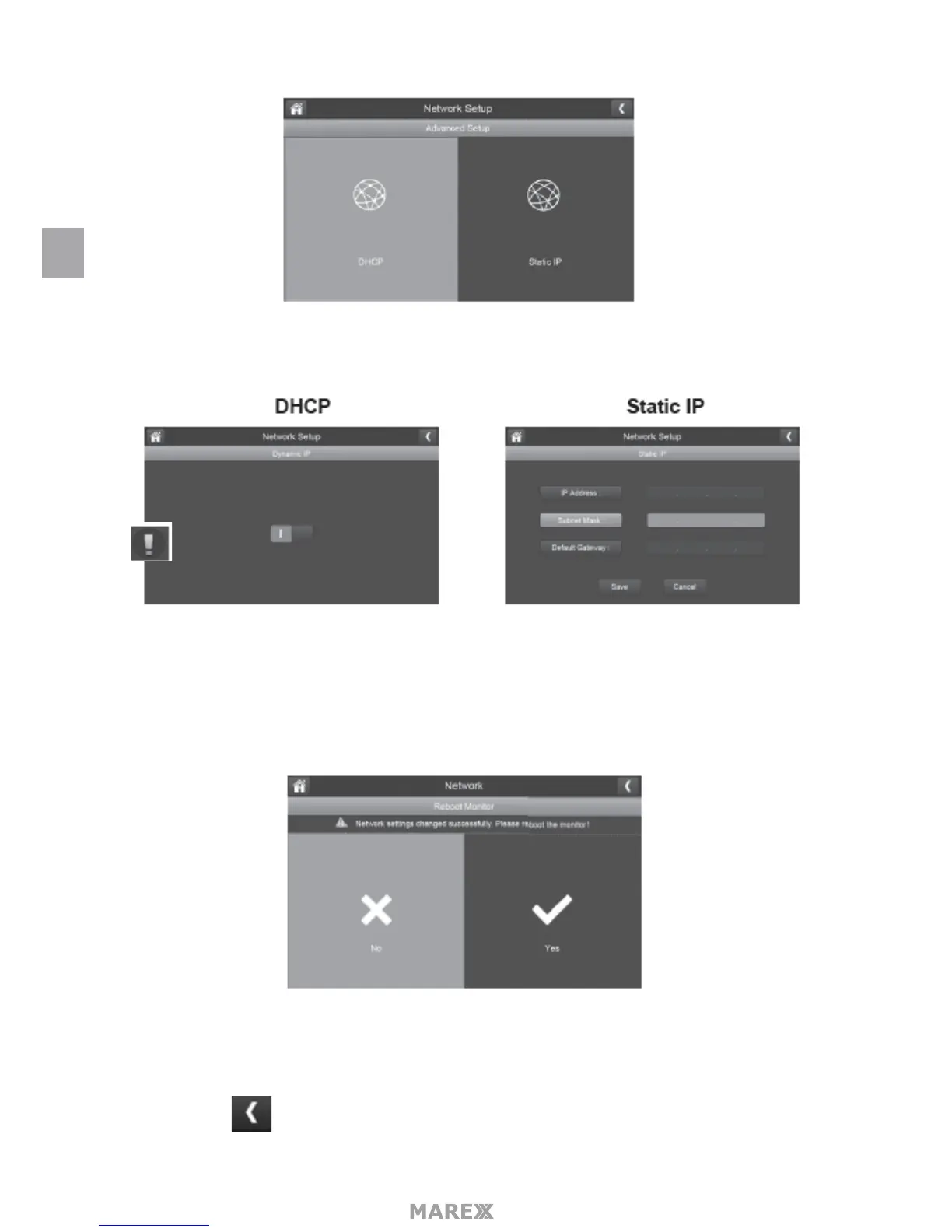
2. Tap on your selection and ll in the elds requested. Tap SAVE.
3. Tap on your selection and ll in the elds requested.
DCHP is the most common connection. Your routerwill automatically assign an IP address to your Marex
System. Static IP is for those that have the ability to specify an IP address for their system.
4. Reboot the monitor when prompted.
RESET PASSWORD
The Reset Password feature resets the Uniden U Guard app’s password to the default (000000).
Tap YES, than tap to return to the Reset Password screen.
EN


 To Next Page