- 32
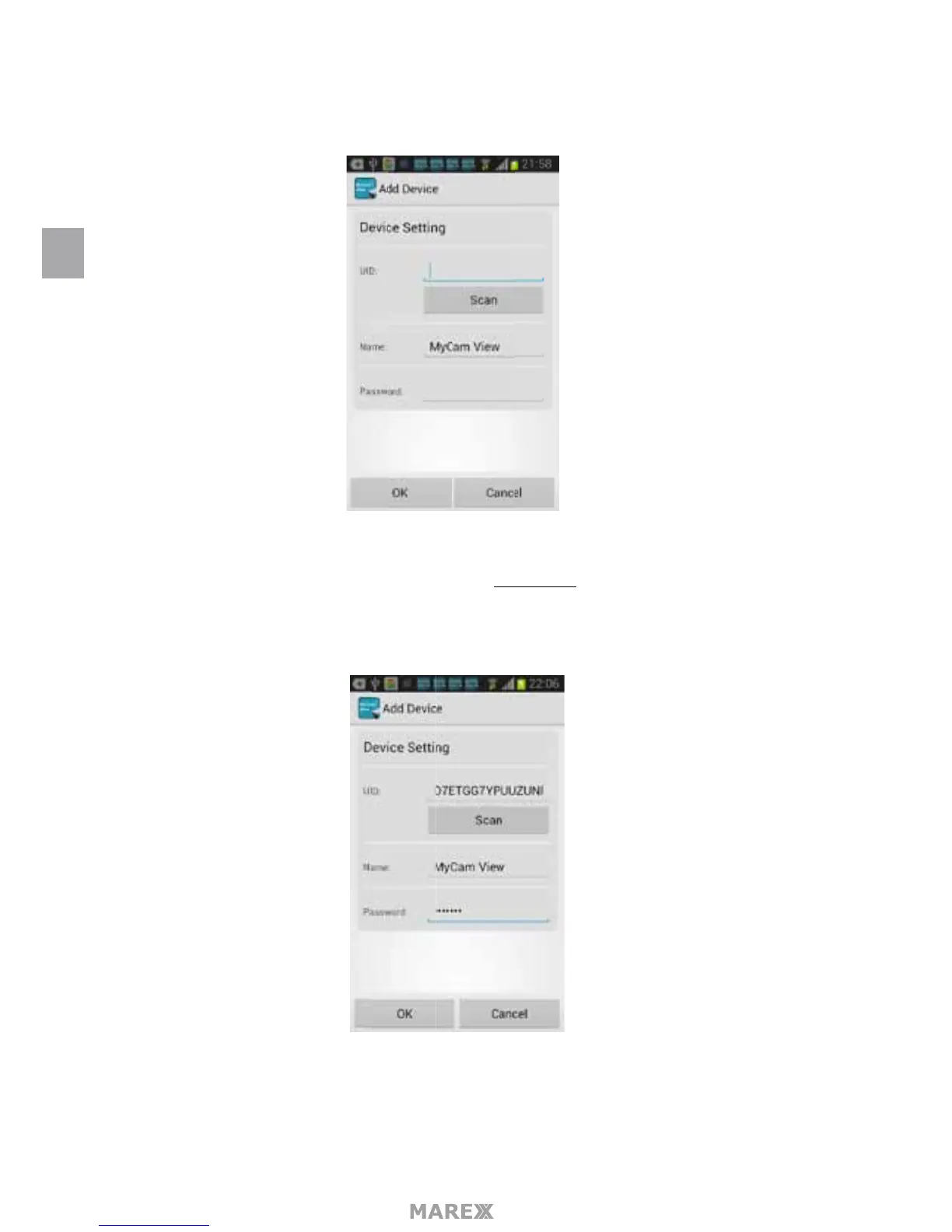
The following screen will appear.
There are 2 options to get the UID from the monitor.
Option A: Enter the UID printed below the QRcode (for example: D7ETGG7YPUUZUNPYWM4J) as it is
shown on the back of the monitor.
Option B: Tap the Scan button to scan the QRcode on the back of the monitor.
Name: Tap to rename the camera (the default name is MyCam View) Enter the Password (default setting
is: 000000) Tap OK to conrm it.
EN


 To Next Page